
Self-PublishMistry AI Review
9 Upsells, 3 Book Types and the KDP Limit Nobody Mentions
Self-PublishMistry AI Review - The Basic Information
- Vendor: Uddhab Pramanik / InSource Apps
- Launch date: Nov 2, 2026 at 11 AM EST
- Front-end price: One-time payment of $14.95
- Upsells – 9 OTO’s ranging from $47 to $197 each
- Bundle deal: no for this launch
- Warranty: 30 Day Money Back Guarantee
- Types of Books: AI eBooks, Puzzle Books, Low Content Book
- Platforms: Amazon KDP, Gumroad, IngramSpark, BookSpace, Draft2Digital
- Best for: beginners who need help drafting, formatting and listing books, not a hands-off income machine
Self-PublishMistry AI Pricing and Upsells
This is a long funnel so it’s worth knowing what you’re signing up for. There’s only one way to buy: the front end, followed by nine upgrades, one after another. There is no bundle deal so each upgrade is an individual decision.
Front End: Self-PublishMistry AI ($14.95)
The front end is a one time cost of $14.95 with lifetime access and no monthly fee. AI Ebook Creator. AI Puzzle Book Generator. Low-Content Book Builder. KDP-ready print interiors. EPUB export. Cover designer. Metadata and keyword tools. Book idea tools. 5-platform publish workflow. Training videos. Commercial license. Plus three bonuses:
- A vault of 100 book niches
- A Royalty Quick-Start Kit with setup checklists and a pricing cheat sheet
- A set of book description templates
There are no limits mentioned for the front end on the sales page, but the “Unlimited” upgrade implies that there are limits on how many books you can create.
OTO 1: Unlimited ($67)
The first upgrade, called the Unlimited edition, is $67. Given its name and its place in the funnel, this takes away the creation limits on the front-end version, allowing you to create an unlimited number of books. Before you buy, look at what the real front-end limits are. Later, you'll see that Amazon now caps the number of new titles you can submit each week, so a book generator that produces unlimited titles is less important than it was.
OTO 2: Royalty Plus ($47)
The second upgrade is called Royalty Plus and costs $47. Based on the branding, it’s an add-on to increase royalties, most likely additional training, niche data or listing tools. Not much detail so treat it as optional until you actually see the upgrade page.
OTO 3: DFY ($97)
Third upgrade is $97 and that is the Done-For-You package. DFY upgrade in launches like this usually means pre-made books, templates or campaigns that you can publish without having to create them yourself. Watch it here. Pre-made books sold to many buyers at once are exactly the type of duplicated content that publishing platforms try to filter out, so anything DFY should be edited and personalised before it goes live.
OTO 4: Own Bookshop ($67)
The fourth upgrade is Own Bookshop and will cost you $67. As the name suggests, it gives you the ability to build your own shopfront to sell your books and printables directly, instead of just relying on Amazon and the other platforms. If you already have an audience or an email list, this is perfect because a store is only profitable if you can drive traffic to it.
OTO 5: Audio Book Edition ($197)
The fifth upgrade is one of the two most expensive in the funnel, at $197. With the Audio Book Edition you can also convert your books into audiobooks. Audiobooks are a real and growing market, but each audiobook store has its own rules about AI narration and AI-written content. Check those before paying for this.
OTO 6: Unlimited Traffic ($97)
The 6th upgrade is $97 and is sold as Unlimited Traffic, a way to drive traffic to your books. “Unlimited” is a bit of a stretch for any traffic product so judge it on what it actually delivers, not on its name.
OTO 7: Agency ($47)
The seventh upgrade costs $47 and adds a License to the Agency. It’s the kind of upgrade that typically allows you to create books and publishing assets for clients, and manage client work from your account. It is for people who want to sell ghostwriting, formatting or cover services instead of publishing under their own names.
OTO 8: Franchise ( $97 )
The eighth upgrade is Franchise, costing $97. Typically, this means the right to resell access to the app under the vendor’s brand for those who want to sell the software rather than publish books.
OTO 9: Whitelabel ($197)
The last upgrade is $197 and gives you a whitelabel version of the app that you can rebrand and sell as your own product. Like Franchise, it has little to do with self-publishing books.
The Full Funnel Costs
So if you bought the front end and all 9 upgrades you’d be looking at a total of $927.95. That'll be $14.95 for the front end, $913 for the upgrades. The front end alone is enough to test if the book quality works for you. My advice is to start there, and only add an upgrade once you’ve hit a specific limit that it removes.
What is Self-PublishMistry AI ?
Self-PublishMistry AI is a self-publishing app that runs in the browser. You pick a book type, tell your idea or choose a template and the AI creates the content, the interior layout and the cover. Then the app gives you print and ebook files and listing copy like titles, subtitles, descriptions and keywords.
It has three book categories. How-to guides, self-help, business books, children’s stories and cookbooks are among the AI ebooks. Puzzle books include sudoku, word search, crosswords, mazes, cryptograms and number puzzles with answer keys. Low content books consist of journals, planners, logbooks, notebooks and trackers. There is nothing to install because everything is in the cloud.
How Self-PublishMistry AI Works: Inside Member Area
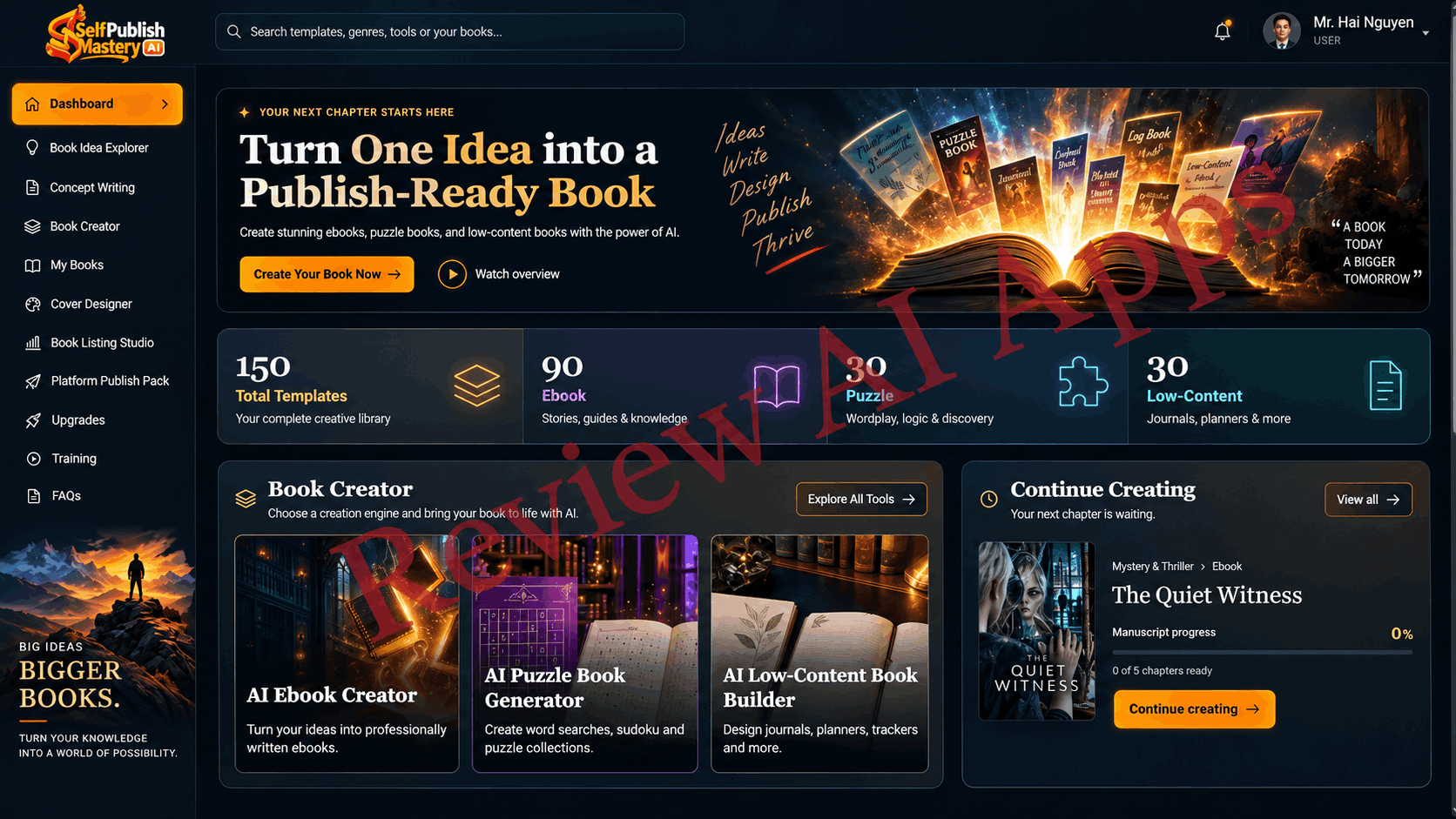
The member area is dark and slick with a menu down the left side. Each section does the following.
Dashboard
The dashboard shows the number of templates available. There are 150 templates, including 90 ebook templates, 30 puzzle templates and 30 low-content templates.
There is a “Continue Creating” panel for drafts in progress as well as three main entry points: AI Ebook Creator, AI Puzzle Book Generator and AI Low-Content Book Builder.
Book Idea Finder
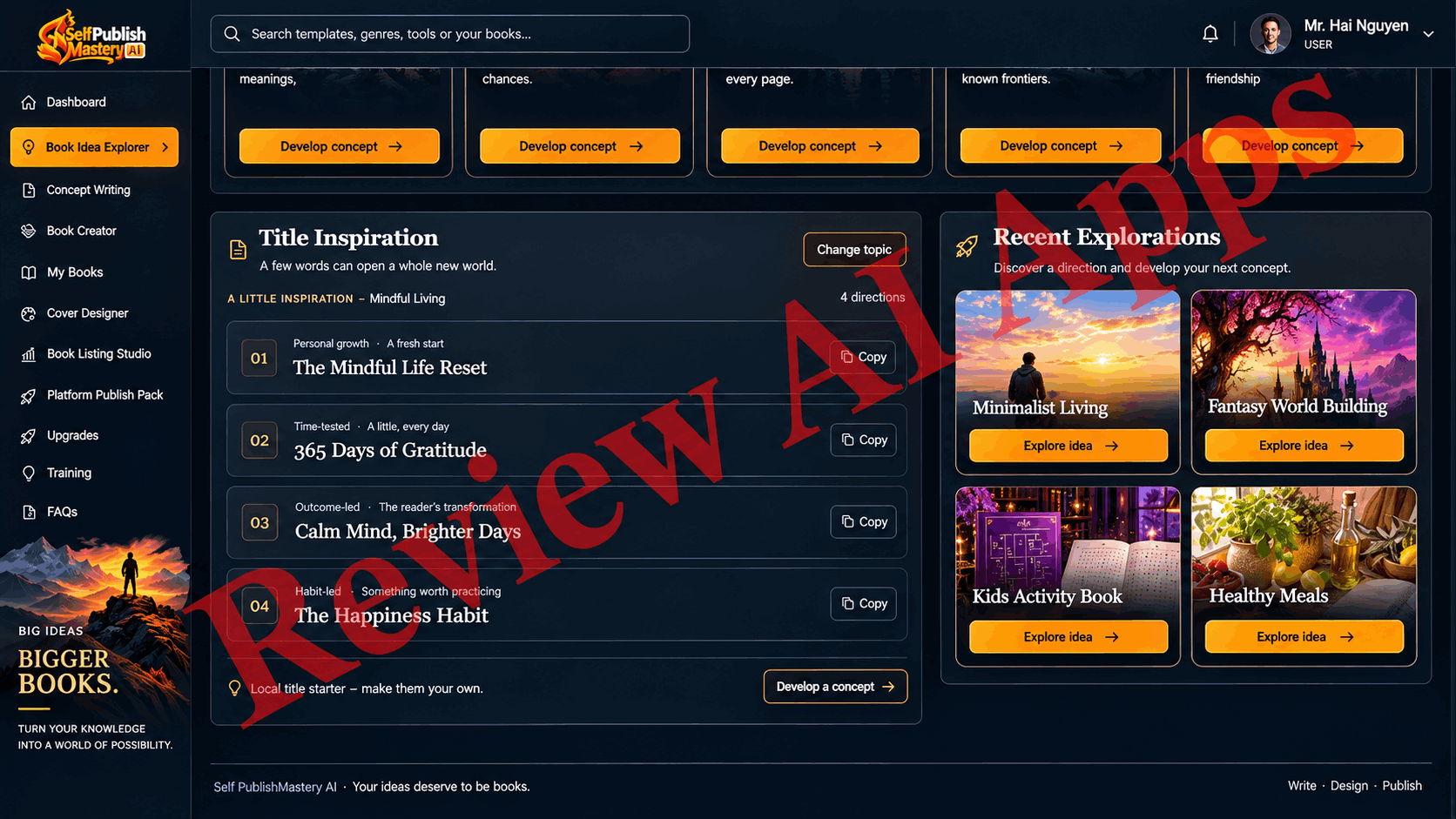
This is the research area. There are tabs for niches, fresh ideas, title inspiration and reader focus. You enter a subject, select a book type and audience, and scroll through suggestions, niche cards and a “Hot Book Ideas” gallery.
Concept Writing
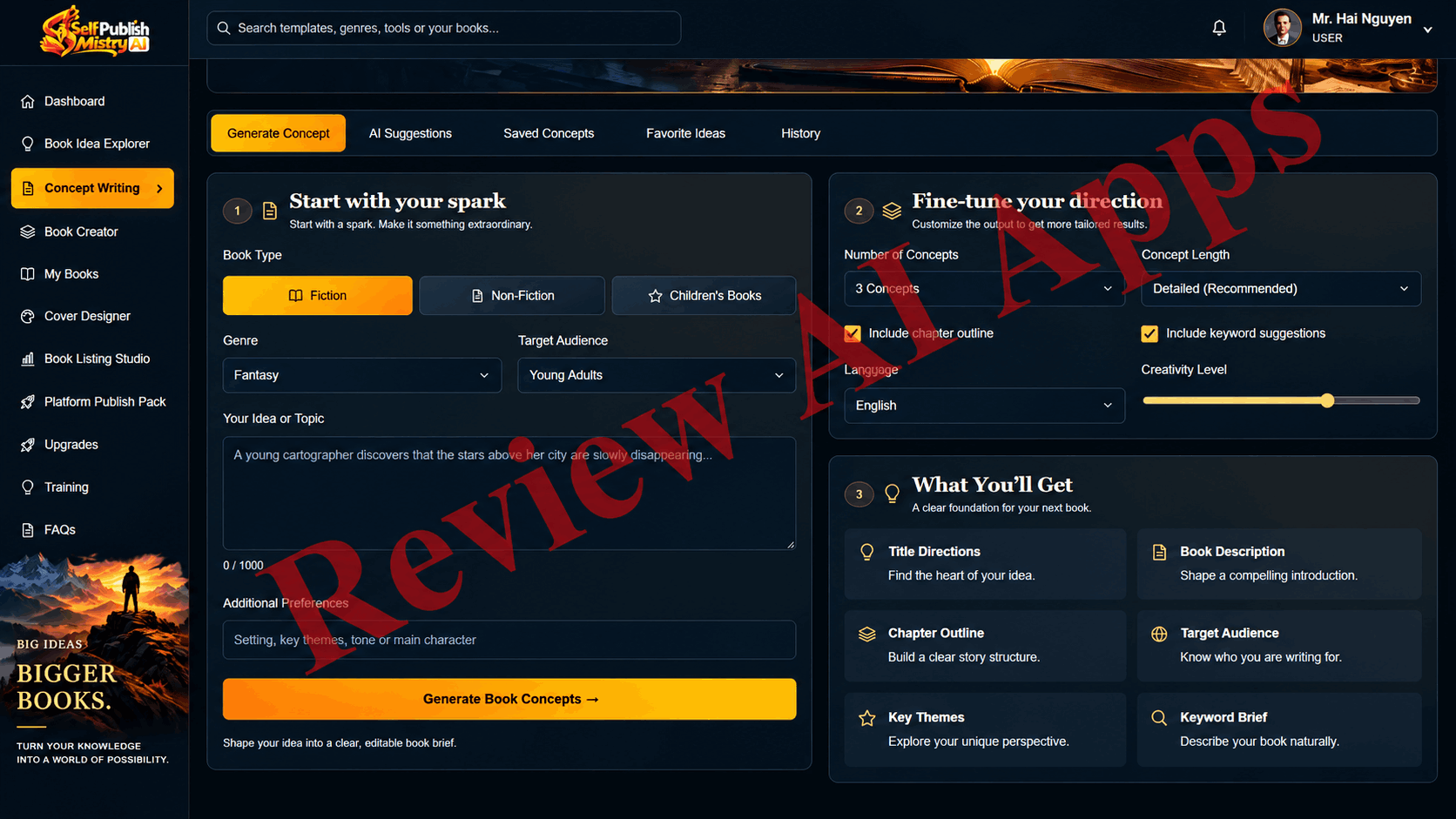
With Concept Writing you write your brief before you write. You pick fiction, non-fiction or children’s, then set the audience, number of chapters, language and how creative you want the AI to be.
Book Creator -
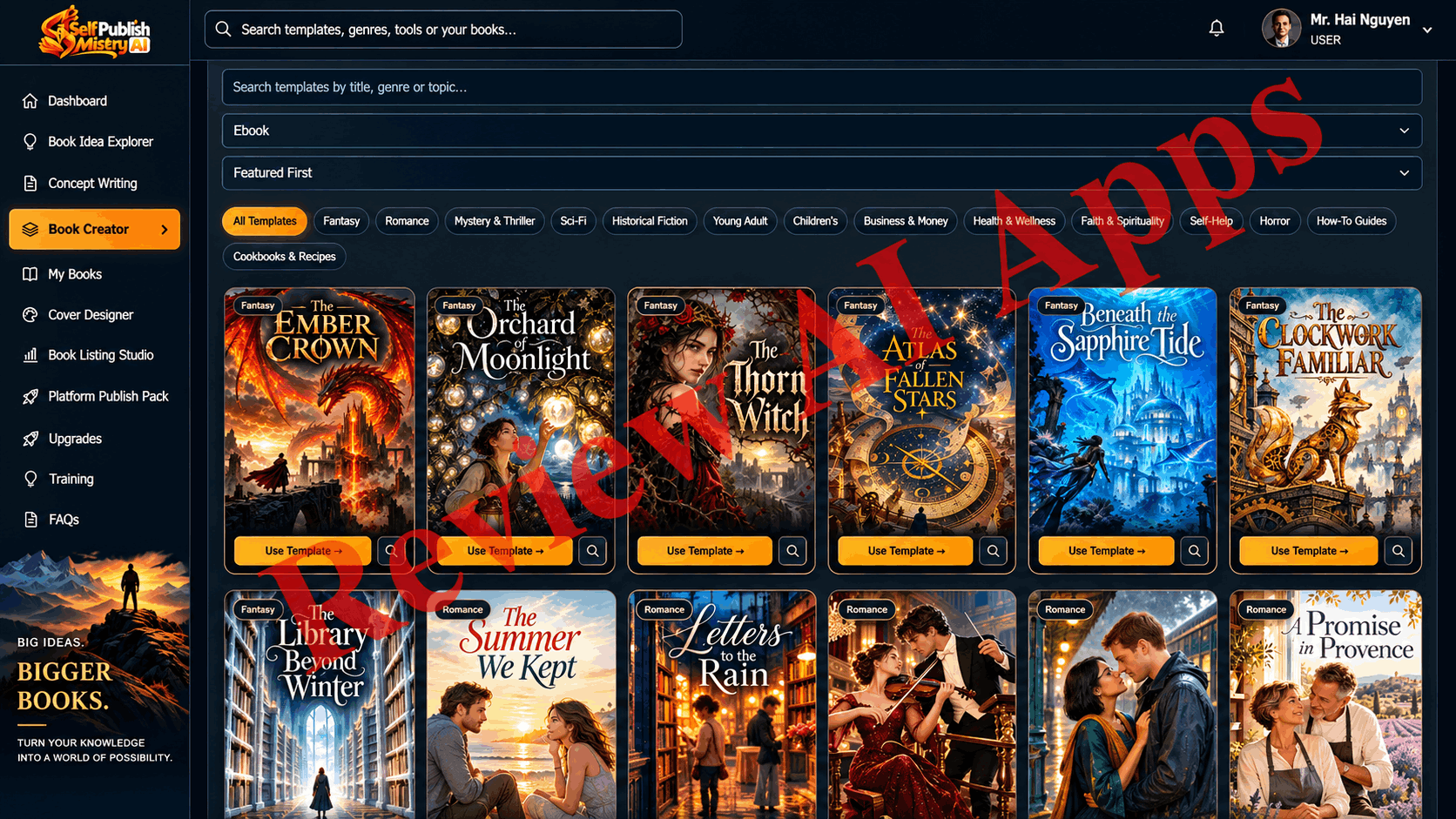
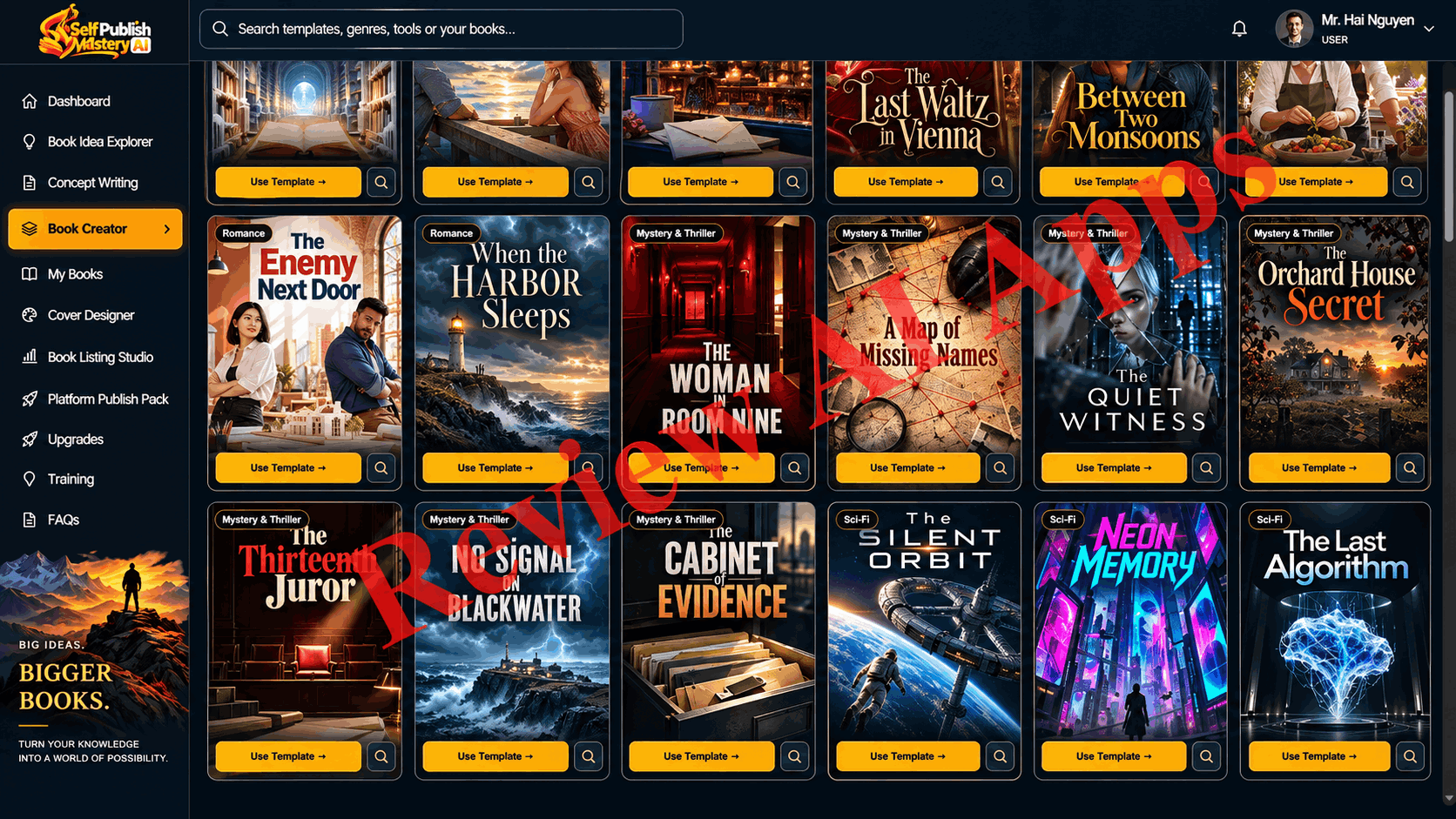
This is where the books are produced. For an ebook you type in a title, genre, author name, a book idea or brief, target audience, language, how many chapters, trim size and tone. The example in the walkthrough was a romance novel, The Last Waltz in Vienna, 18 chapters, 6 by 9 inches. Huge and varied are the template galleries, encompassing everything from fantasy covers to crossword, maze and cryptogram designs, to fitness logs, travel logs, reading logs, and planners.
My Books
My Books – All that you have created. It also gives totals for drafts, finished books and published books. Each finished book has a download button. The example novel was downloaded as a ZIP file with two folders, one for Kindle and one for Paperback. The paperback PDF contained 100 pages, comprising title page, table of contents, chapter headings, running headers and page numbers. The writing was clean and the layout was professional.
Cover Designer
You can add a title, subtitle and author name, choose artwork from a selection or upload your own, and adjust typography and colours. The walkthrough only illustrated front covers.
Studio Book Listing
This tool will create your store listing. It will suggest titles, sub-titles, a book description, keywords, category ideas and notes on audience and tone. It also shows a marketplace preview, alternate titles, keyword clusters and a listing checklist and you can export the result as text.
Platform Publish Pack
In this section, there is a tab for each of the five platforms. Each tab will walk you through a five-step plan: review metadata, prepare manuscript, prepare cover, choose pricing and distribution, and submit in the platform’s own tools. There is also a window for “Required Files”. You still need to upload everything yourself to each platform.
Training and FAQ’s
In the training area, there are four main videos covering: how to create your first book, how to set up an Amazon KDP account, how to publish an ebook and paperback on KDP, and how to understand royalties and payments.
Get started • Books • Covers & listings • Publishing & downloads FAQ
What Self-PublishMistry AI Does Well:
Look past the income talk and there’s a really useful product here.
The best part is the ebook output. A properly formatted print PDF with correct trim size, front matter, chapter structure and running headers will save you real time. Formatting is something many beginners struggle with or pay for, and this handles it well.
The research and listing tools are well made. With the Book Idea Explorer, Concept Writing and Book Listing Studio, newbies have a framework to work within from selecting a niche to writing a description and selecting keywords.
The library of templates is big. With 150 templates across 3 book types, you have plenty of starting points.
The FAQ is also more truthful than the headline. It talks about AI disclosure, KDP’s publishing limits and admits it can’t guarantee income.
Where the Sales Page is Overpromising
This is the most important part of this Self-PublishMistry AI review, because some of the biggest claims don’t align with how publishing platforms work in late 2026.
Weekly Limit Upends Catalogue Math at Amazon
The sales page is built on volume: one book a day, a small catalogue by the end of the week, a catalogue of 100 books, and a testimonial that claims 15 low-content books published in two days.
None of this is possible today on Amazon. On September 21, 2026, we lowered the limit of new titles per format per account per week from ten to two. That’s two new ebooks, two new paperbacks, and two new hardcovers each week, with the limit resetting every Sunday. Saved drafts also count toward the limit. So the app can create books much faster than Amazon will allow you to upload them, and generation speed is no longer the bottleneck.
AI Books’ “Five Royalty Streams” Mostly Falls Apart
Most of those five platforms don't want books written entirely by AI.
IngramSpark does not accept books that are entirely generated by AI. It will only accept books written by AI that have significant human editing and identification of AI use and it may not accept journals that have mostly blank pages at all.
Draft2Digital does accept AI-assisted books and AI drafts that have been heavily edited by a human, but not books that are fully AI generated. The “go wide in one click” promise is weak if you don’t edit output as Draft2Digital is the route the sales page relies on for Apple Books, Kobo and Barnes & Noble.
Gumroad is a shopfront with no buyers built in so you have to drive traffic yourself to make sales. BookSpace is a direct sales print shopfront with its own platform fee, not the “wide retail distribution” the app advertizes it as.
Amazon KDP does allow AI generated material, but it must be disclosed and undisclosed AI books can be removed from sale.
“If you publish the AI output as it comes out of the app, realistically you have one platform that will reliably take it and that is Amazon. Other options are Gumroad and BookSpace, but only if you can generate your own traffic.
The Publish Pack Is a Checklist, Not a Collection of Pre-Made Files
The sales page promises every file each platform demands, zipped, named and ready to go. In the app, the Platform Publish Pack is a planning checklist with a file status bar: There was a finished book in the walkthrough and the manuscript and cover were listed as "Missing" in that panel. The screen also clearly states that it does not certify file compatibility and does not upload anything to any platform. It’s a good resource, but not what the sales page promises.
Key Claims Are Not Demonstrated in Practice
The walkthrough omits some of the most important promises. It goes from “Preparing your book files” to a finished book, so you don’t see how long generation takes. Puzzle books and low-content books are used as headline examples on the sales page, but answer keys and puzzle interiors are never shown because they are never generated or opened. Full paperback wraps with spines are promised but only front covers are seen. The KDP compliance checker, royalty calculator, series builder, and large-print mode are entirely missing.
The demo novel was 18 chapters, 100 pages, about 5 pages per chapter. That's closer to a novella than a full-length book, so plan on expanding and editing if you want something that competes on Amazon.
Earnings Claims and Reviews
Testimonials cite figures like $2,000 in royalties a month, with no proof shown. One user claims they paid $500 a month for puzzle software, far more than such tools actually cost. The page itself has a disclaimer that says results are not typical and the FAQ says you cannot be promised any income, which is contradictory to the headline “get paid every month”.
Ownership and Side-Hustle Claims
You can publish and sell what the app produces with a commercial license, but it doesn’t make AI writing any more protectable. In the US, purely AI generated text typically can't be copyrighted, making your "ownership" of unedited output thinner than the page suggests. The same problem crops up with the ghostwriting and publishing agency ideas, where clients would receive AI written books that hit the same platform limitations.
Pros and Cons of Self-PublishingMistry AI
Advantages:
- Low front end price one time with 30 day money back guarantee
- Clean, professional ebook print formatting, including front matter, headers and page numbers
- Three kinds of books in one app, 150 templates supported
- Useful idea, concept and listing tools for new users
- Training includes KDP set up, publishing and royalties
- FAQ up front on AI disclosure and income
Cons:
- Based on a volume strategy that Amazon currently restricts to two titles per week
- IngramSpark and Draft2Digital do not accept books created 100% by AI
- Platform Publish Pack is a checklist, not a collection of files ready to upload
- Puzzle and low-content generation, full cover wraps, and several advertized tools were not displayed
- Nine upsells, with very little info on what most of them are about
- No limits defined for front end usage
- No proof to support income claims and testimonials
Who is Self-PublishMistry AI for?
This app is a no-brainer for beginners who need help with the slow parts of self-publishing: picking a niche, structuring a book, formatting the interior and writing the listing. The front end can save real time and money if you treat the AI draft as a starting point, edit it properly and publish fewer, better books on Amazon.
It’s also perfect for anyone already selling printables or digital products who want a quick way to create puzzle packs, planners & journals for their own audience.
Who Should Avoid It?
If you're buying it for the promise of a "royalty income engine", skip this. The plan to mass-produce books and distribute them across five platforms doesn’t work with the rules those platforms have now. If you are looking for a hands off stream of income with no editing this app will not get you there.
Final Verdict: Is Self-PublishMistry AI Worth Your Money?
Self-PublishMistry AI A capable book-drafting and formatting tool bundled with an income pitch that doesn't match the market anymore. The member’s area is very well laid out, the ebook formatting is really good and the research and listing tools give a clear way forward for beginners. It’s a fair tool to try for $14.95 with a refund window.
But the core promise rings hollow. Amazon restricts new titles per format to 2 a week. IngramSpark and Draft2Digital won’t accept fully AI-written books. The publish pack is a checklist.
My take after this Self-PublishMistry AI review: buy the front end only if you consider it a helper to write and format a few good books and plan to edit everything before you publish. Do not let yourself be upsold until you know which limit you need to raise, and forget about a five-platform royalty catalogue on autopilot. Used in this way it can be a useful tool. Bought as a money machine it will disappoint.
Comments
Join the discussionNo comments yet. Be the first to comment.