ComicVideos AI Review
Comic-Style Story Videos With Locked Characters, Tested Against the Hype

Faceless short-form channels have a new favorite format. Scroll Reels, Shorts or TikTok for five minutes and you’re sure to stumble across a comic book-style story: a mood panel, a dramatic narrator, a punchline in a speech bubble, then the next panel. The format works because it feels like a mini-series. Also it's a pain to make by hand since most AI image tools redraw your main character with a slightly different face each time you ask for a new scene.
Right, ComicVideos AI is designed to solve that. It’s from Yogesh Agarwal, a vendor with a long track record of AI software launches, and it goes live Monday, October 5, 2026 at 11:00 AM EDT, with the launch special running until Saturday, October 10. The pitch is simple: type one idea and the app writes the story, then designs a consistent cast, draws the panels, adds a narrator and captions, and hands you a ready-to-post vertical video.
In this ComicVideos AI review I cover the full pricing and upsell funnel first then walk through how the app works from the inside what the first test reel looked like and where the sales page oversells what the software can actually deliver.
ComicVideos AI Pricing & Funnel Breakdown
ComicVideos AI comes in two different versions and they add up to very different totals. You can buy the front end and then decide on each upgrade one at a time or you can go straight to the Bundle Deal which combines the front end and every upgrade into one payment. Below each path is discussed individually.
All products are one time payments during the launch window and each level has the same 30 day money back guaranty. Refunds are handled by the vendor's support team, not the payment platform.
Option 1: Front End and Upgrades Separately
On this path you first buy the main app. At checkout you’re presented with each upgrade one by one, and you can choose to accept or reject each one individually. The app will work without anything after the front-end.
Front End: ComicVideos AI (around $37)
The Front End is currently priced around $36.95, and the sales page also shows a lower $27 Starter option and a $37 Premium option. Oddly enough, both cards list the exact same features, so head to the checkout page to see what that extra $10 actually gets you. Use launch coupon CVAI6OFF to get $6 off the front end.
Front end includes story to video engine, text to comic and photo to comic maker, consistent characters, custom face upload, comic book maker, AI voice over, caption styles, music library, post enhancement tools, 10 pre-loaded niches, multiple art styles, 9:16 export, monthly video credits, training, support and commercial rights license. Includes eight content bonuses, such as 200 opening hooks and 75 story prompts and a faceless channel starter kit.
OTO 1: ComicVideos AI PRO ($47)
PRO is the quality increase It has voice cloning so you can narrate reels in your own voice or a recorded sample. Also 4K export, the full art style library instead of the limited starter set, longer video length beyond the front end cap, priority rendering and a larger monthly credit pool. The PRO sales materials also list the animated kid-character mode as a PRO feature, although the front-end page lists it too. It includes five bonuses, including voice casting presets, kid-friendly scripts and multi-part story arcs.
OTO 2: ComicVideos AI Automation ($97)
Automation is about scale. Its headline feature is a one-word batch generator: enter a single theme and the app will build it into ten finished videos. It also adds batch and series mode, which builds a week of episodes from one story input, export in 9:16, 1:1 and 16:9 at the same time, multi-language dialog, voiceover and captions, scheduled auto-posting of generated batches, unlimited project storage and priority processing. By comparison the front end is english only, 9:16 only and posts manually.
OTO 3: ComicVideos AI Growth (approximately $67)
Growth is a marketing layer bolted on top of the app. You get an AI trend scanner that surfaces trending topics as reel ideas, performance analytics, an AI hashtag and SEO optimizer, a viral hook and thumbnail generator, multi-account bulk scheduling, auto-recycling of your best performing videos, and cross-platform growth tools. Bonuses cover spotting trends, analytics fixes and recycling content.
OTO 4: ComicVideos AI Agency ($147)
Agency is for anyone who wants to offer comic videos as a service. It includes client sub-accounts, white-label export without any ComicVideos AI branding or watermark, a full commercial license, a client management dashboard and reseller rights to the software itself. The bonus pack features outreach pitches, pre-priced service packages and white label client templates.
OTO 5: Cinematic Sites AI ($37)
This is another app from the same vendor. It creates AI websites from a prompt, with AI sales agents, lead capture, booking, custom domains, hosting and a commercial license. It is not about funny videos, so only take it if you need landing pages.
OTO 6: Claw Agents AI ($37)
The latest upgrade is yet another standalone app – a cloud dashboard of AI agents for writing, research, marketing, SEO and social media tasks. OTO 5 is also a cross sell and not a feature of the ComicVideos AI.
If you add up the front end and each upgrade sequentially, it all totals about $470 at the prices listed prior to launch.
Option 2: The Bundle
The Bundle Deal lets you skip the front end and the six upgrades above. One purchase gives you ComicVideos AI plus PRO, Automation, Growth and Agency, Cinematic Sites AI and Claw Agents AI included as bonus upgrades.
The Bundle is $367 and the coupon CVB100 knocks $100 off to $267. That’s a saving of about $200 in real terms with the coupon, compared to around $470 if you bought everything separately.
The Bundle path has its own short funnel post checkout:
Step 2: ComicVideos AI DFY - $167
Step 3: ComicVideos AI Mega Bundle for $127
At the time of writing, the pages for these two steps still read “coming soon” so their exact contents aren’t public yet. If you purchase everything on this path, it will cost $561 with the Bundle coupon, or $661 without.
What Is ComicVideos AI?
ComicVideos AI is a web app that turns a short idea, a story or a photo into a vertical video in comic style. The workflow is: idea -> story -> comic panels -> voice -> captions -> finished reel. All inside one dashboard.
The primary creation modes are
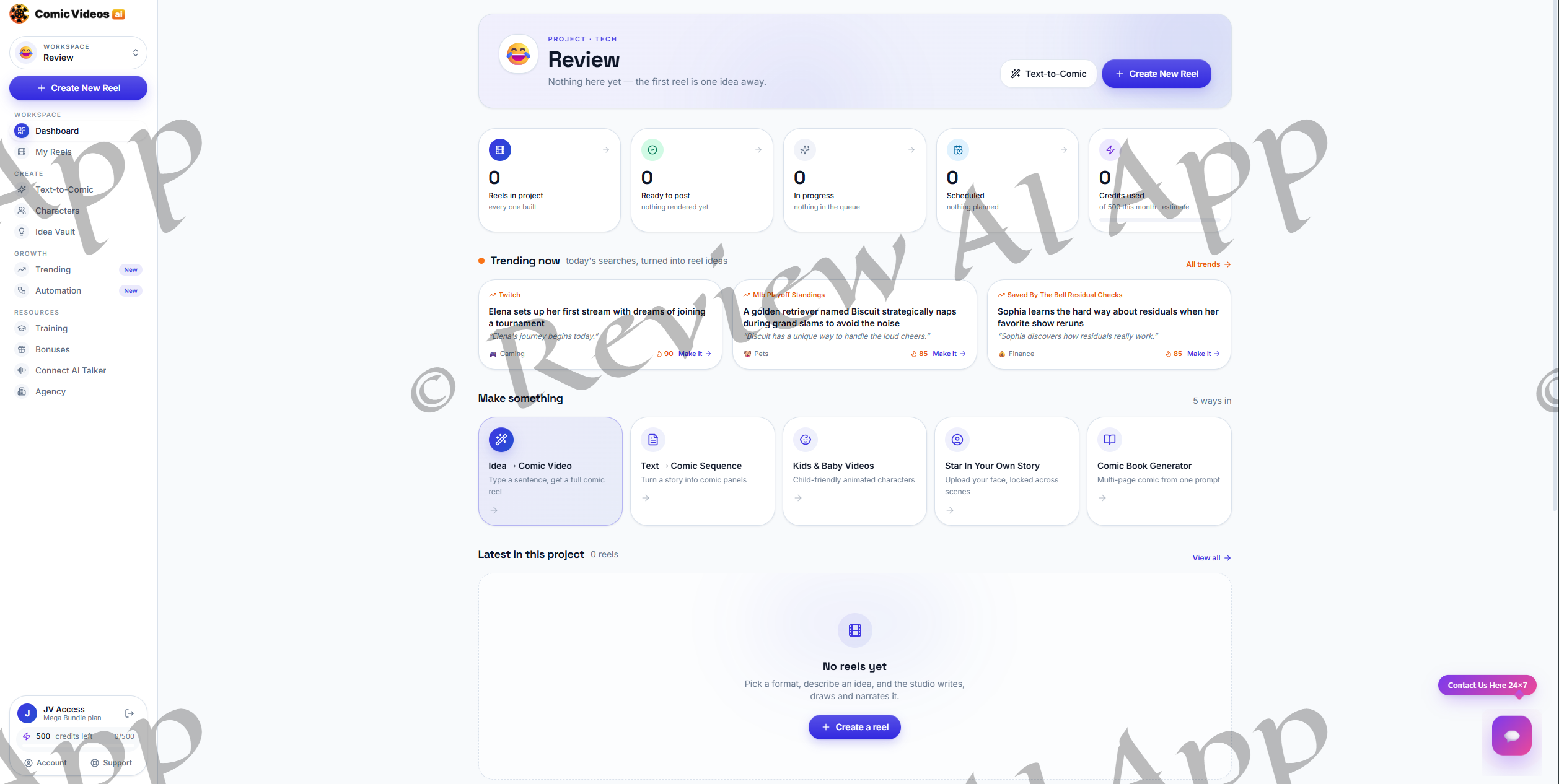
Idea to Comic Video: type a sentence and get a full reel
Text to Comic Sequence: paste your own story and convert it into panels
Kids and Baby Videos: animated characters for family-friendly channels
Be the star of your own story: upload your face & be the star of your own story
Comic Book Generator: multi-page comic from 1 prompt
Work is organized in projects. The app provides one project per channel or series, and each project keeps its reels, schedule and credit usage together.
The Way ComicVideos AI Works: A Walkthrough
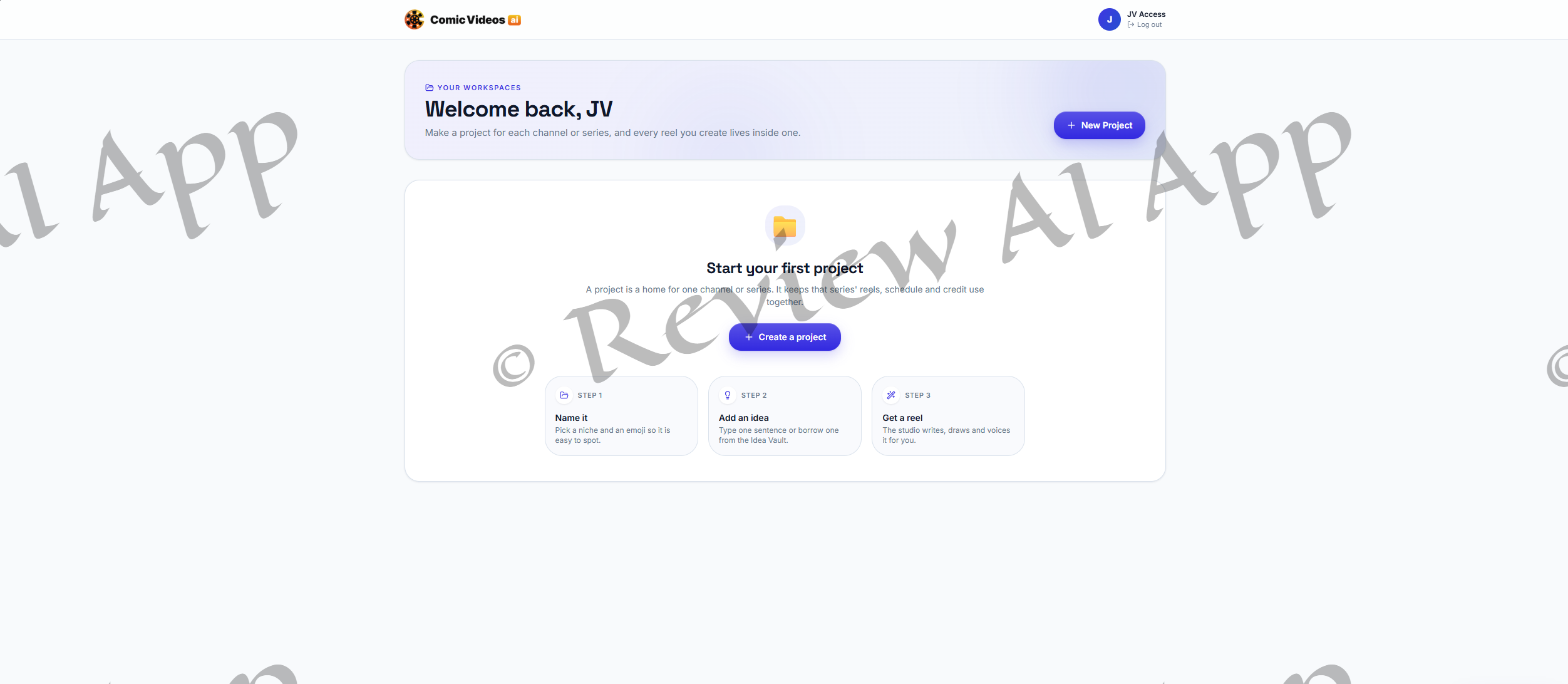
I tested the app on a fully unlocked review account, so everything below is the top tier. There are four steps to make a reel.
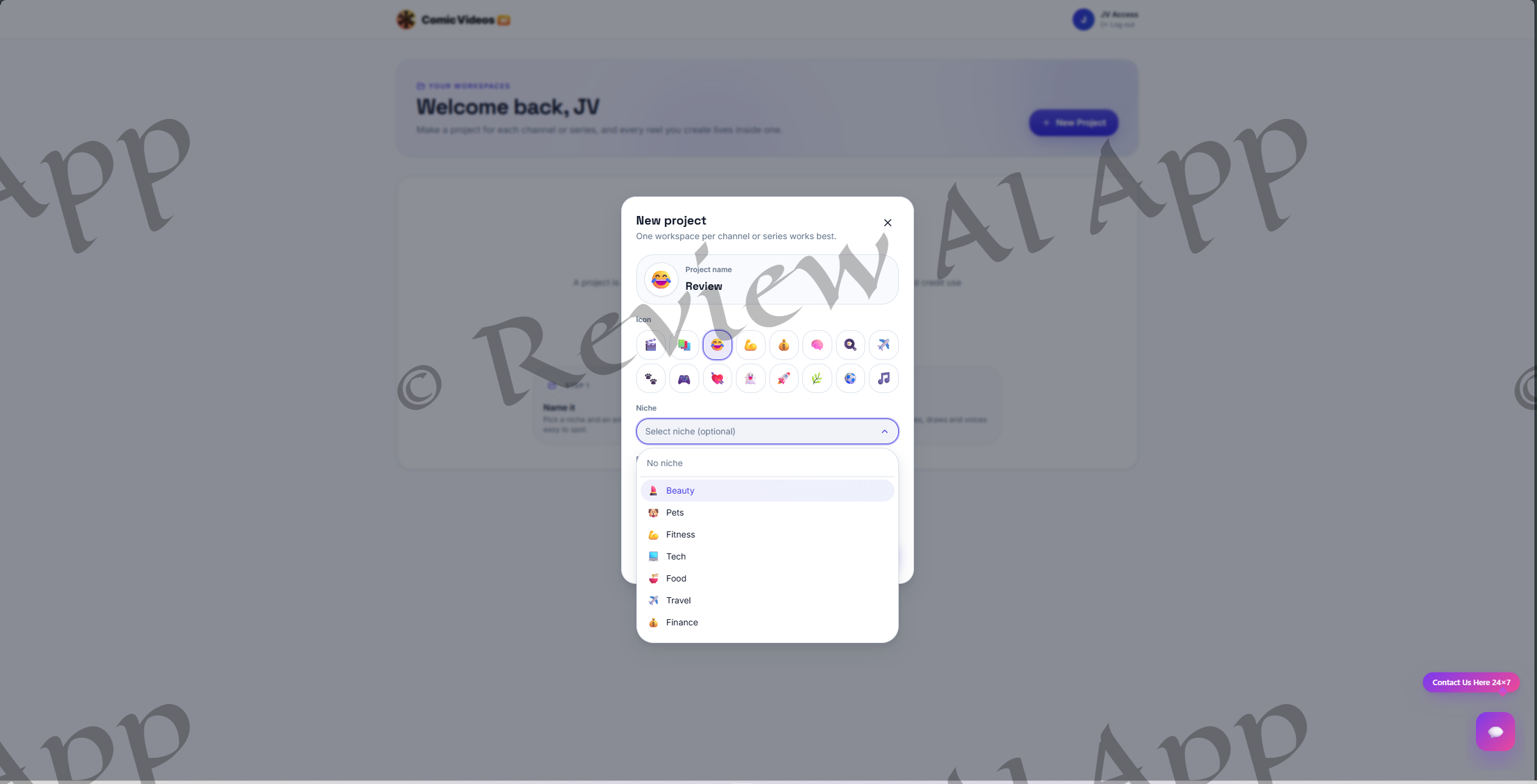
Step 1. Style and Idea
You enter one line, up to 400 characters, about what the reel is about, or you take an idea out of the Idea Vault.
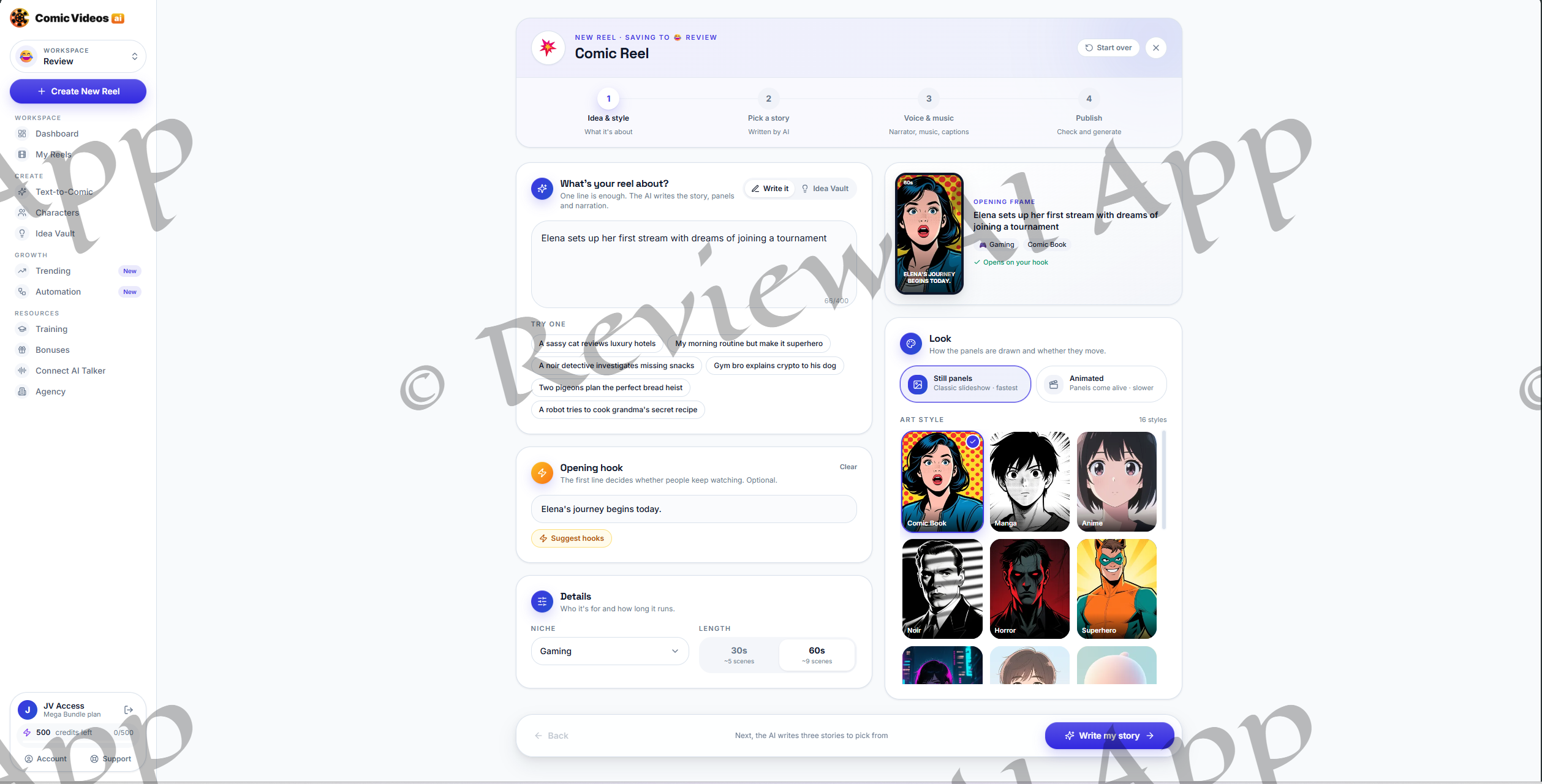
Optional opening hook field with “Suggest hooks” button, niche selector and selection of 30 seconds (about five scenes) or 60 seconds (about nine scenes).
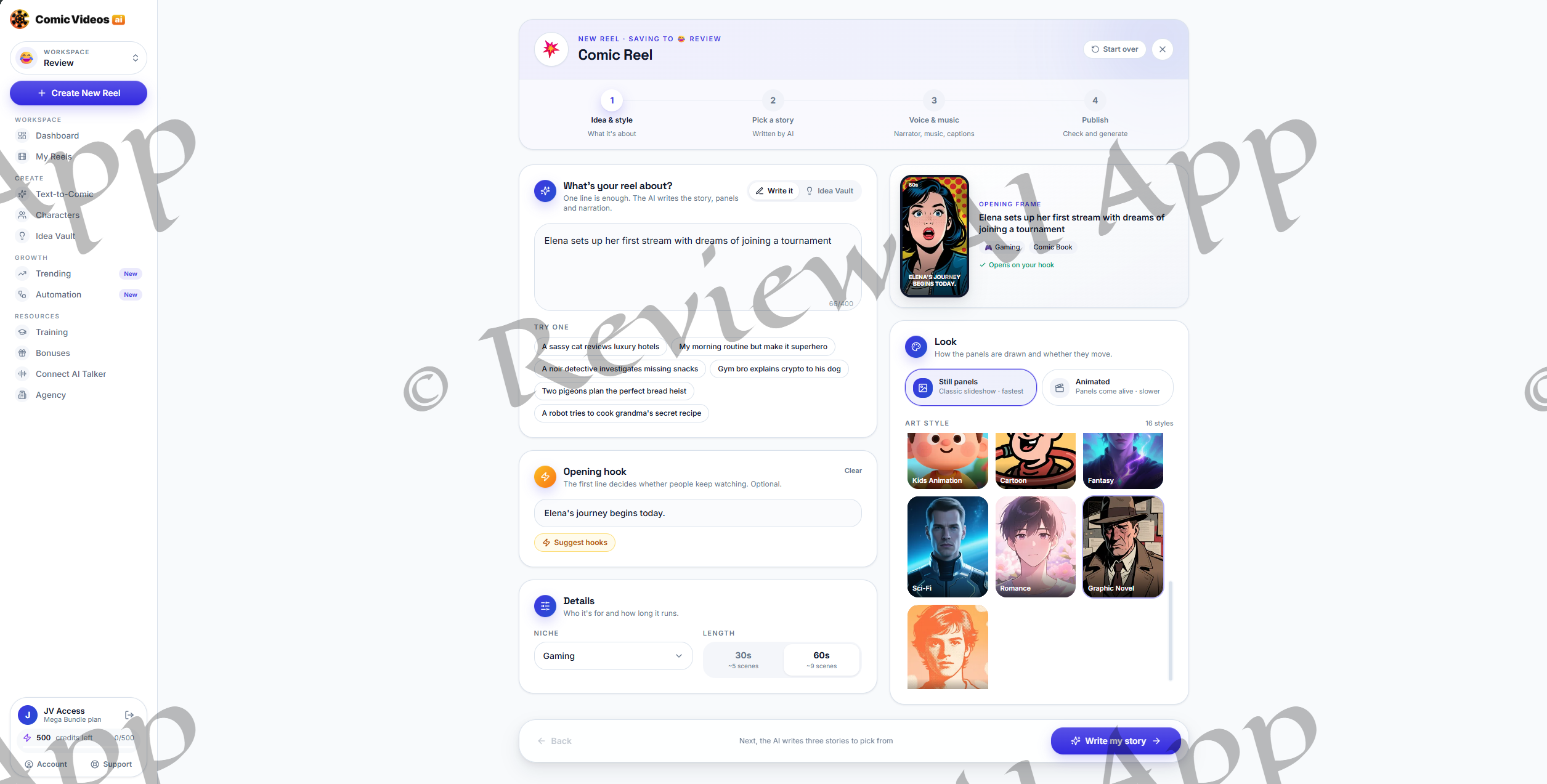
The most important setting in this screen is the Look panel. You can choose from Still panels, described as a classic slideshow and the quickest option, or Animated panels, which add motion but will take longer to render. Then you can choose from 16 art styles: Comic Book, Manga, Anime, Noir, Horror, Superhero, Cyberpunk, Webtoon, Chibi, Kids Animation, Cartoon, Fantasy, Sci-Fi, Romance, Graphic Novel and Retro. Live preview updates of the opening frame as you switch style and niche.
Step 2: Choose a Story
The AI generates three story options based on your idea and shows you each one as a full script before you spend any credits. Each panel has the text on the screen, the narrator line and what the character says. A Regenerate button rolls a new set of three.
The writing is better than I thought it would be. A concept test about a guy canceling his gym membership escalated nicely from dumbbells to a sauna tent, ending with him paying triple his old gym fees. Variety is the Achilles heel. The three options usually have the same premise with small twists, and in one run two of the three even had the same title.
The app also automatically generates a main character, which is provided as a short text description, and a “Use my character” button allows you to replace it with a saved character.
Step 3: Music, Voice, and Captions
There are three tabs in this step. There's a choice between a studio voice built into the app, your own cloned voice or no voice at all. It has stock library of about 14 voices in narration, professional, energetic and friendly styles including a Japanese voice and a British one. The voice is cloned by recording or uploading a few seconds of speech. There is a separate service called AI Talker that can be connected for custom voices.
One detail is important here. The screen says "One voice reads the whole reel." I couldn't figure out how to assign different voices to different characters as promised on the sales page.
Step 4: Release
The last screen auto-writes a title, description and hashtags and shows a summary of the story, character, narrator, music and caption style. Hit generate and rendering will begin. The app said 2-5 minutes and my reel had to sit in a "Waiting for a slot" queue before the scenes started drawing.
The Vault of Characters
The Character Vault is what makes the claim of "consistent characters" work. There are three ways to create a character: describe them in text, upload a photo as a reference, or use a selfie. You also choose a role (lead, sidekick, villain, narrator, or mentor), an art style and an optional outfit.
What you get is a proper character reference sheet: a full-body front view, side headshots, eye close-ups and a hand detail, labeled "Face, outfit and style locked for consistency." This is the same technique serious AI artists use to keep a character on-model, and it is the most impressive part of the product.
First Test Reel
I took a playoff-themed idea from the Trending feed in the app, set it to Horror style and 60 seconds, and cast a Vault character: a clean-cut pale-haired man in a black suit for the test.
The finished reel cost 8 credits, ran about 49 seconds and included nine illustrated scenes, narration and word-by-word captions. The art is powerful. The horror style is detailed and atmospheric, speech bubbles are drawn into the images and story details such as a game ticket, a TV scoreboard and a team jersey show up where the script says they should.
The mixed part was consistency. In some instances the story's own description won out over the Vault character: my suited character was wearing the team jersey from the script, and between the first and second scene the face had changed quite a bit, with wilder hair and a beard. The character was clearly the same "type" throughout but not locked like the sales page suggests.
Two other small things stood out. The auto-captions are on top of titles already drawn into the images. One scene had energy drink cans with a real brand logo which matters for client work.
The Advanced Editor.
After you render, each reel opens up in an Advanced Editor, and that’s where ComicVideos AI beats its own sales page. Full-featured timeline editor with scene, narration and caption tracks, media upload with Pixabay search, text, effects and branding. The AI World panel includes Generate Image, Generate Video, AI Sound Effects, AI Music, and Scene Suggestions.
That’s what gives you movement. The first render is a slideshow of still scenes, but if you want true moving clips, you regenerate individual scenes as video with the AI Video tool, with your own motion prompt. The clip tool defaults to 720p horizontal output in my test, which does not fit a 9:16 reel without cropping, so check the resolution setting before you generate. Creating a clip does not affect the credit counter . Make sure of it on your own account before relying on it .
Credits: What You Actually Receive
ComicVideos AI is a one-time cost purchase but used with monthly credits. For the best review account, it was 500 credits a month, and a 60 second still-panel reel took 8 of them. That's about 60 standard reels per month at the highest level.
Each upgrade just promises "higher" credits, and there is no mention of a front-end allowance anywhere on the sales page. The front-end value list also refers to commercial access and monthly credits for 12 months. The footer defines “lifetime” as approximately five years. Read that before thinking one payment is good forever.
ComicVideos AI Review: Fact or Fiction
This is how the promises on the main sales page stand up.
“World’s First AI Video Application in Comic Style with 100% Consistent Characters”
Exaggerated. The sales page's own comparison table names ComicInk and Comicory, both of which already do consistent comic characters. ComicVideos AI packs more features into one place, but “first” is a bit of a stretch and “100%” didn’t hold up in testing.
"Transform any idea into a comic video in 60 seconds"
Deceptive. The app itself quotes 2 to 5 minutes per render, plus queue time. The “60” is actually the video length setting, and even that was more like 49 seconds.
“Different voice for each character”
Not what I witnessed. Voice cloning works, but the narration step uses one voice for the whole reel.
»No monthly fees, no limits«
Only half correct. You pay once, but the credits are monthly and limited, and there’s no tier that offers unlimited video credits.
Real money, real channels, real results
Not tested. The high-earning channels on the sales page are other comic creators, who are not shown to be users of ComicVideos AI, as the product has not yet launched. Testimonials use first names and initials only, and the page’s own disclaimer states results are not typical.
Commercial rights to the front end
Inconsistent. The front end lists a commercial rights license and pitches selling videos to local business, but the Agency upgrade page says that without it you have no legal way to sell videos to clients. Clarify this with support before you start taking on client work.
Kid-character mode is also in both front end and PRO. Hashtag generation is claimed in front end and again sold in Growth. But the copy calls kids content an untapped niche, made-for-kids videos on YouTube run with restricted ads and disabled comments so they usually earn less, not more.
What I Liked:
A fast 4 step flow with scripts to read before you spend credits (guided)
16 art styles, drawn with speech bubbles, strong art quality
Character reference sheets far surpassing the standard launch-app
Voice cloning A real-time timeline editor and a convenient Trending feed
Low cost $8 per reel, 30 day money back guaranty
Better Things Possible
Slideshow by default, faces drifting between scenes
1 voiceover per reel, and captions that cover text on images
No credit cost displayed until you click Generate
Upgrades 5 and 6 are unrelated apps clogging the funnel
Platform Risk and Longevity
Each reel uses paid-for AI image, video and voice services, and the app does not name its models. The sales page is already stating pricing will move to a recurring model, so a one-off fee that covers years of monthly credits is unsustainable. The vendor is shipping AI apps in rapid succession, which raises the usual question of how long each one gets active development. Later on you can expect paid top-ups or credit adjustments.
The good news is that you’ll get support through a dedicated helpdesk and there’s a live chat button within the app.
Who is ComicVideos AI for?
If you want to test a faceless comic or story channel without learning illustration or editing, need a steady supply of styled short videos, or sell simple promo videos to local businesses and are willing to take the Agency upgrade, it makes sense.
If you want fully animated cartoons from every render, perfect character consistency for a long running branded series, unlimited output from one payment, or are buying mainly because of the income screenshots, skip it.
Final Word
Conclusion of this ComicVideos AI review: software is better than marketing around it. The guided workflow is snappy, the story writing is solid, the art looks good, the Character Vault is a smart idea and the Advanced Editor gives you way more control than most launch day apps. It does what it says on the tin as a comic slideshow maker with tools to add motion later.
The problem is the disconnect between that and the sales page . Characters are “consistent-ish” not locked. Videos are slideshows by default. Takes are minutes not seconds. Credits are capped. Income claims are based on other people’s channels. Think capable content tool and not hands-free money machine.
If you buy, the front end is enough to test the core idea. If you already know you want automation, client work and the full style library, then the Bundle with the CVB100 coupon is a better deal than buying each upgrade separately. Either way, take advantage of the 30-day guaranty window to run a bunch of your own reels, see how consistent your characters are and how quickly your credits go, and then decide.