DramaStudioAI Review
Is This 10-Step Drama Studio Worth It?
There are short vertical dramas everywhere right now. A waitress marries a billionaire in secret. Husband wakes up from coma to find wife has remarried. Every episode ends in a cliffhanger. Apps like ReelShort and DramaBox have made this format into a big business, and most people assume you need actors, a crew and an actual budget to make one.
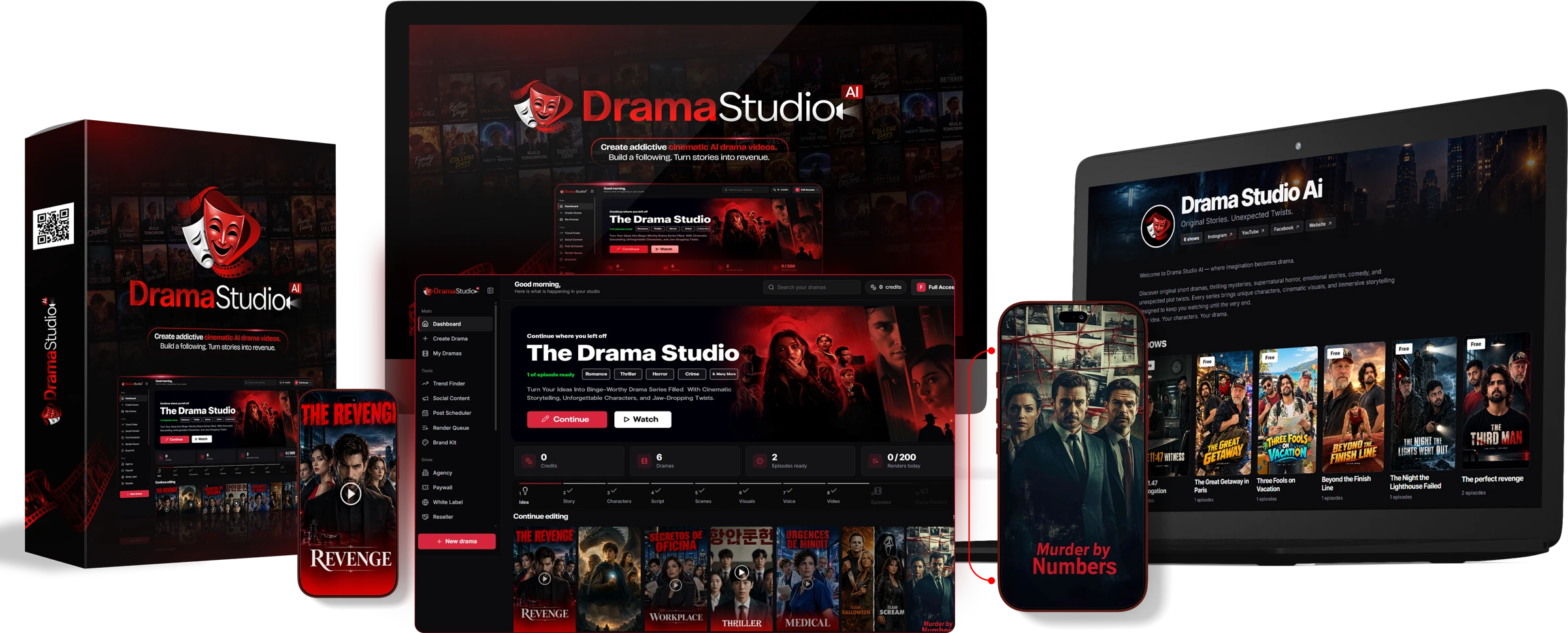
DramaStudioAI says you don’t. This is the newest release from Eric Holmlund and the Firelaunchers team, the same guys who created AIGrampa, AIBizEngine, Vidvoicer and CourseMate AI. The premise is simple: you type in one sentence, and the studio takes you by the hand from story to characters, script, scenes, pictures, voices, lip-synced video and the social posts to promote it. No actors, no cameras, no editing programs.
$37 for an app feels like a lot. So in this DramaStudioAI Review I’ll go over what it costs, what each upgrade truly unlocks, how the 10 step studio works screen by screen and where the sales pitch gets ahead of the product.
DramaStudioAI Pricing and Funnel Breakdown
You can purchase DramaStudioAI in two ways. You can start with the front end and add upgrades one by one as you need them or you can take the Bundle Deal and get the main upgrades in one payment. Both routes are laid out below.
Front End Plus Upgrades Path 1
Front End – DramaStudioAI ($37)
The front end is the complete studio with limits to start. You will receive the 10-step guided workflow, 105 ready-made story templates across 22 genres, and a “Surprise Me” option that will come up with a story for you. Each drama may have a maximum of 5 episodes of 30-60 seconds. You get 5 lip-sync shots per day, libraries of characters, voices, locations and music to reuse, social captions to paste in, and 1 paid show that you can receive via your own Stripe or PayPal. The coupon DRAMA takes $7 off the top, bringing it down to $30.
OTO 1 – DramaStudioAI Pro Elite ($67)
Pro Elite removes the front-end limitations and is the upgrade most serious users will want. Dramas can be up to 10 episodes, with longer episodes. Lip sync with 2 jobs running at once, up to 20 shots a day. Premium image models for sharper, more consistent faces. It also adds Trend Finder, which suggests 8 scored drama concepts per scan, and StarMe, which allows you to turn your own photo into a locked character. You also get one-click translation of an entire drama into 11 languages, and a Brand Kit with your watermark, channel name, end card and a viral clip cutter.
OTO 2 – DramaStudioAI Pro Unlimited ($127)
Pro Unlimited is the publishing and money end of the app. Dramas can be 25 episodes long, with each one lasting up to 3 minutes. 50 lip-sync shots a day. 3 jobs at the same time. And it has a Post Scheduler for unlimited Facebook, Instagram and YouTube accounts, with AI-generated captions and an AI thumbnail designer. It also adds comment tools: a comment inbox, auto DM, auto reply in the commenter’s language and auto like. It also includes the full Paywall Channel: unlimited paid shows, subscriptions, a channel pass, 8 currencies, your own domain with free SSL, and a sales dashboard.
OTO 3 - DramaStudioAI Agency ($197)
Agency is for people who want to create dramas for clients. You get 25 client accounts (the seats stack if you buy more) and you can assign any plan you own to a client. You can also give credits (or take them back), set a “active until” date for monthly retainers, sign in as a client to fix their work, and track each client’s dramas, jobs and credits. If you have White Label, clients only see your branding.
OTO 4 – DramaStudioAI White Label ($297)
White Label is a standalone upgrade that enables you to transform DramaStudioAI into your own branded product – your name, logo, colours and domain, in the app, emails and public pages. You set your own hours and prices and take payments via your own Stripe and PayPal. It supports up to 100 customers, and has a credit wallet to resupply them.
OTO 5 - Reseller License ($97)
The Reseller License adds a reseller page and button inside the app, plus a 50% front-end commission bump on sales of DramaStudioAI that you refer. Only matters if you plan to promote DramaStudioAI yourself. If you want to make dramas, skip it.
Buying each piece separately, the full funnel is $822. The core set that most buyers care about (front end, Pro Elite, Pro Unlimited and Agency) comes to $428.
Path 2: The Bundle Deal ($497)
The Bundle Deal gets you the front end, Pro Elite, Pro Unlimited and Agency in one payment, plus a bonus pack. Doesn’t Include White Label And Reseller License. Coupon DRAMA150 knocks $150 off, bringing the Bundle down to $347.
The coupon is important. The Bundle is more expensive than the four core products alone ($428), at the full $497. The same four products with DRAMA150 are $347, compared to $421 when bought separately with the front-end coupon, a saving of about $74. If you know you want Pro Unlimited and Agency, the Bundle with the coupon is cheaper. If you want to test the idea, just do the front end.
What Is DramaStudioAI?
DramaStudioAI is an AI-driven cloud studio for episodic short drama creation. It fuses a script writer, a character designer, an image generator, a voice studio, a lip-sync video engine, an episode editor and a publishing and paywall system all in one place.
You can do dramas in 22 genres, from Billionaire Romance and Secret Marriage to Crime, Horror and Comedy. Pro Elite can translate them into 11 different languages. The sales page is primarily focused on vertical 9:16 video for Reels, Shorts and TikTok, but the app also offers horizontal 16:9 for YouTube and TV, for the same price.
The app works on credits. Story, scripts and storyboards are free writing steps. The app shows the cost of each step before it runs and gives credit for pictures, voices and video use. At the time of writing, it wasn't clear how many credits were bundled with each plan so check that once you're inside.
How Does DramaStudioAI Function?
Every drama has 10 steps: Idea, Story, Characters, Script, Scenes, Visuals, Voice, Video, Episodes and Social Content. You don’t want to shoot a scene from an unchecked script, so every step needs to be approved before the next one unlocks, or you’ll waste credits.
Begin with an Idea
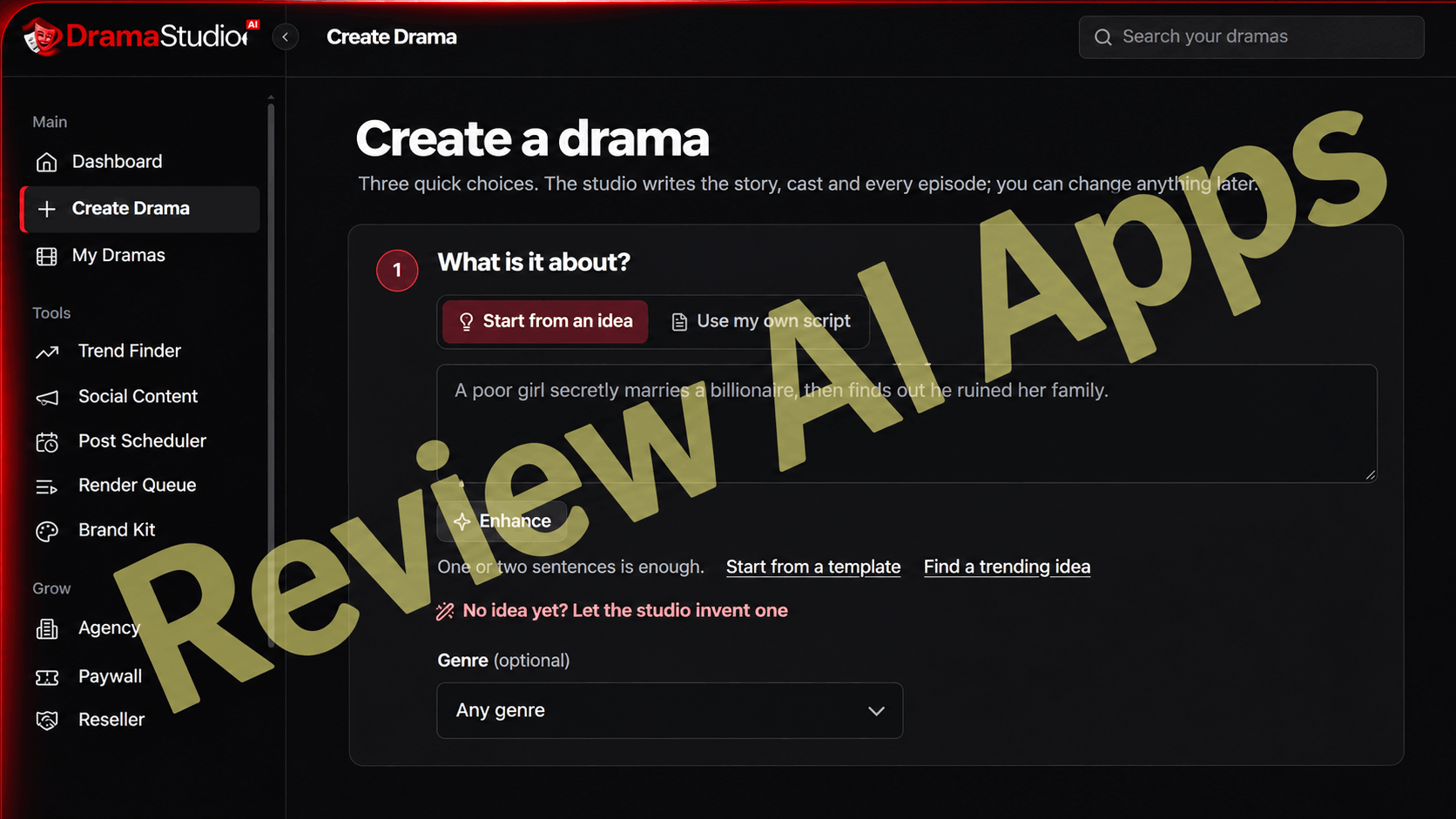
It all begins on the Create a Drama page. You can start from an idea or go to "Use my own script" if you already have one written. A poor girl secretly marries a billionaire, only to find out he destroyed her family. One or two sentences is enough. The Enhance button expands a rough line into a stronger premise. And if you’re stuck you can choose a template, either pick one of the trending ideas or have the studio create one for you.
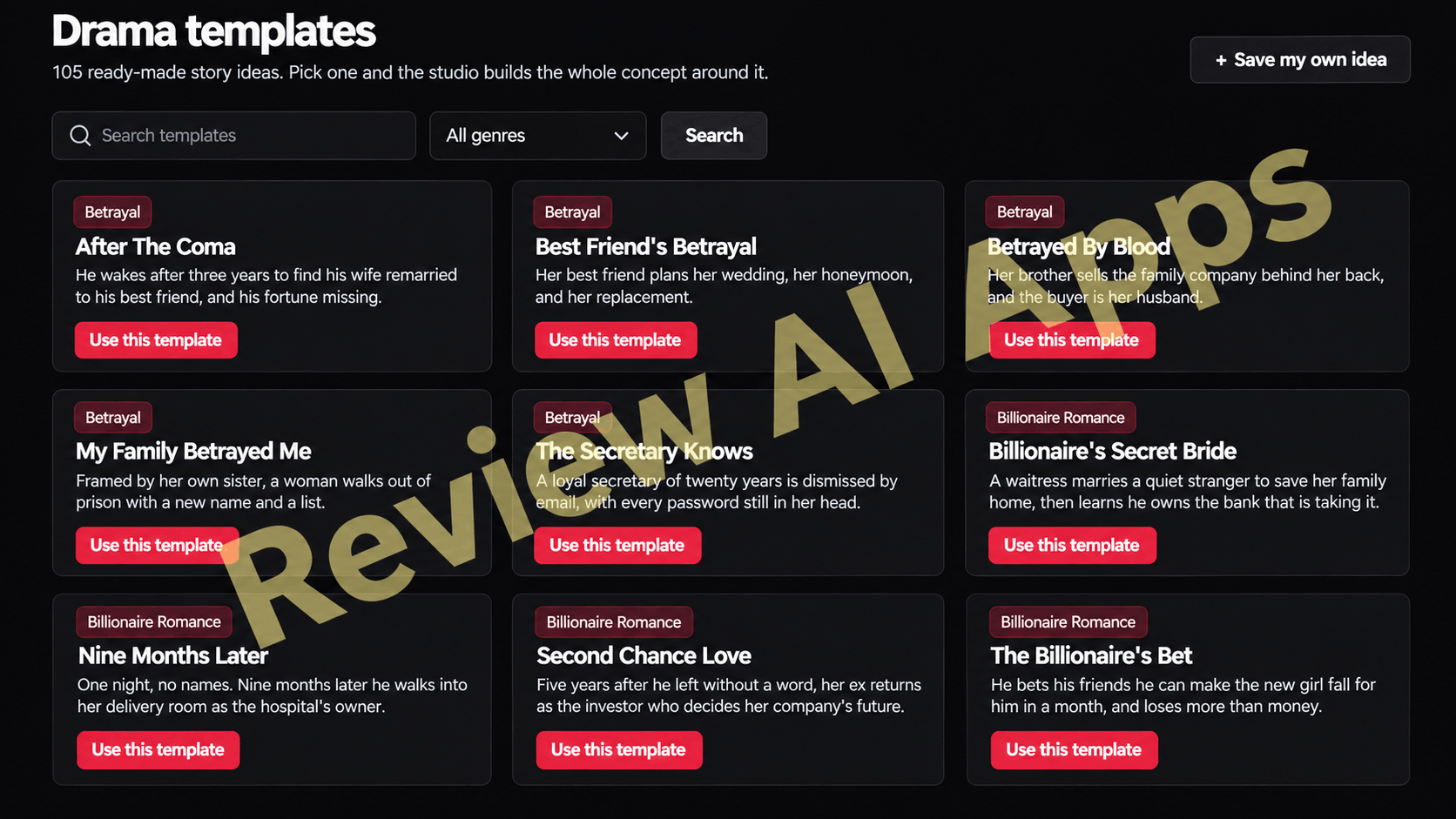
The template library has 105 ready-made story ideas, searchable by genre, like "After The Coma" or "Billionaire's Secret Bride". You click on “Use this template” and the studio builds the whole concept around it. You can save your own ideas as templates, too.
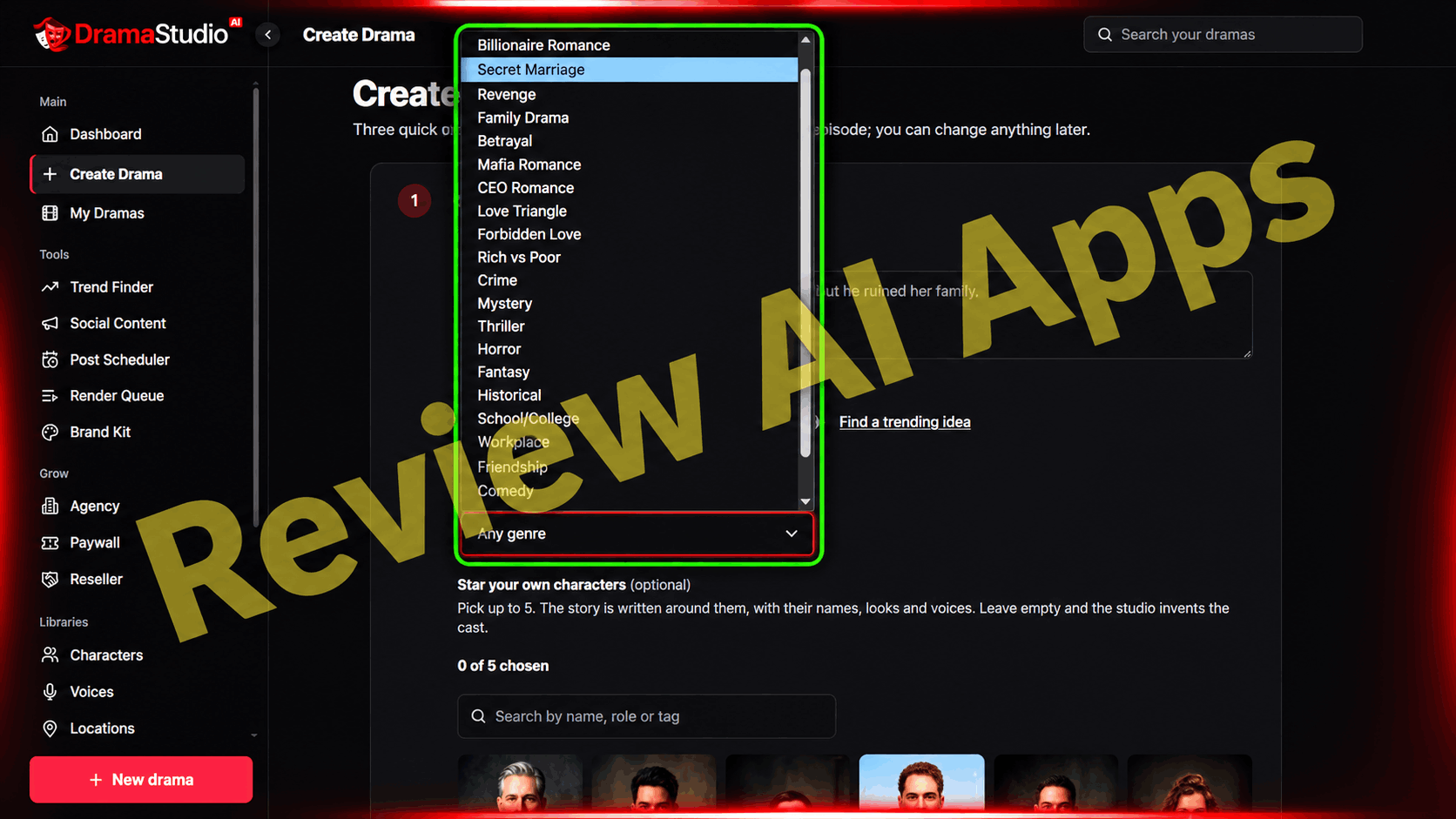
Genre is not required. All 22 genres are in the dropdown or leave it on "Any genre". Below you can star up to 5 of your own characters from the character library. Then the story is written around them, with their names, looks and voices. If you leave it blank the studio makes up the cast.
Hooks and Season Plan
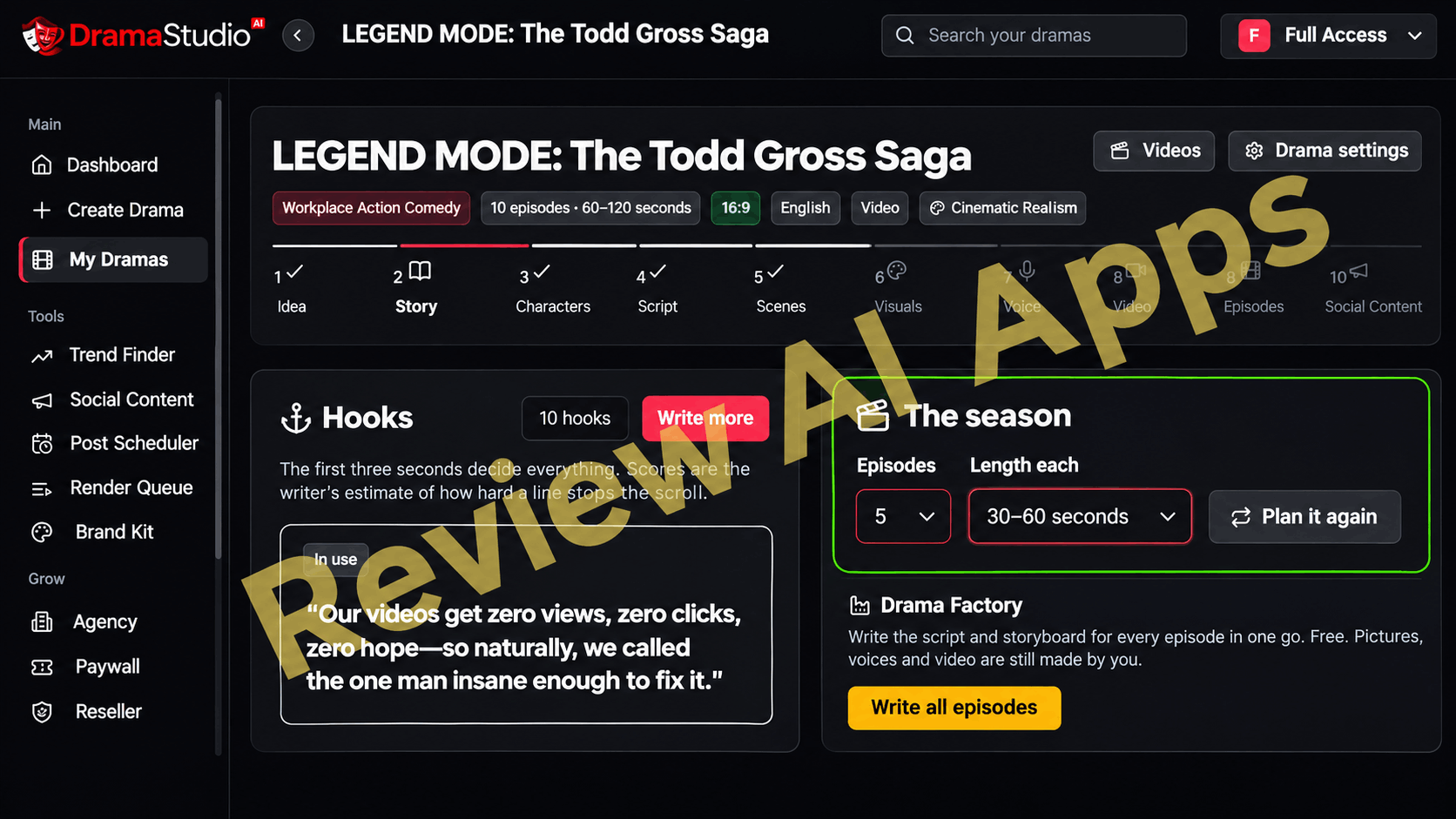
When you decide on an idea, the Story step gives you a bunch of 10 opening hooks, with a "Write more" button if none of them work. Next to the hooks you plan the season. How many episodes, and how long each one runs. The Drama Factory button then scripts and storyboards each episode, all in one go. This one is free. You still create pictures, voices and video step by step.
Pick a Format and Let the Studio Write
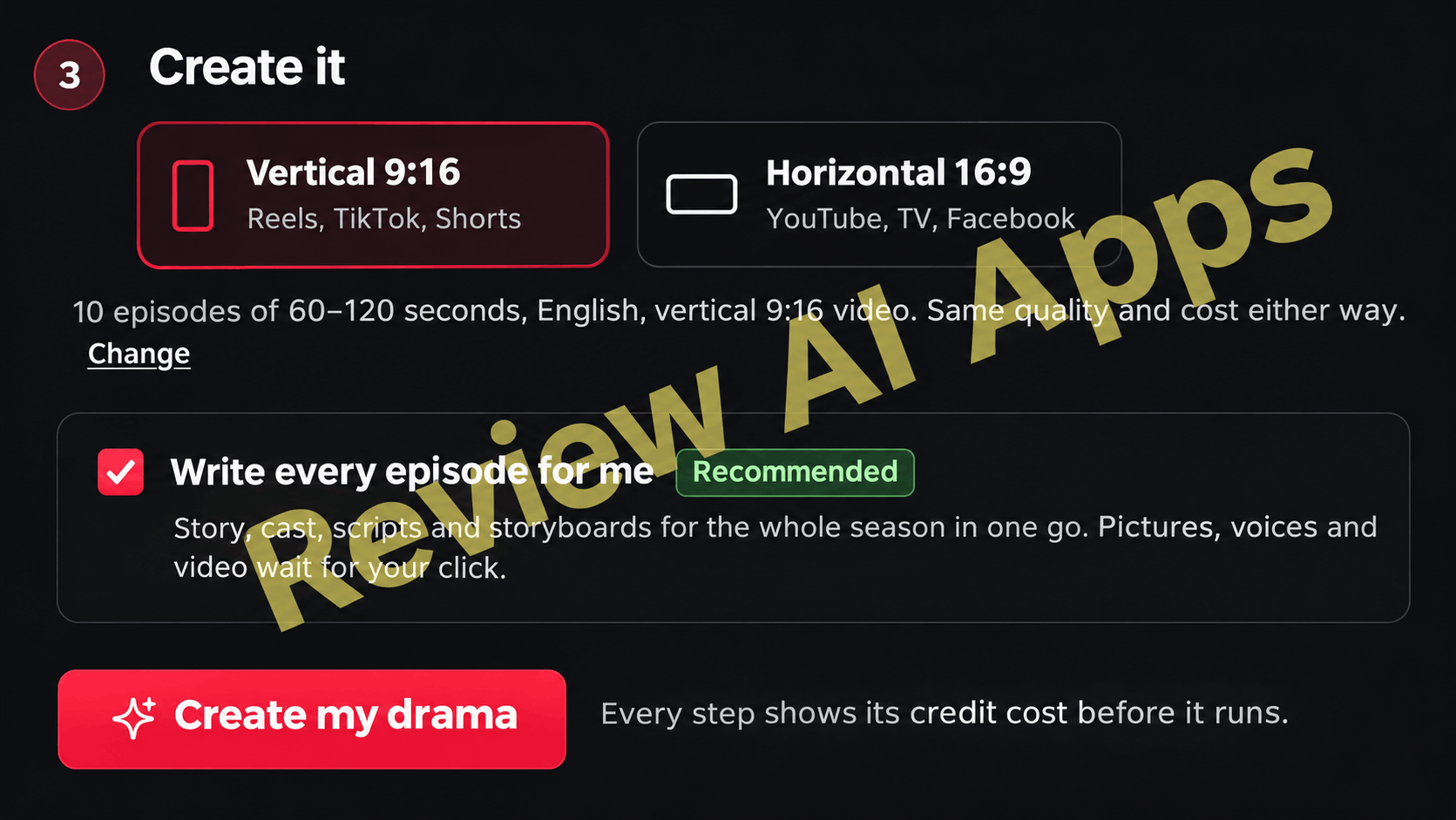
Before the studio starts writing, you pick vertical 9:16 for Reels, TikTok and Shorts or horizontal 16:9 for YouTube, TV and Facebook. The recommended option “Write every episode for me” produces the story, cast, scripts and storyboards for the entire season in one go. Each step indicates that it's a credit cost first and any step with a credit cost won't run until you click it.
Approve a Picture for Each Shot
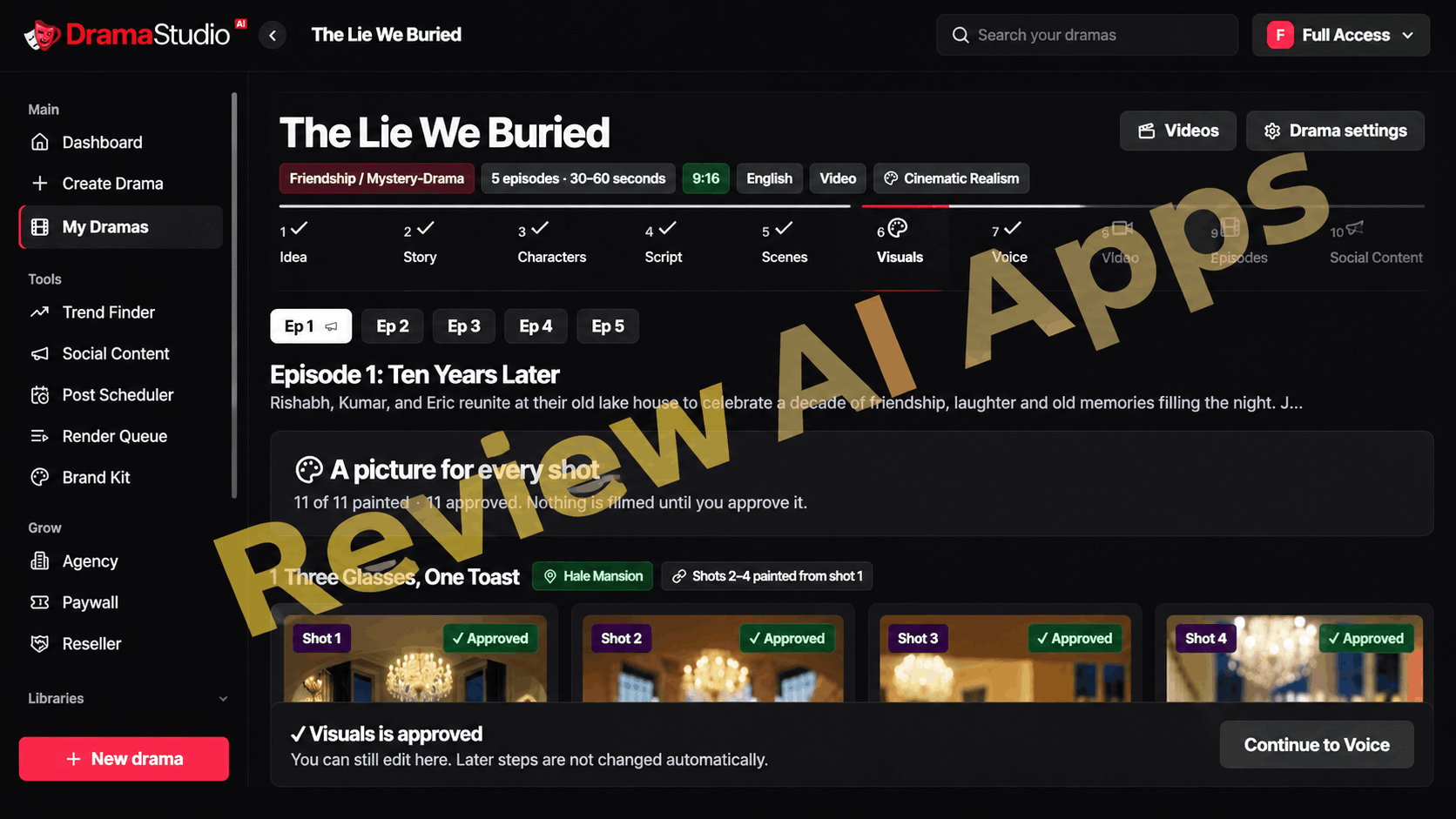
The studio paints each picture for every shot in the episode in the Visuals step. You don’t shoot anything without your approval. Another useful touch is 'Shots 2-4 painted from shot 1', which keeps the same room, lighting and props throughout a scene. Each scene also has a saved location attached to it, like “Hale Mansion” here, so the set doesn’t change in the middle of the scene.
Your Channel Page Finished Shows Go
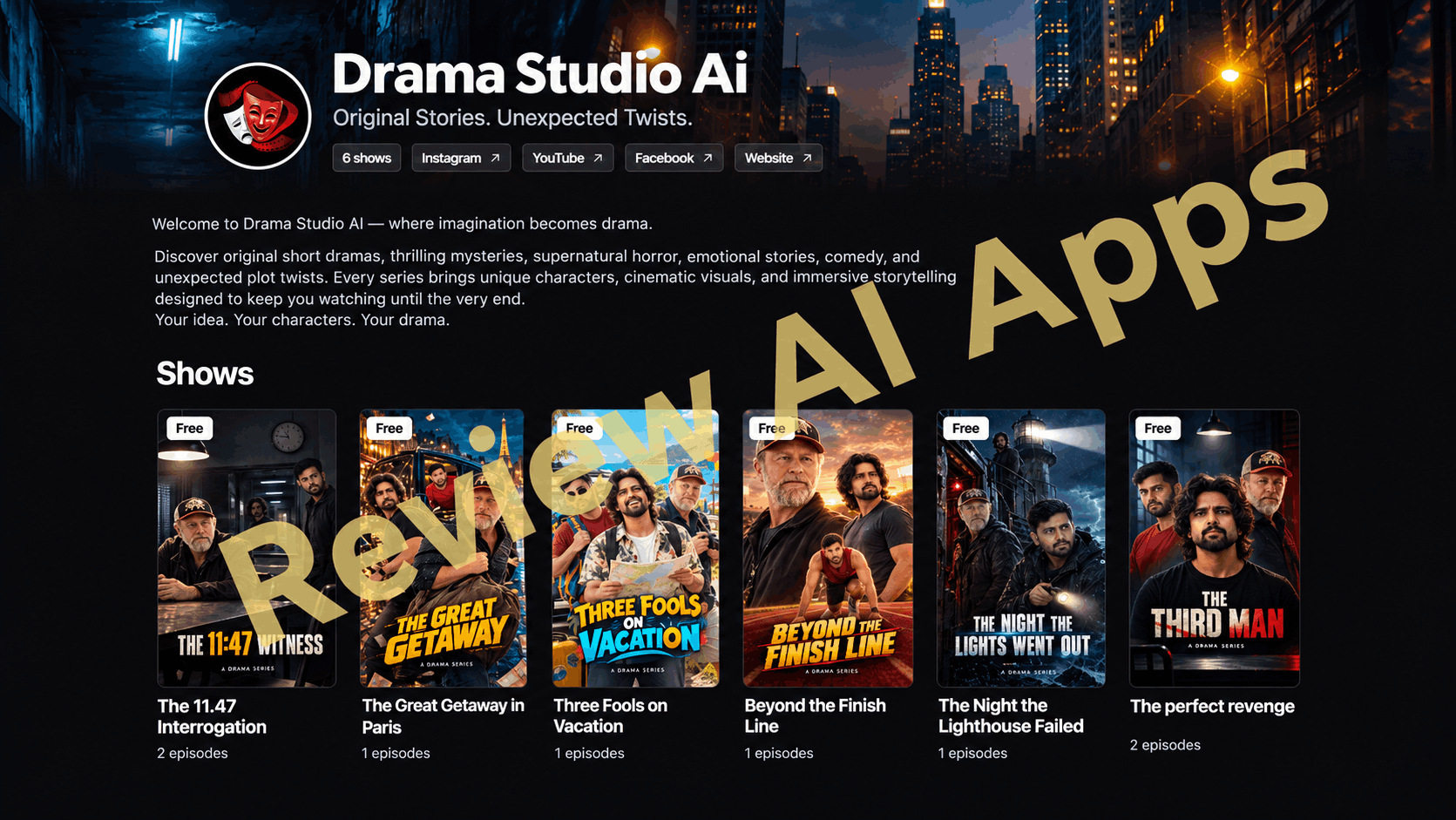
Every account gets a public channel page with a banner, a short description, links to your social accounts and website, and a grid of your shows. Shows can be free, or locked behind the paywall. You get one paid show on the front end. With Pro Unlimited, you get unlimited access to paid shows, subscriptions and channel pass.
Form the Idea
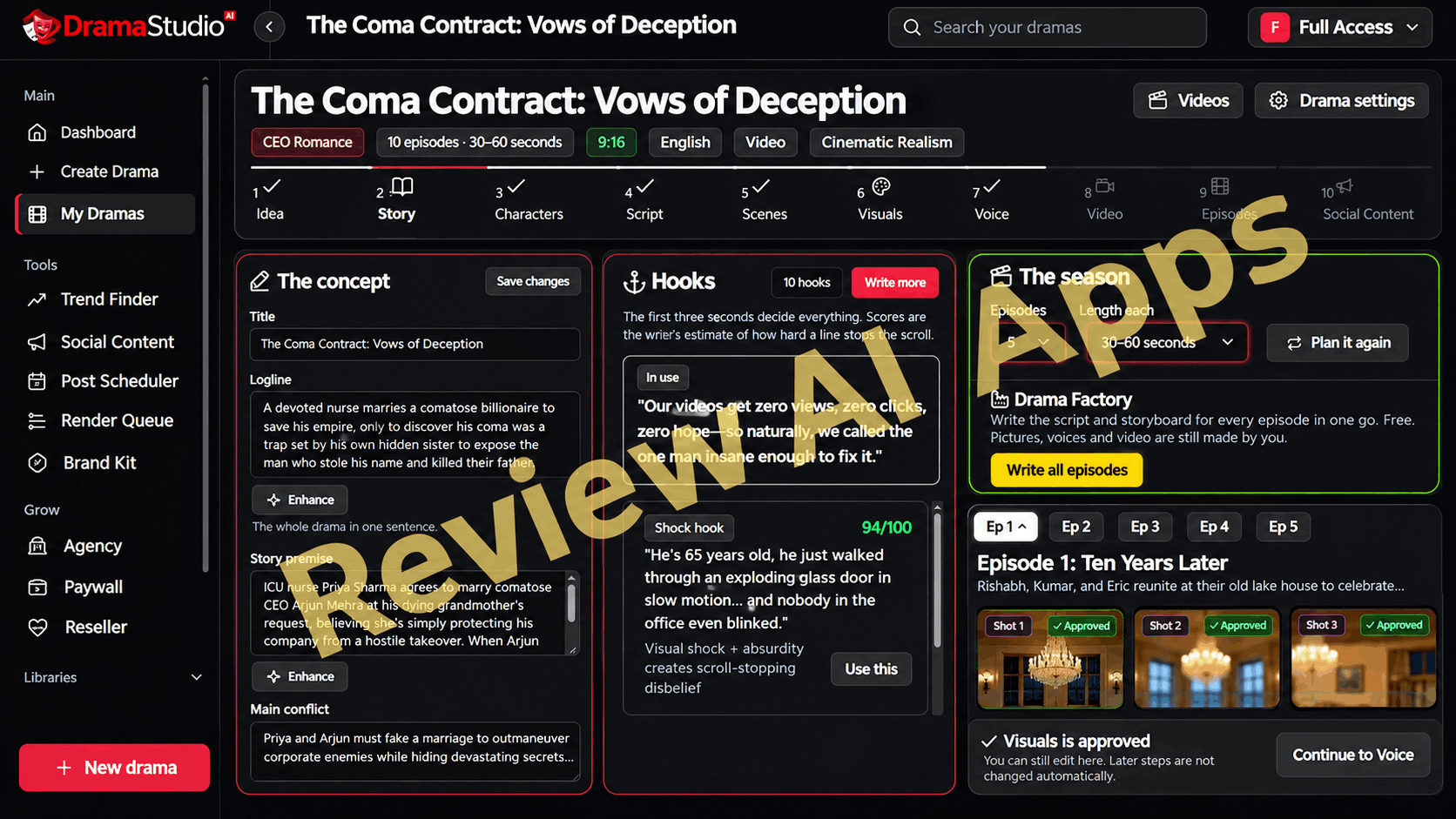
In the drama editor, the Concept panel includes title, logline, premise, main conflict and season storyline, each with an Enhance button. The Hooks panel shows all hooks with a score out of 100, e.g. the “Shock hook” rated 94/100 below. The app itself says the scores are the writer's estimate of how hard a line stops the scroll so treat them as a guide, not real performance data.
Rewrite the Script
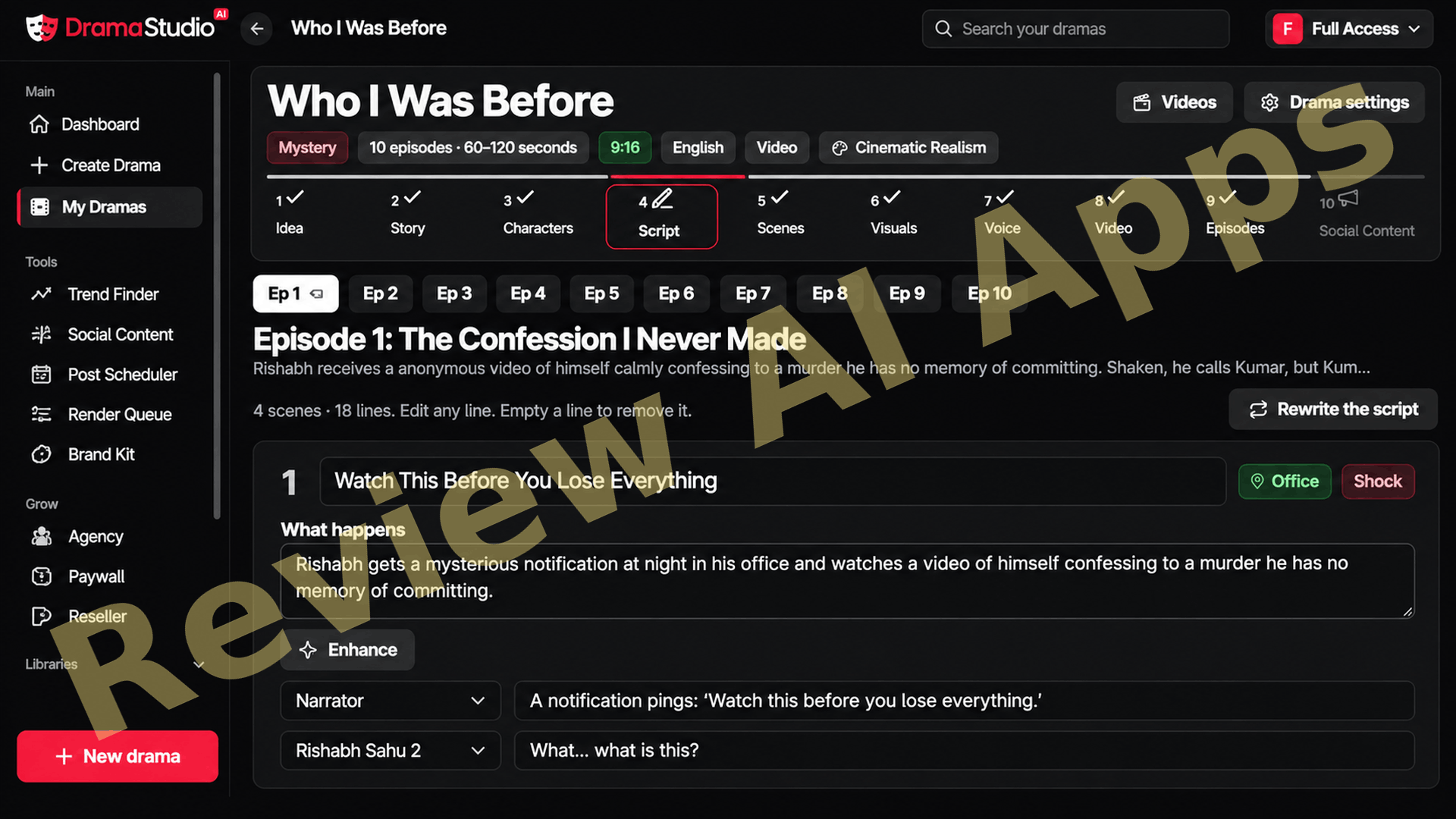
The Script step breaks down each episode into scenes and lines – e.g. "4 scenes · 18 lines". Each scene has a title, a short “what happens” summary, a location tag and a tag for an emotion.
Each line has a speaker drop down (Narrator or one of your characters) so you are in control of who is saying what. You can edit any line, or clear a line to delete it, or click "Rewrite the script" to start over.
Direct Every Scene
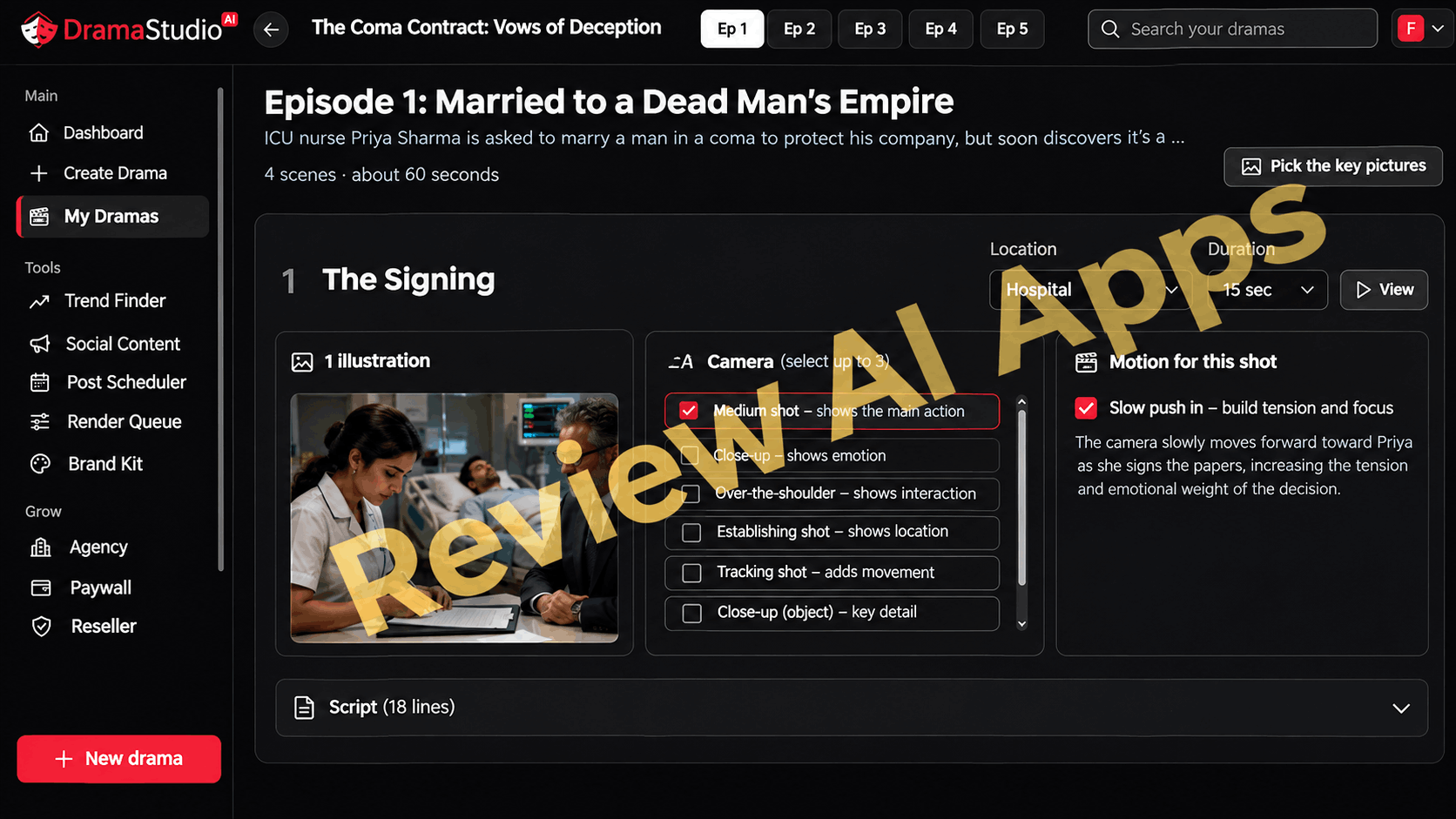
The storyboard puts you at director level control of each scene. You pick the setting and the amount of time, pick up to 3 camera angles (medium shot, close-up, over-the-shoulder, establishing shot, tracking shot or object close-up) and pick a camera movement like 'Slow push in' to build tension. There’s a preview illustration for each scene so you can see the framing before anything is shot.
Shoot the Shots
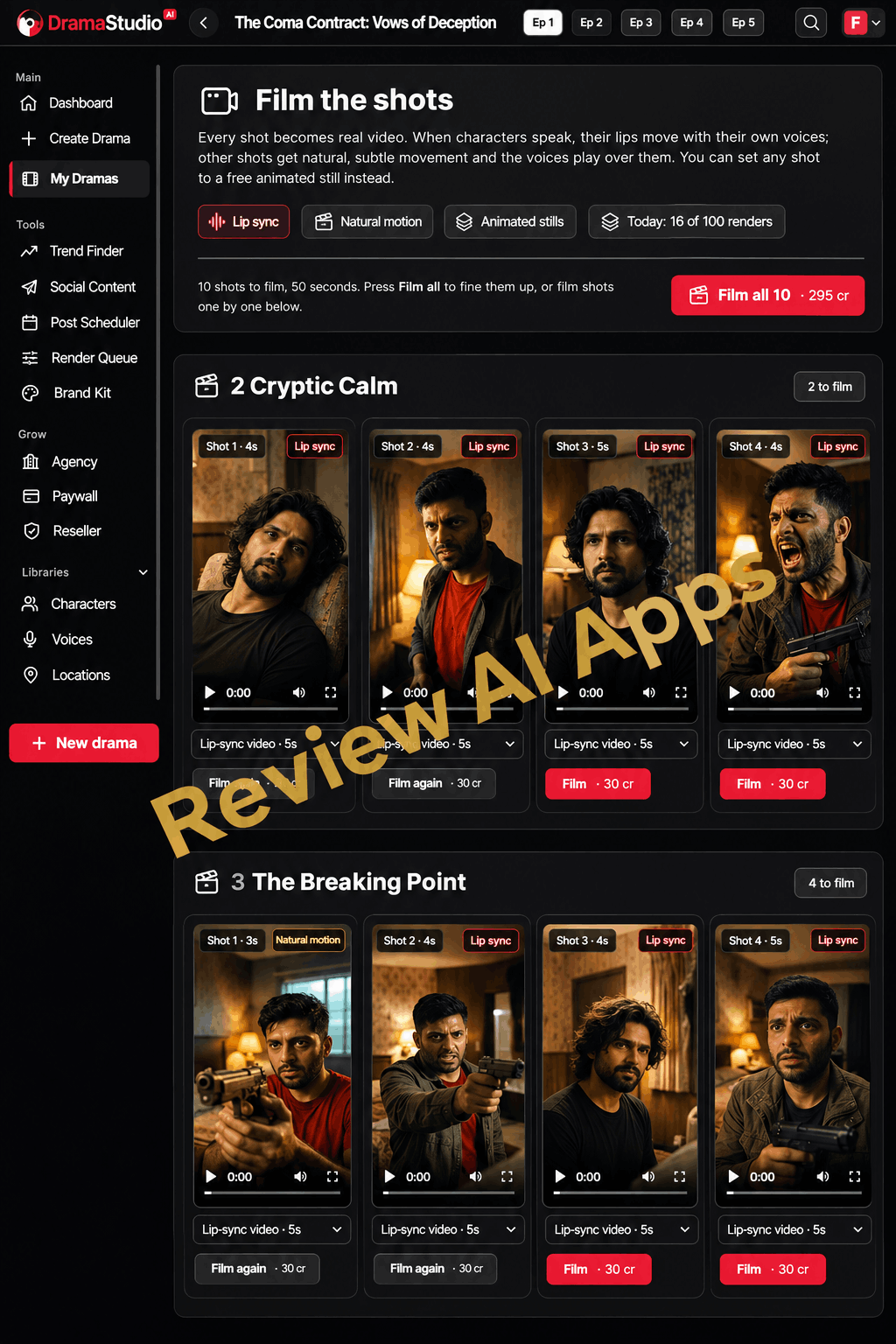
This is where the pictures become video. The talking shots are lip-synched so mouths move as each character speaks. Other shots have subtle motion with the voices playing over them, or you are able to set any shot to a free animated still. Film one by one or press “Film all” button. At the top you can see how many renders you have used today (in this case 16 of 100). For instance, each lip-sync shot costs 30 credits, and the price of filming 10 shots is 295 credits.
Refine Shot List
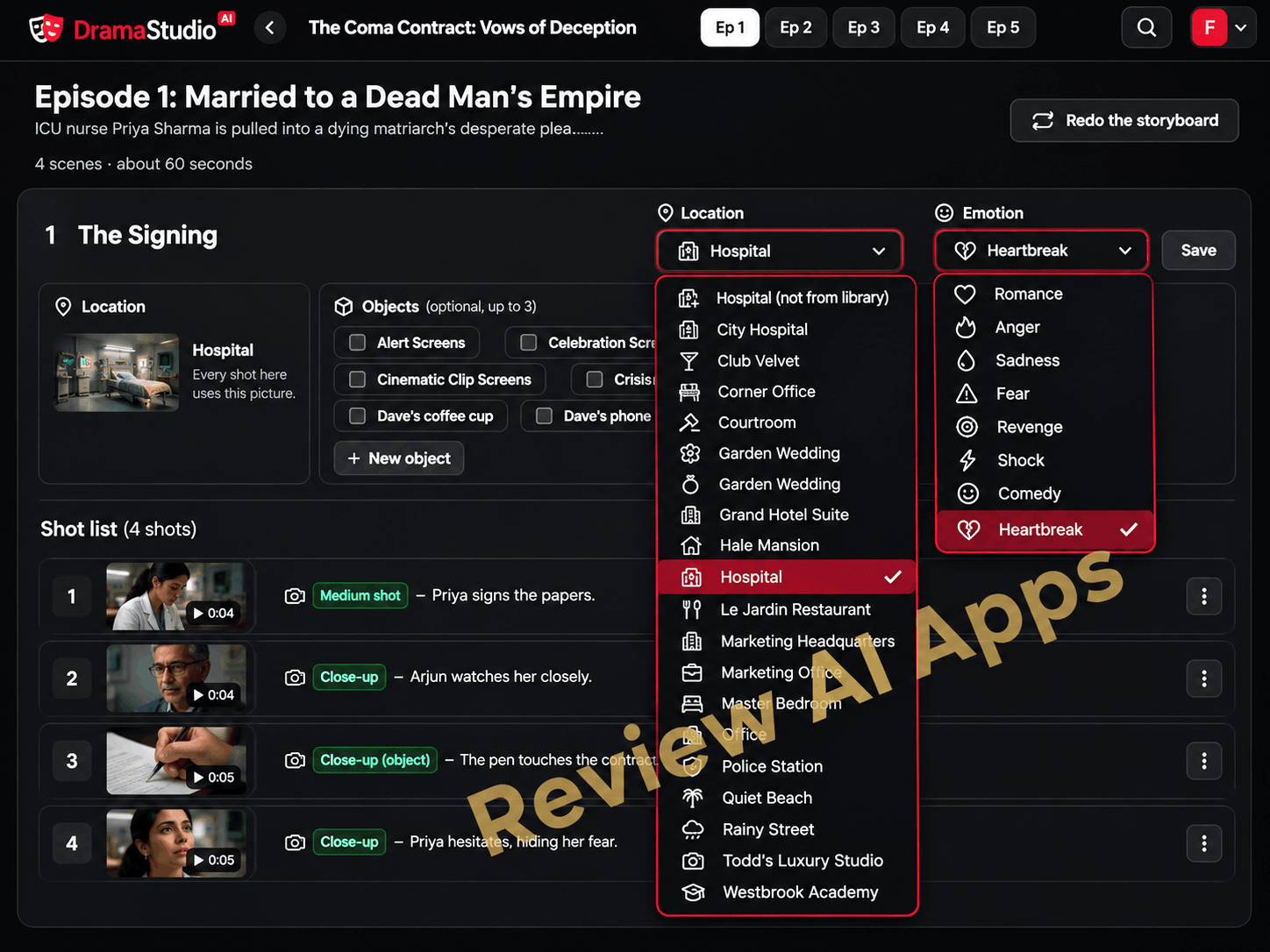
If a scene feels out of whack, open up its shot list and adjust it. The location dropdown pulls from your saved locations, the emotion dropdown controls the mood (Romance, Fear, Revenge, Heartbreak and more) and you can add up to 3 objects to keep props consistent. If you want a new angle, “Redo the storyboard” remakes the episode.
Give Characters Their Voices
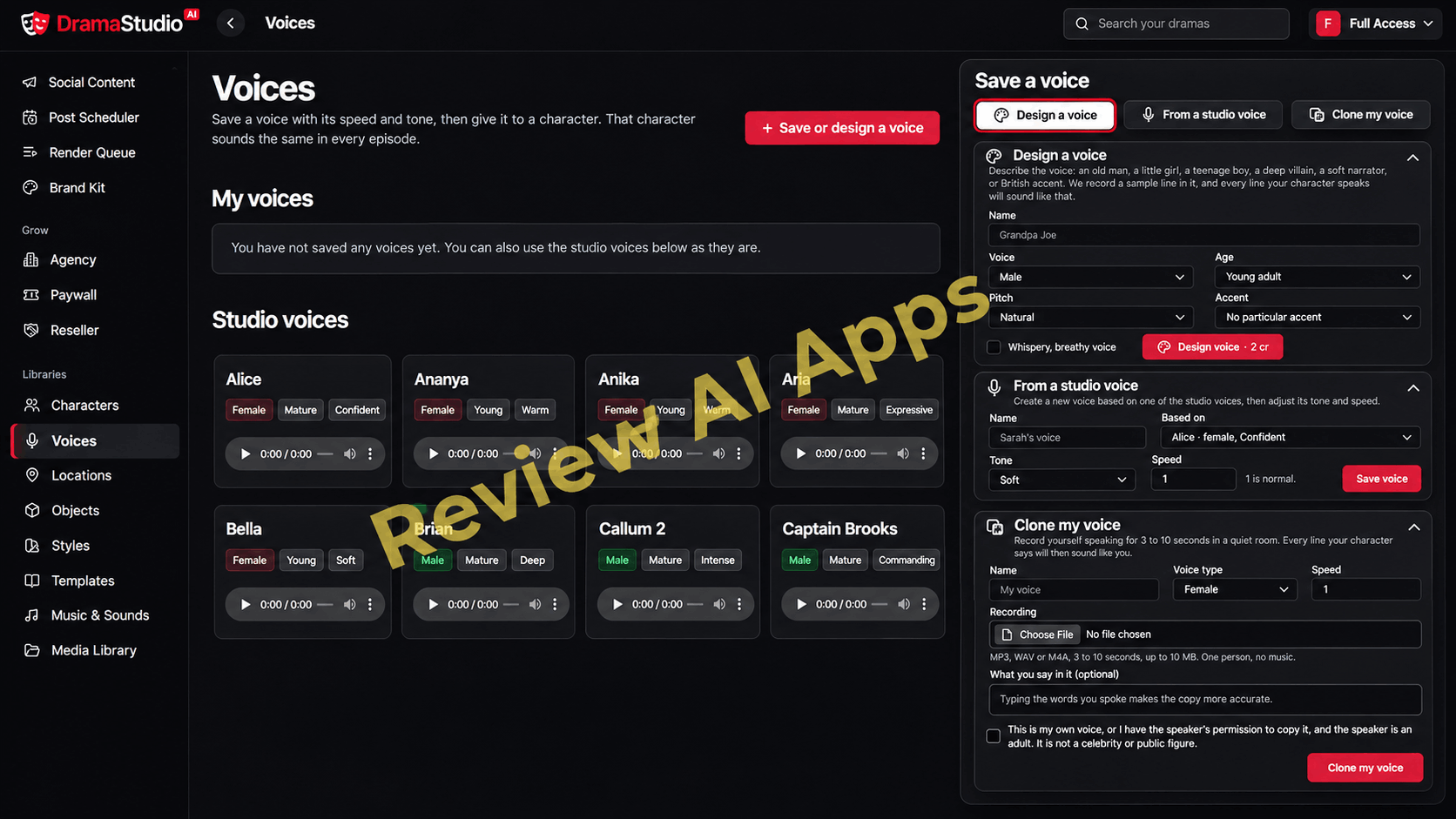
The Voices library includes a number of studio voices, tagged by gender, age and tone, ready to use as is. You can also save your own voice in three different ways. You can create one from a description (gender, age, pitch, accent), base one on a studio voice and adjust its tone and speed, or clone your own voice from a recording of 3 to 10 seconds. Once a voice is associated with a character, that character sounds the same from episode to episode.
Put Together the Episode
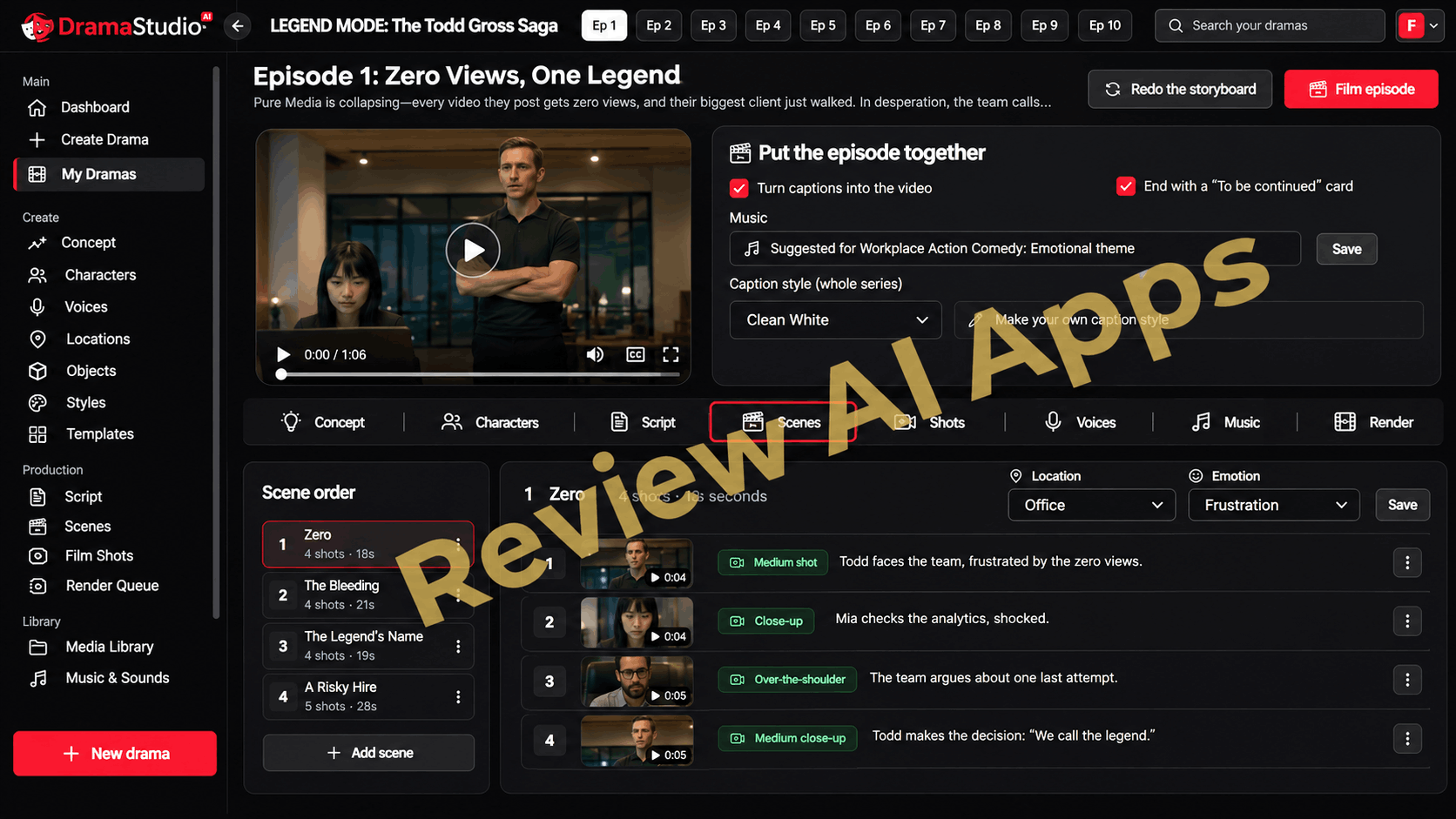
And the last stop, episode editor. Here you can burn captions into the video, add a "To be continued" end card, choose the music and set the caption style for the whole series. Scene Order panel: Here you can reorder scenes or add new ones.
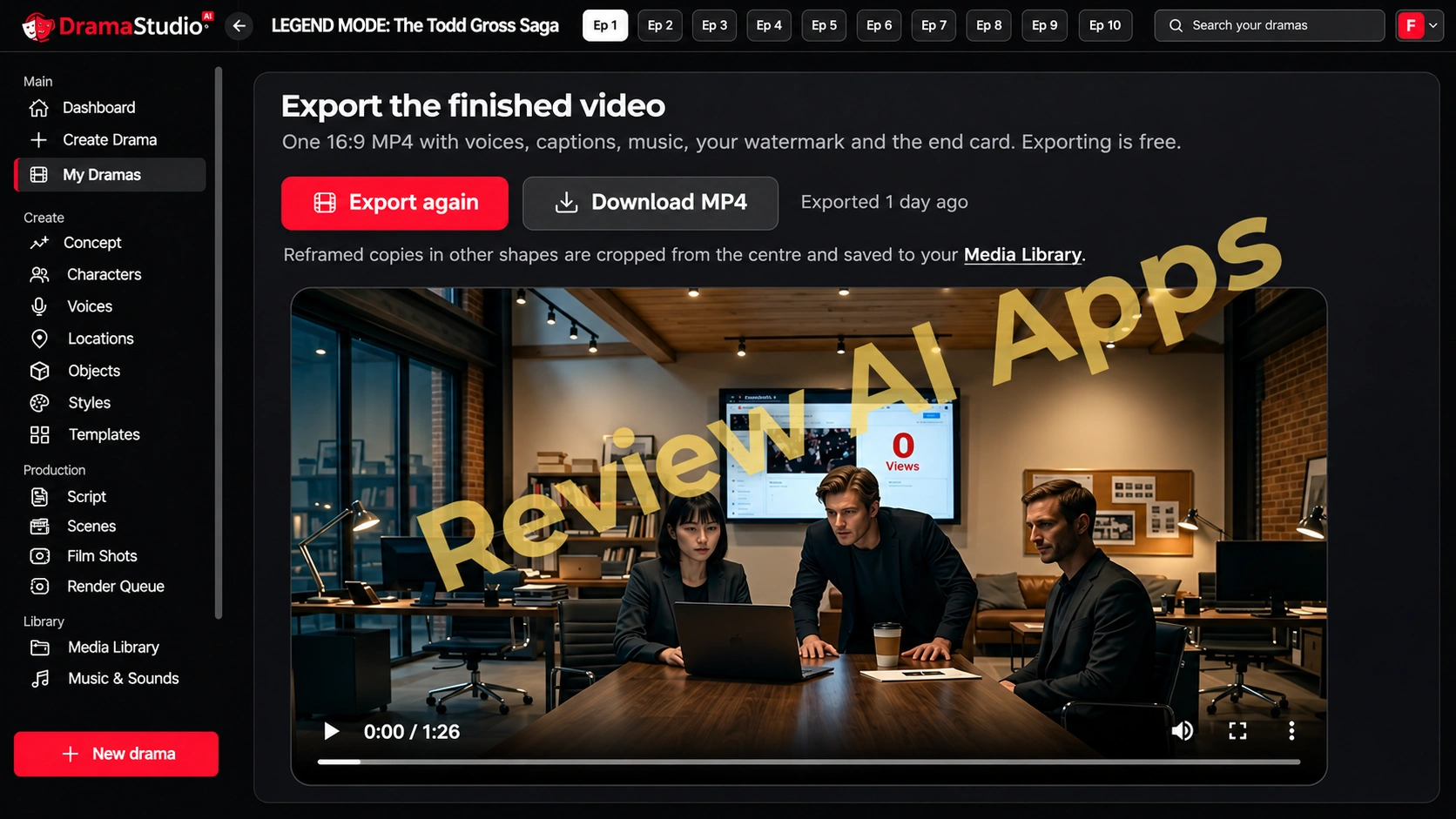
When you are happy, you can preview, render and publish. From there, the Social Content step writes the captions, hashtags, thumbnails and posters for your posts.
Who Is DramaStudioAI For?
DramaStudioAI is best for:
- Owners of faceless channels who need a constant flow of story content for Reels, Shorts and YouTube
- Romance, Wattpad, and fan-fiction writers who want to turn their stories into video
- Small agencies, freelancers who want to sell short ad series or drama-style content to brands
- Creators who want to experiment with the micro-drama format before investing their money into real actors and crews
It’s not as good for those looking for a hands-off income machine. The software does the episodes. You still have to get viewers.
What I Love About DramaStudioAI
- A complete pipeline. Concept, hooks, script, storyboard, pictures, voices, lip-sync video, editing, publishing all in one place. So, you are not juggling five different tools.
- The writing steps are not tied. Scripts and storyboards for an entire season are provided at no cost, and you only pay credits for pictures, voices and video.
- Each paid step tells you what it will cost to run before it runs, so there are no surprises with charges within the app.
- Consistency is important. AI video’s biggest weakness is faces and sets changing from shot to shot. Character DNA, the location library, saved objects and “paint from shot 1” all go after this.
- It does more than what sales page tells. It includes horizontal 16:9, import your own script, voice cloning, and custom caption styles.
- The price of entry is cheap. $30 for the 30 day guarantee is an easy way to try out the format with the coupon.
Where DramaStudioAI Doesn't Deliver
- “Unlimited” is still limited. Even Pro Unlimited is on credits and has a daily render cap, and the sales materials themselves call it unlimited creation ‘on a monthly limit.’ It wasn't clear how many credits each plan had before launch.
- Output resolution is low. The video is rendered at 480p or 720p, not the “4K” camera graphics on the sales pages. That is fine on a phone screen but not on a big TV.
- Hook & trend scores are predictions by AI. The app itself tells you so, but the sales page presents them as if they are measuring real scroll-stopping power.
- No TikTok in Post Scheduler. TikTok is the new kid on the block in marketing, but scheduling is reserved for Facebook, Instagram and YouTube.
- Real platform risk is in mass produced content. From July 2025, YouTube has stopped paying creators for mass-produced, repetitive content. If thousands of buyers are using the same templates, the same 9 music themes and the same studio voices, channels that don’t customise their work could have a hard time getting monetised.
- Be careful with automated comments. Auto DM, auto reply, auto like on Facebook and Instagram can trigger action blocks if you push them too hard on accounts you care about.
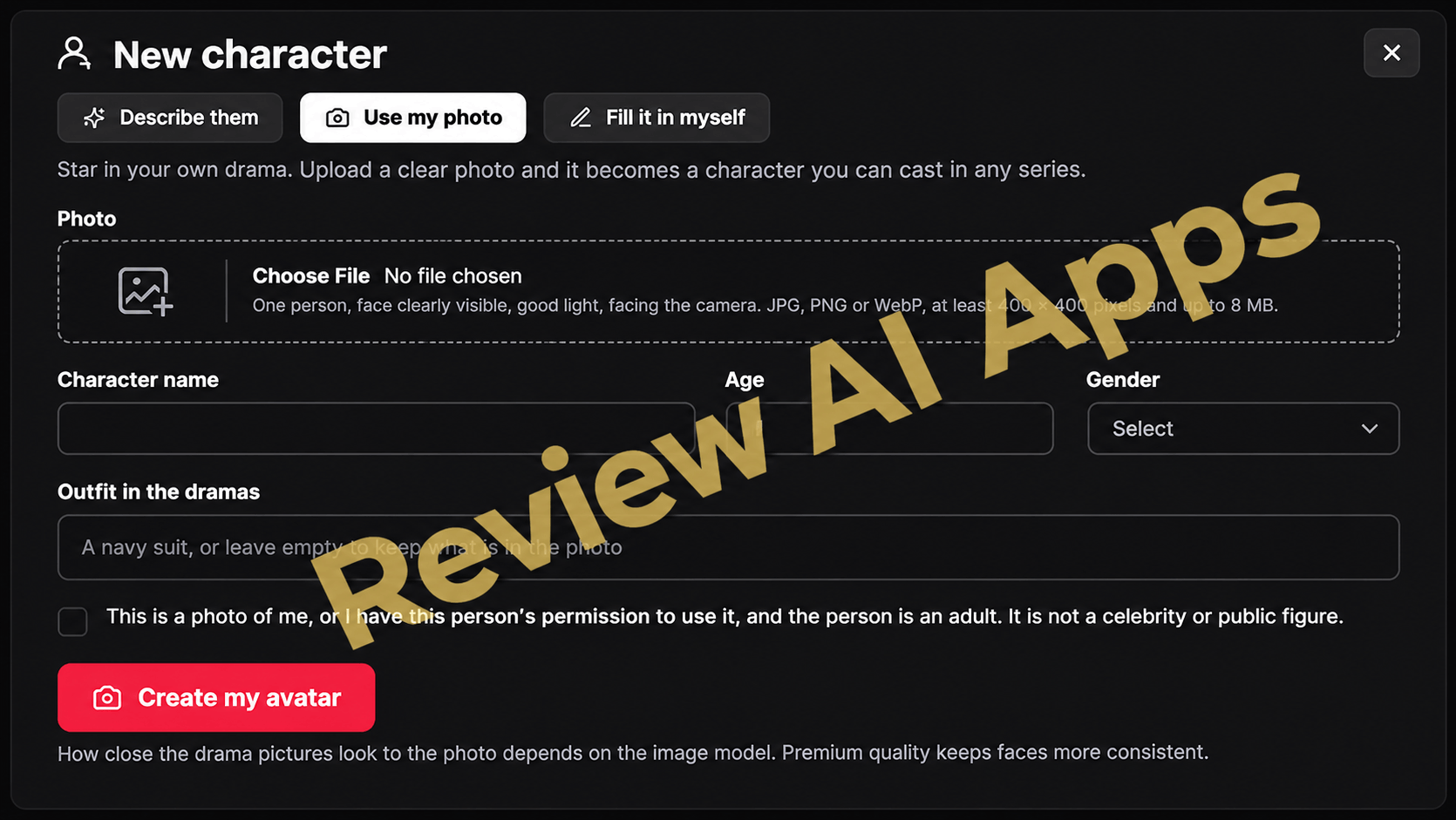
- Photo avatars and voice cloning are checkbox based. You verify that you have permission and the person is not a celebrity and the responsibility is on you. A quick way to get takedowns is ripping off someone else's face, voice or famous character.
- The numbers from the market don’t show a new channel. The bulk of the micro-drama money goes to big studios with live-action shows and big ad budgets, mostly in China. A paywall channel starts without any viewers.
Is DramaStudioAI Legit?
Yes, to the right buyer. DramaStudioAI is one of the more complete AI video apps released this year as a production tool. It’s a structured studio that takes you from idea to finished episode with control at every step.
The best way in is to start at the front end at $30. Make one full episode and see how fast your credits disappear before you buy anything else. Pro Elite is the upgrade most worth having for longer seasons, StarMe and translation. If you like the output and plan to publish regularly. It’s worth it if you will actually use the scheduler and the paywall channel. Agency pays off if you already have clients, or a plan to get clients. White Label is for people who want to sell their own drama app.
Final Verdict
“DramaStudioAI does what would have taken a writer, cast, voice team and an editor not so long ago, and it does it in a guided, step-by-step process that a beginner can follow. Free scripting, visible credit costs and real attention to character and set consistency make it more than a gimmick.
Where it jumps the gun is on the business end of the pitch. Even in “Unlimited”, you still use credits, the scores are estimates and you have to build an audience that’s willing to pay to see your shows, not the software. If you treat DramaStudioAI as a creative production studio and not an income system you will get good value.
My take after this DramaStudioAI Review: it’s a strong buy for creators, writers and small agencies who want to make micro-dramas, as long as you start with the front end, test your credit usage and grow into the upgrades instead of buying them all on day one.
🎁 VISIT MY BONUS PAGE 🎯
Comments
Join the discussionNo comments yet. Be the first to comment.