CinemaStudio AI Review
Can This AI Movie Studio Replace a Film Crew?
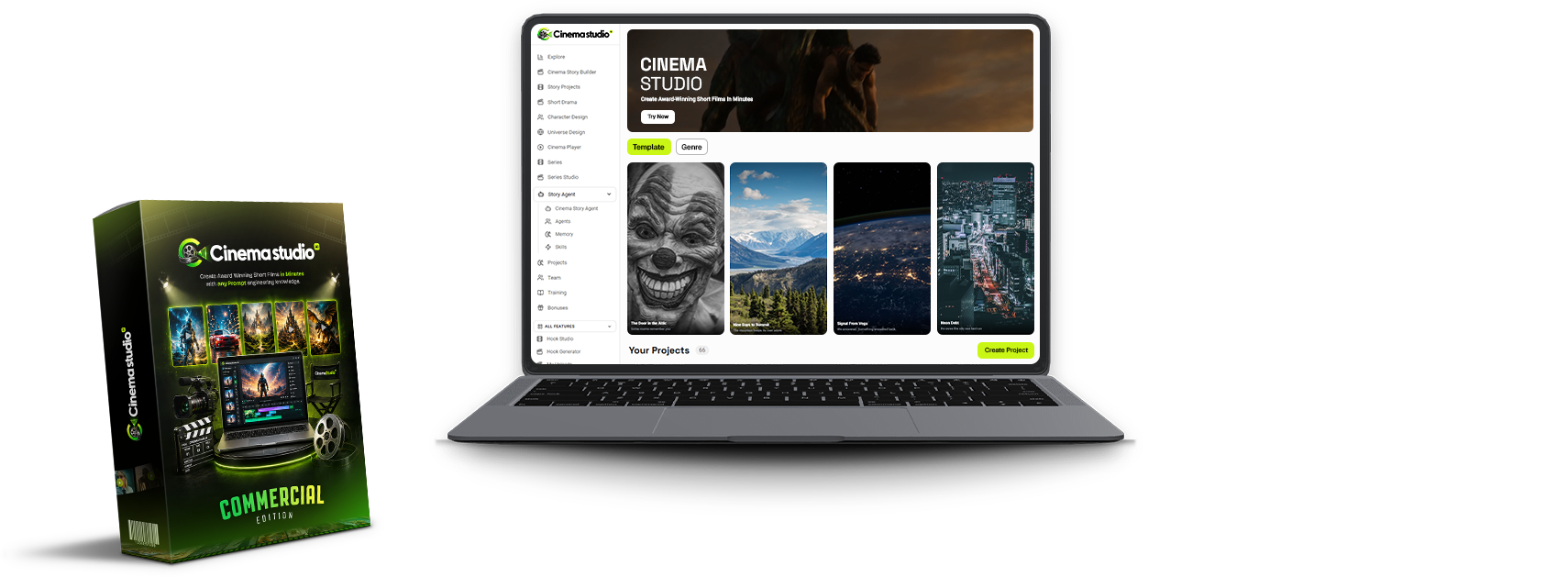
Hi, I’m Hai Nguyen and welcome to my CinemaStudio AI review.
I have been looking at many AI video tools for the past year and almost all have the same problem. You type in a prompt and you get five seconds of disjointed footage and you have to piece the clips together yourself. No story. No recurring characters. Nothing real to go on.
So when CinemaStudio AI came along promising a finished cinematic short film from one idea, plus a script, a consistent cast, and a real edit, I wanted to see if that promise holds up or if it's just another AI video generator in a bigger costume.
CinemaStudio AI By Pankaj Malav & Deepanker Rajora JVZoo September 9, 2026 In this CinemaStudio AI review, I’ll walk through what it does, what you pay at each level of the funnel, and where the marketing gets ahead of what the product can realistically do.
🚀 GET CinemaStudio AI + MY EXCLUSIVE BONUSES 🎁
💎 GRAB THE FULL BUNDLE — SAVE $50 💰
What Is CinemaStudio AI and How It Operates
CinemaStudio AI describes itself as “a story-first AI movie studio.” It doesn't just give you an empty prompt box, it generates each project in a structured pipeline: pick a story, guide the details, let the AI create it, then publish and monetize the outcome.
Step one is to choose. Start from one of the 10 story categories’ templates that are ready to go, type your own one-line idea, or paste in a full script you already have.
Step two is Personalize. This is the place where you create or reuse a custom character and a custom universe, a reusable world with its own look and lighting, and where you choose the visual style, tone, audience, spoken language, narration style, format and duration.
Step three is to Produce. The AI first turns your choices into a shot-by-shot storyboard, so you can see and edit the whole film before a single frame renders, then it generates the scenes, narration, music and sound.
Fourth step is profit. You export the finished film any way you like, vertical, wide screen or square and push it to YouTube, TikTok or Instagram or hand it to a paying client under the commercial license included.
That’s a more organized workflow than a typical prompt-and-hope AI video tool, and CinemaStudio AI deserves credit for that design choice, on paper.
CinemaStudio AI Review - Inside the Demonstration
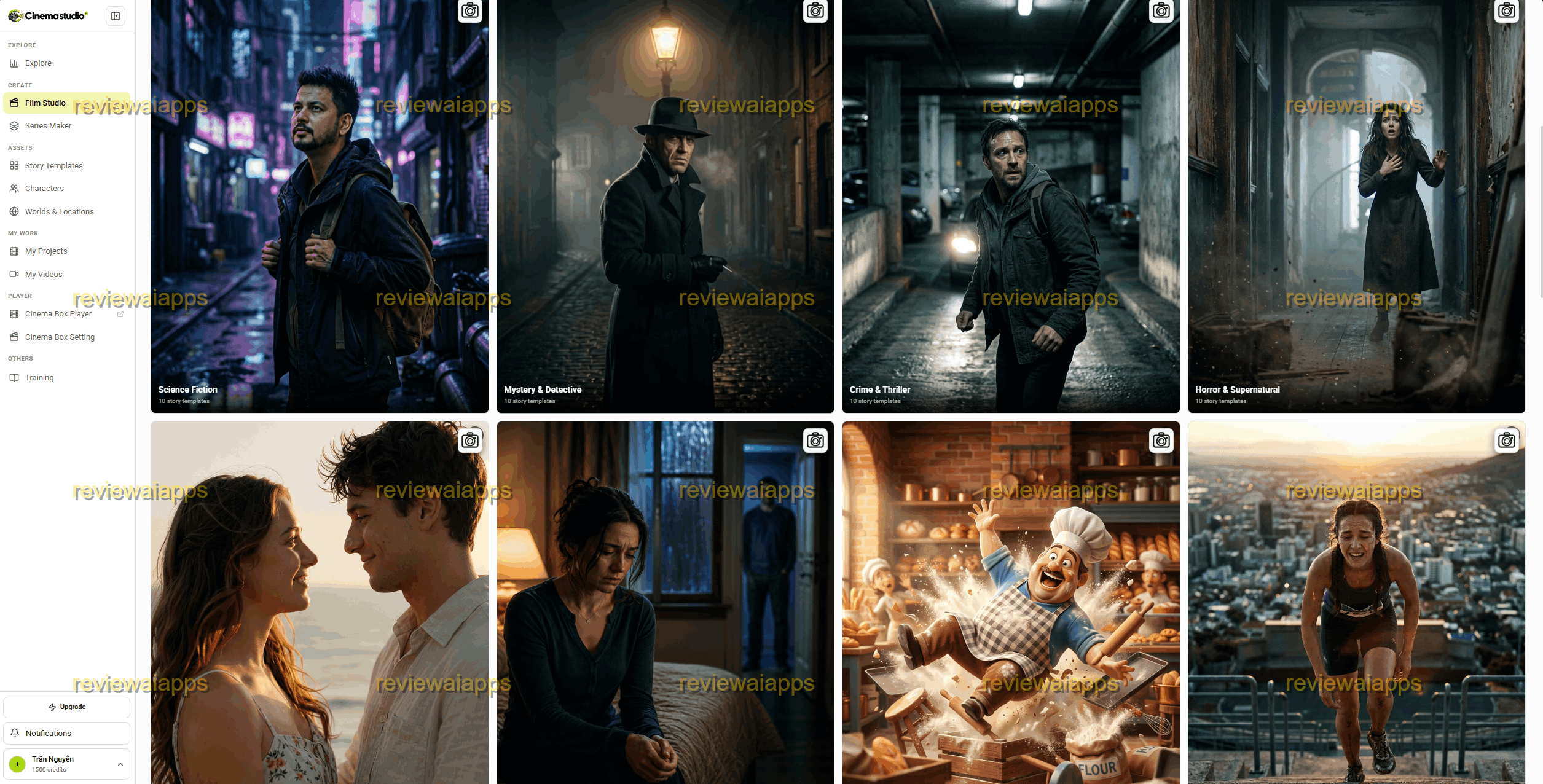
This is the member's area once you login.
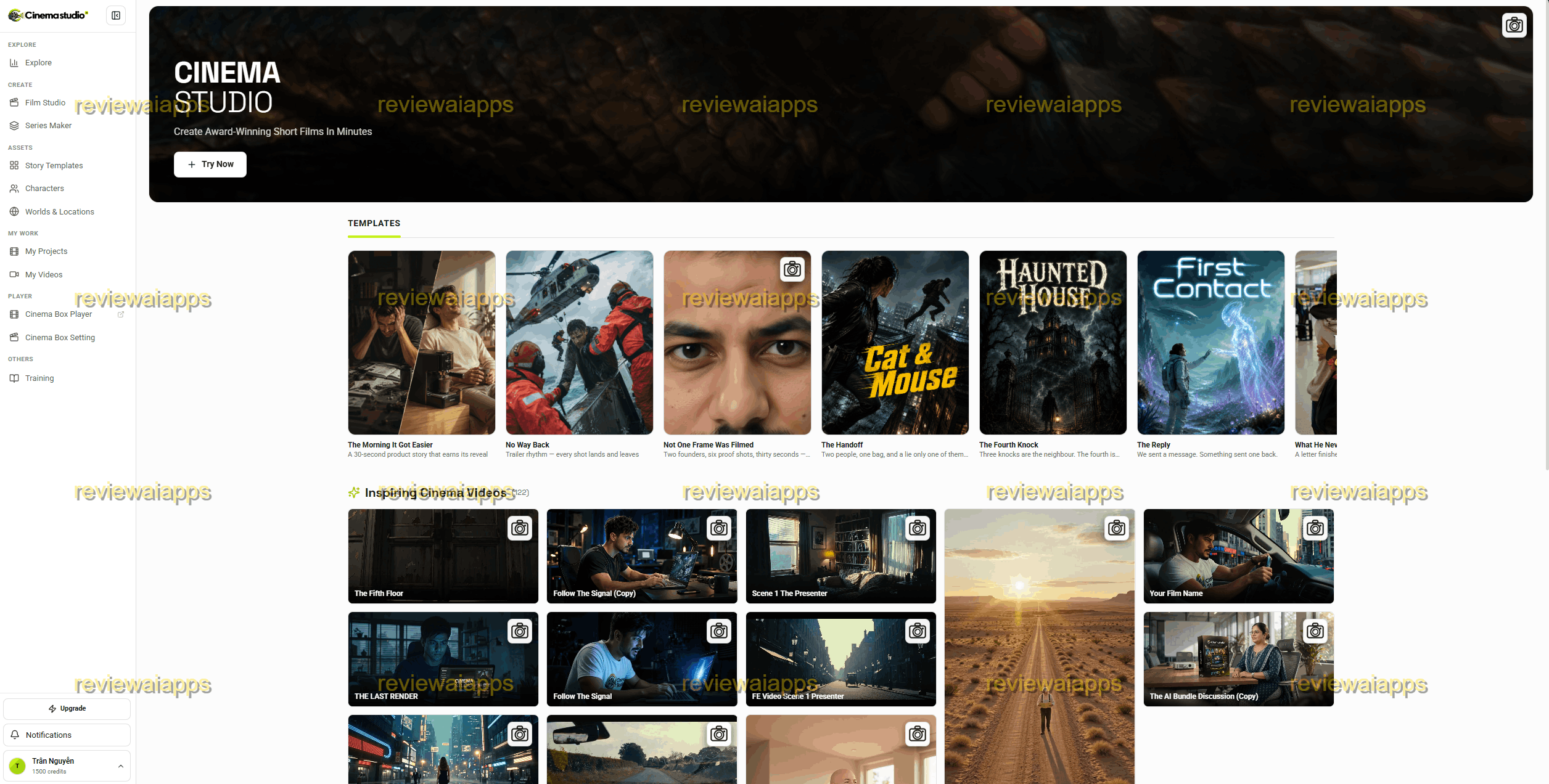
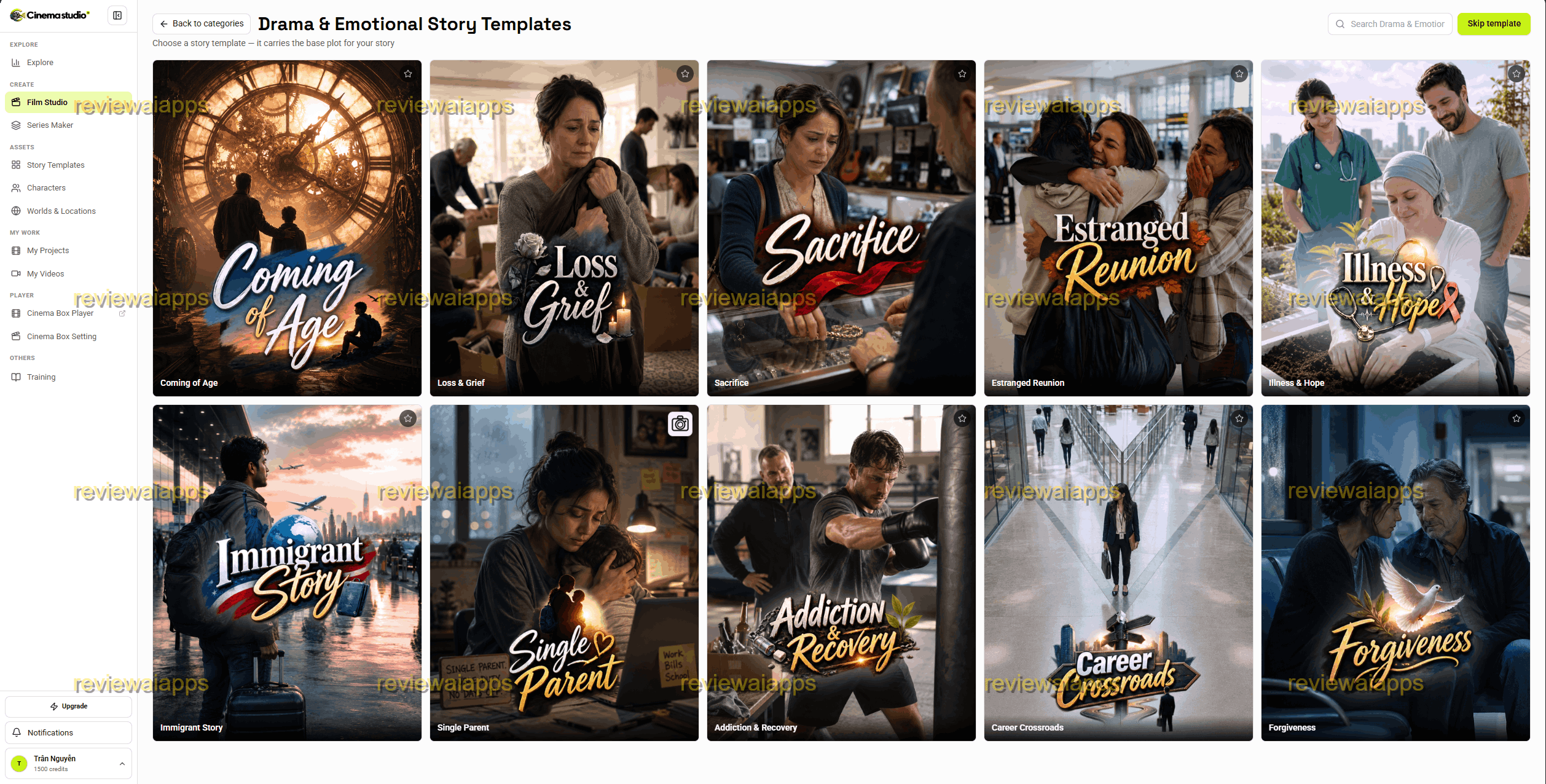
To start, you can take a look at sample film studio templates.
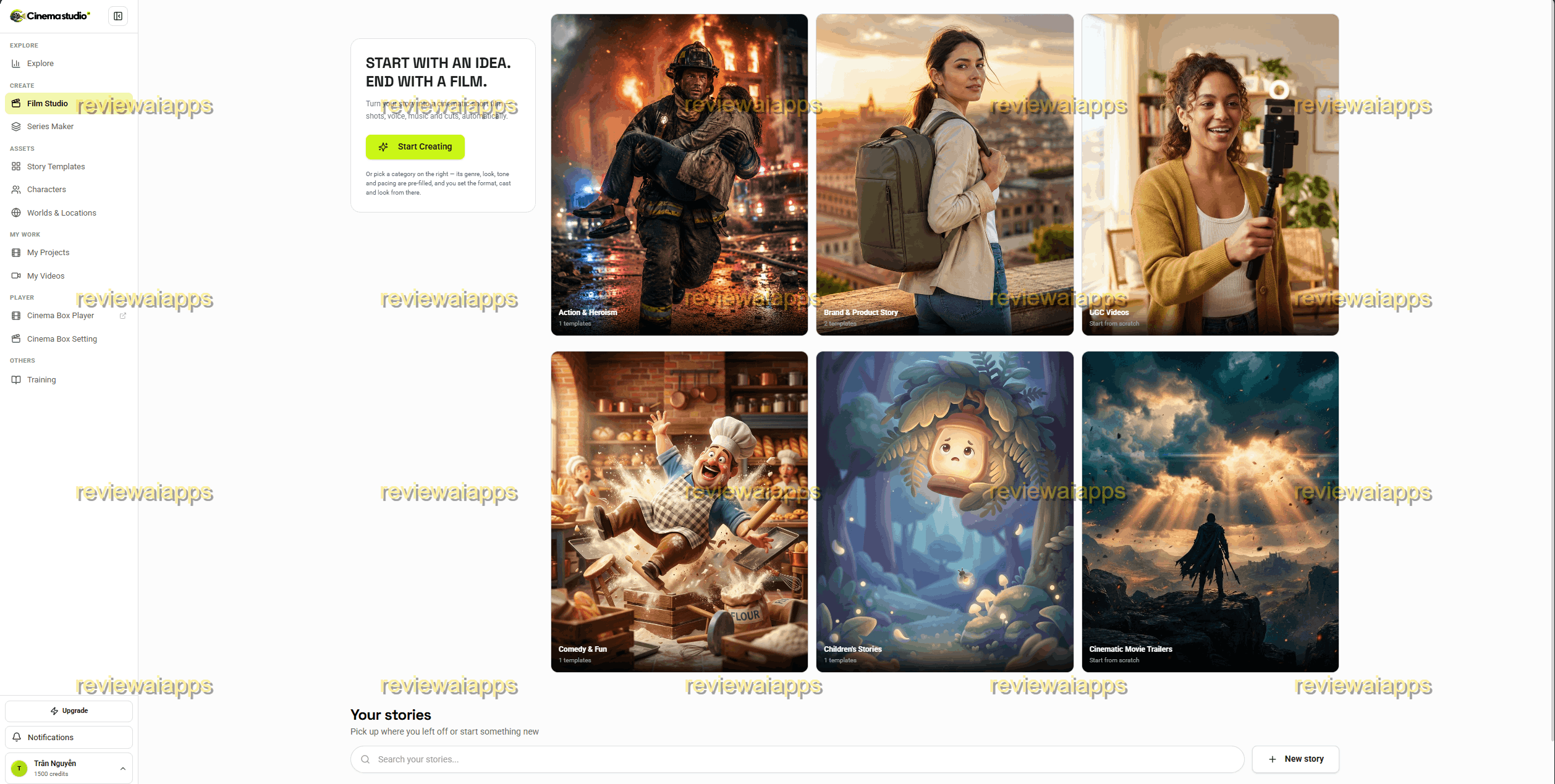
There are wide ranges of cinema styles that you can imitate from here.
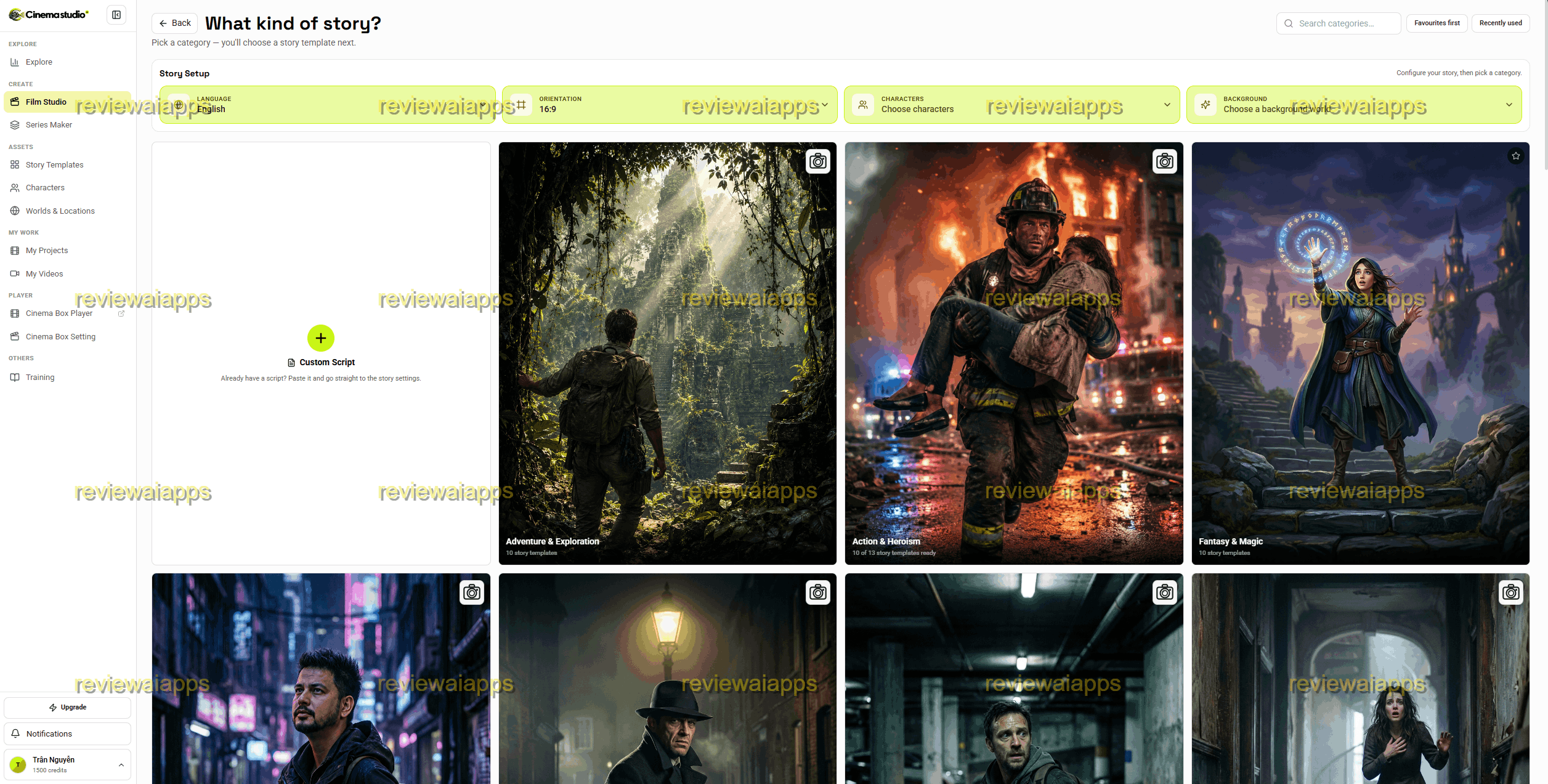
Basically, these are templates to make a whole 45-50s story, which is a typical length if you make short drama.
1. Create Film
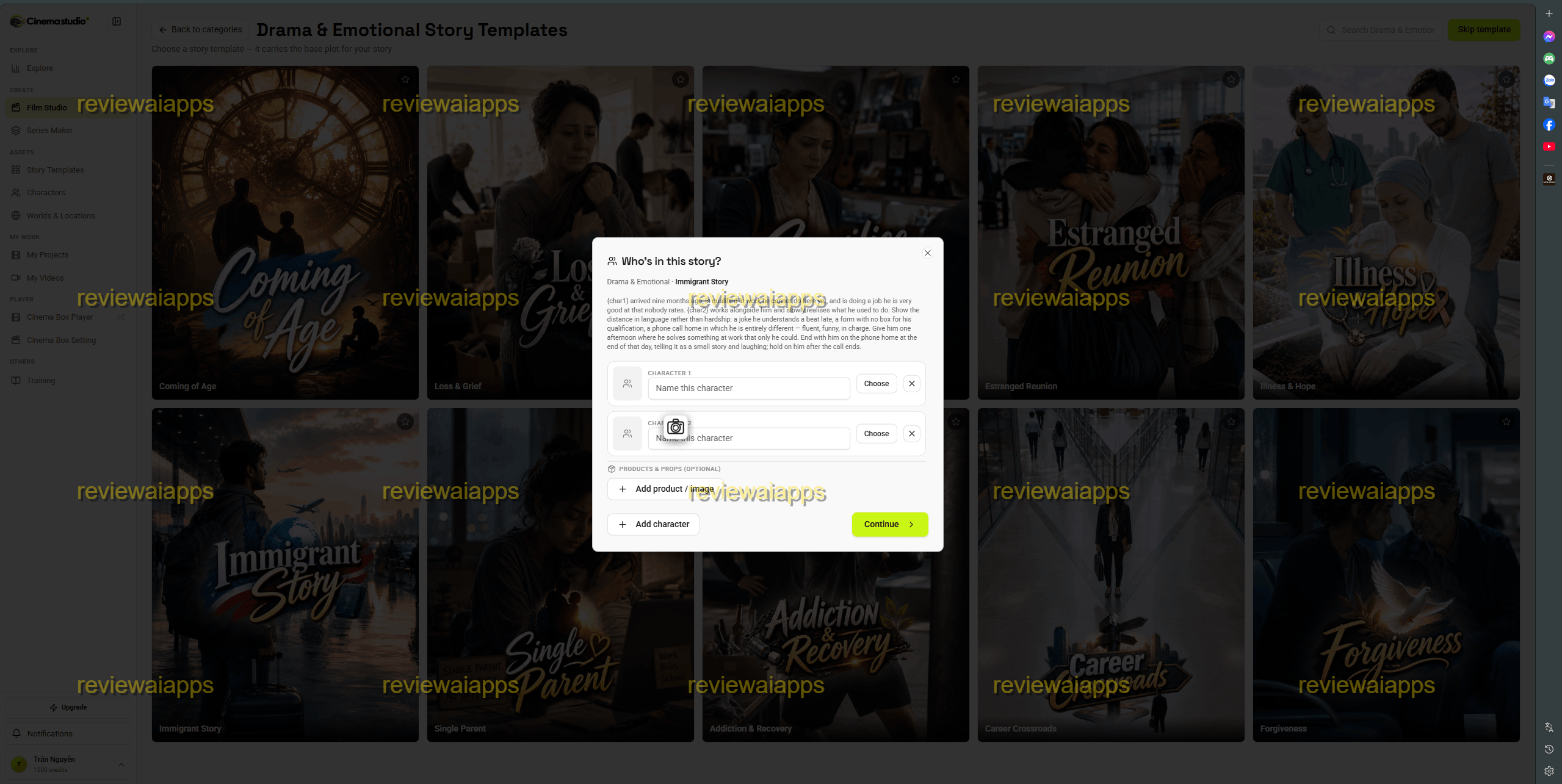
To start, pick a sample story. Of course, you can still start from scratch. At first, upload any characters you have first.
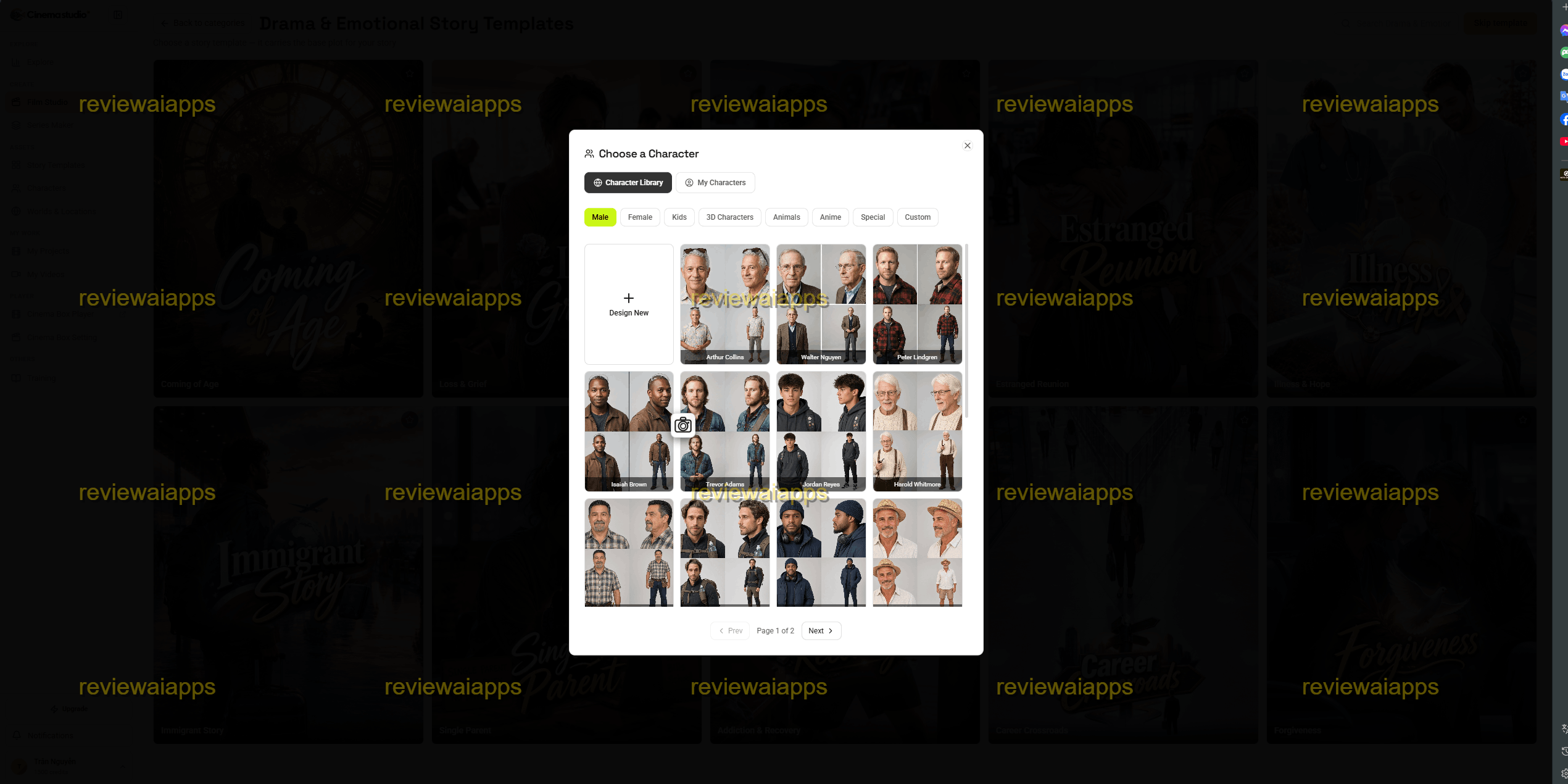
Then, you can browse into the next step with your desired characters.
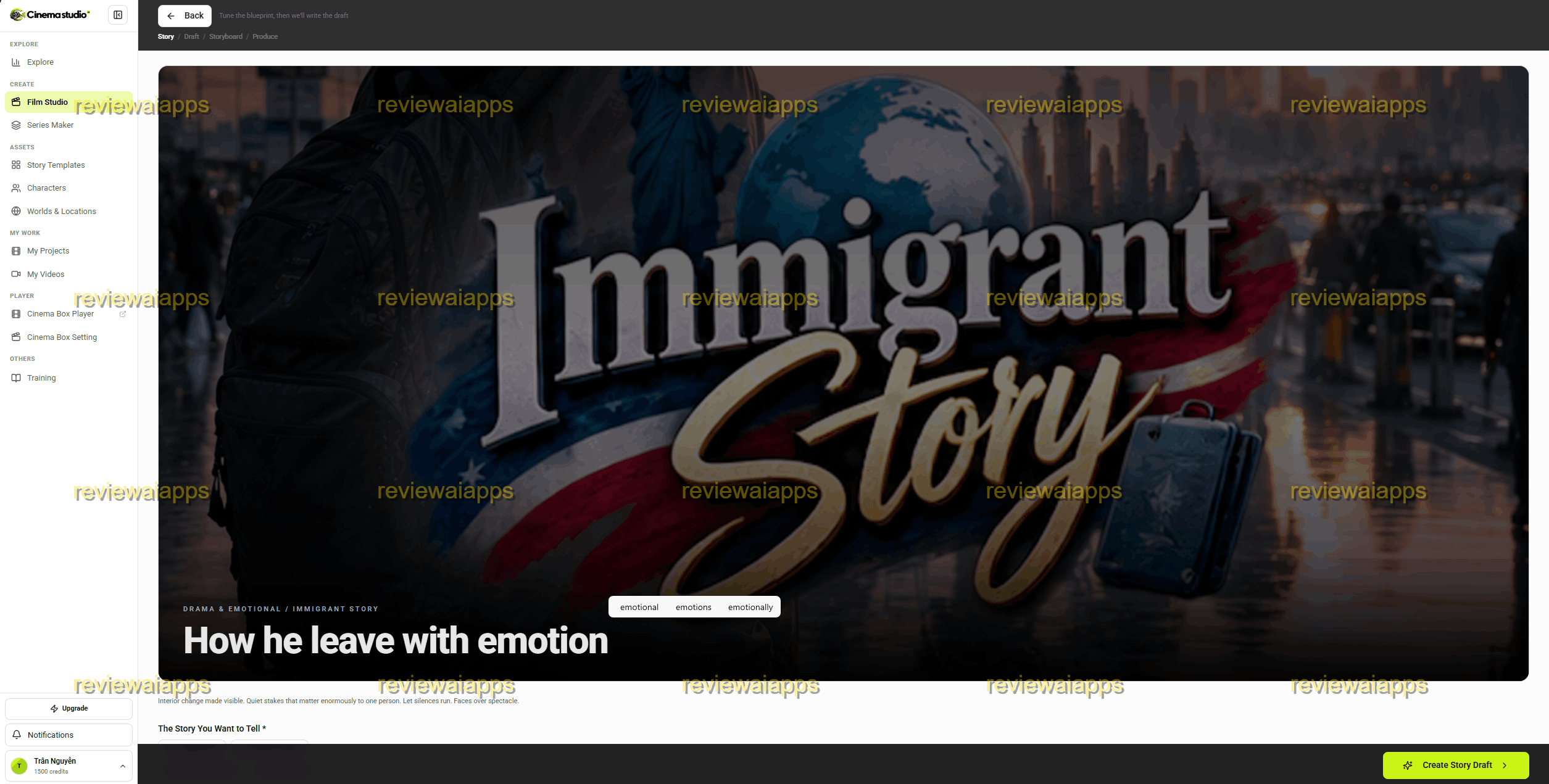
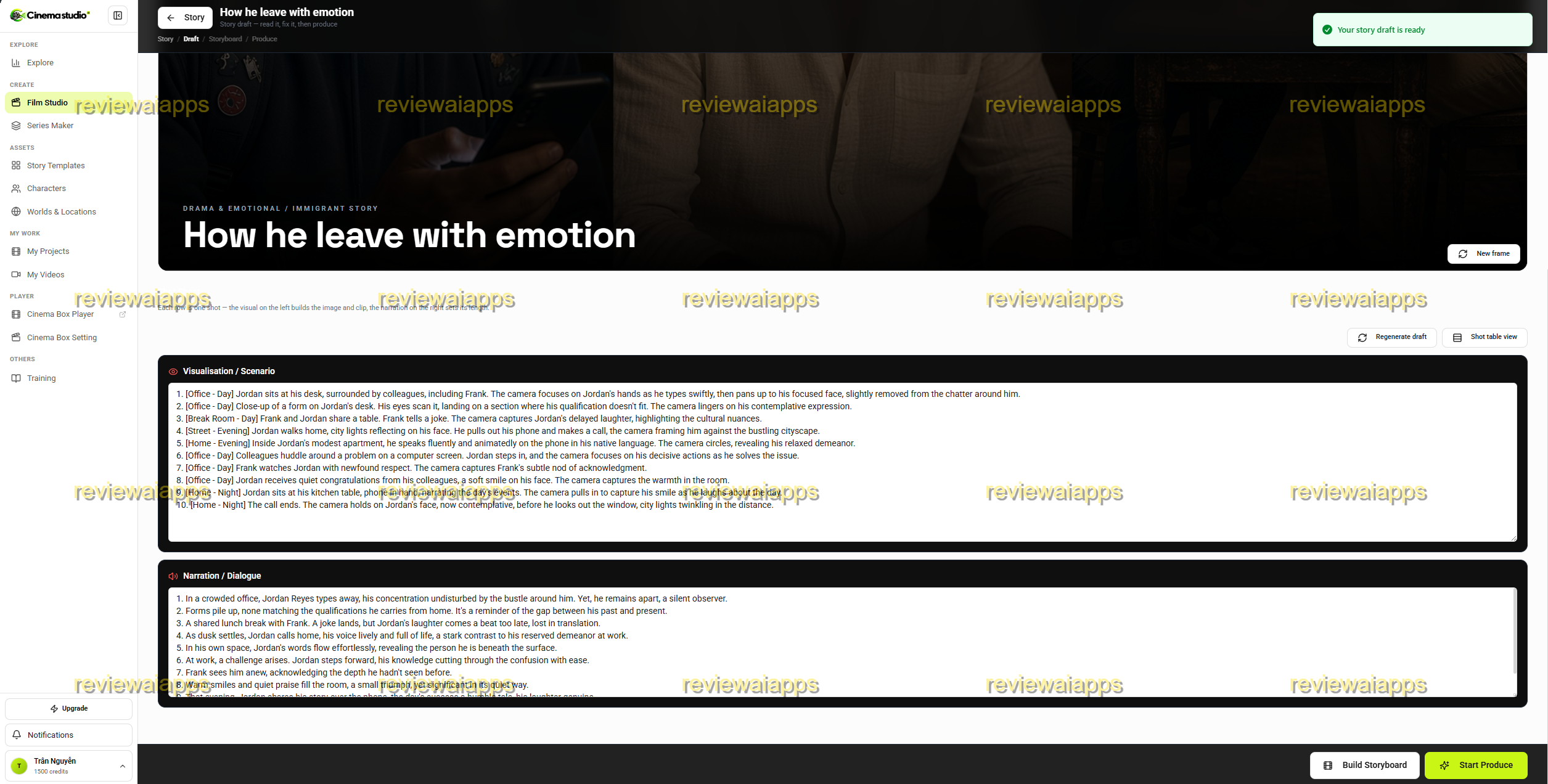
Then, you can see the draft story here.
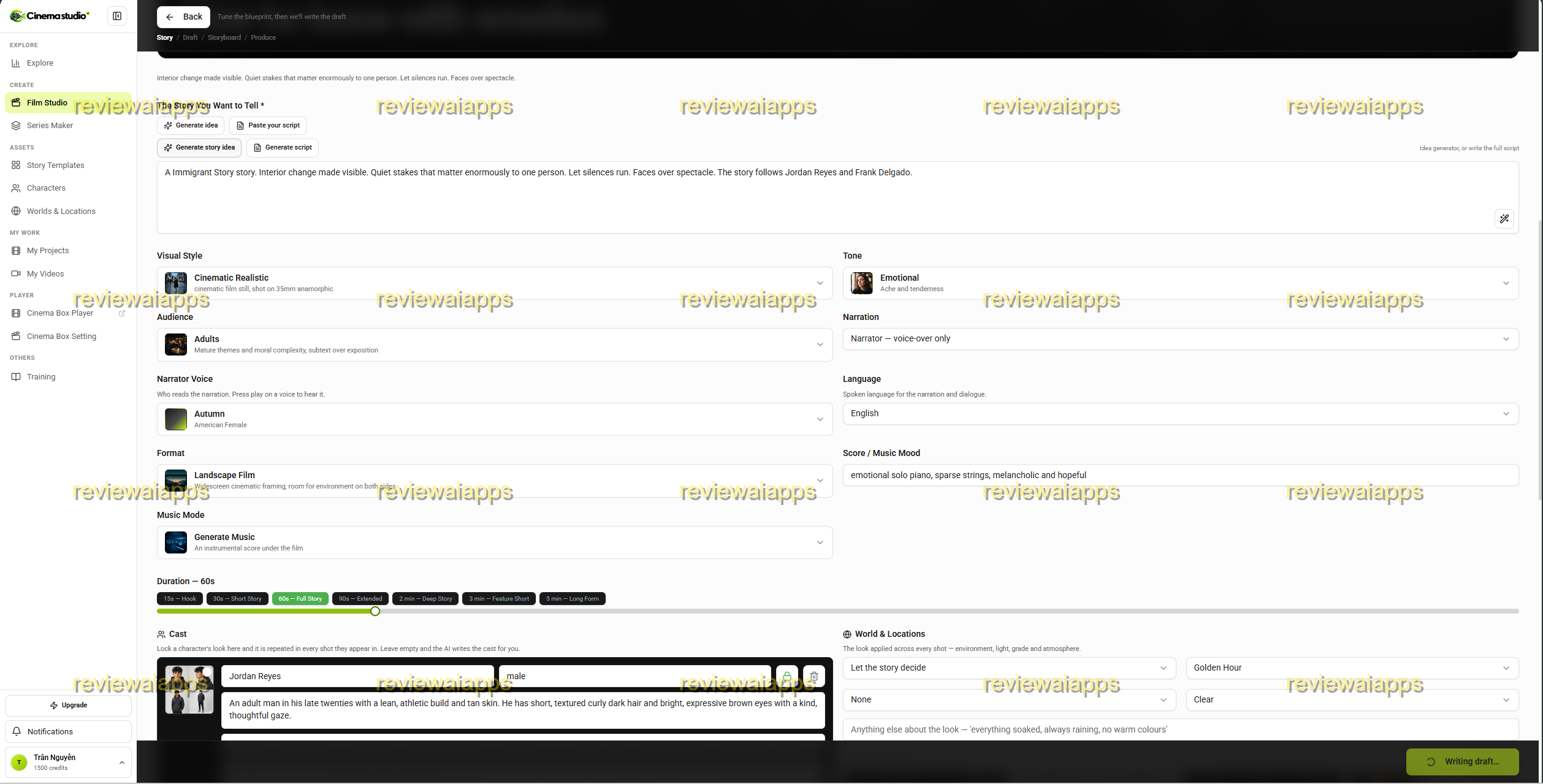
And, it can create a draft description on some motion scenes here.
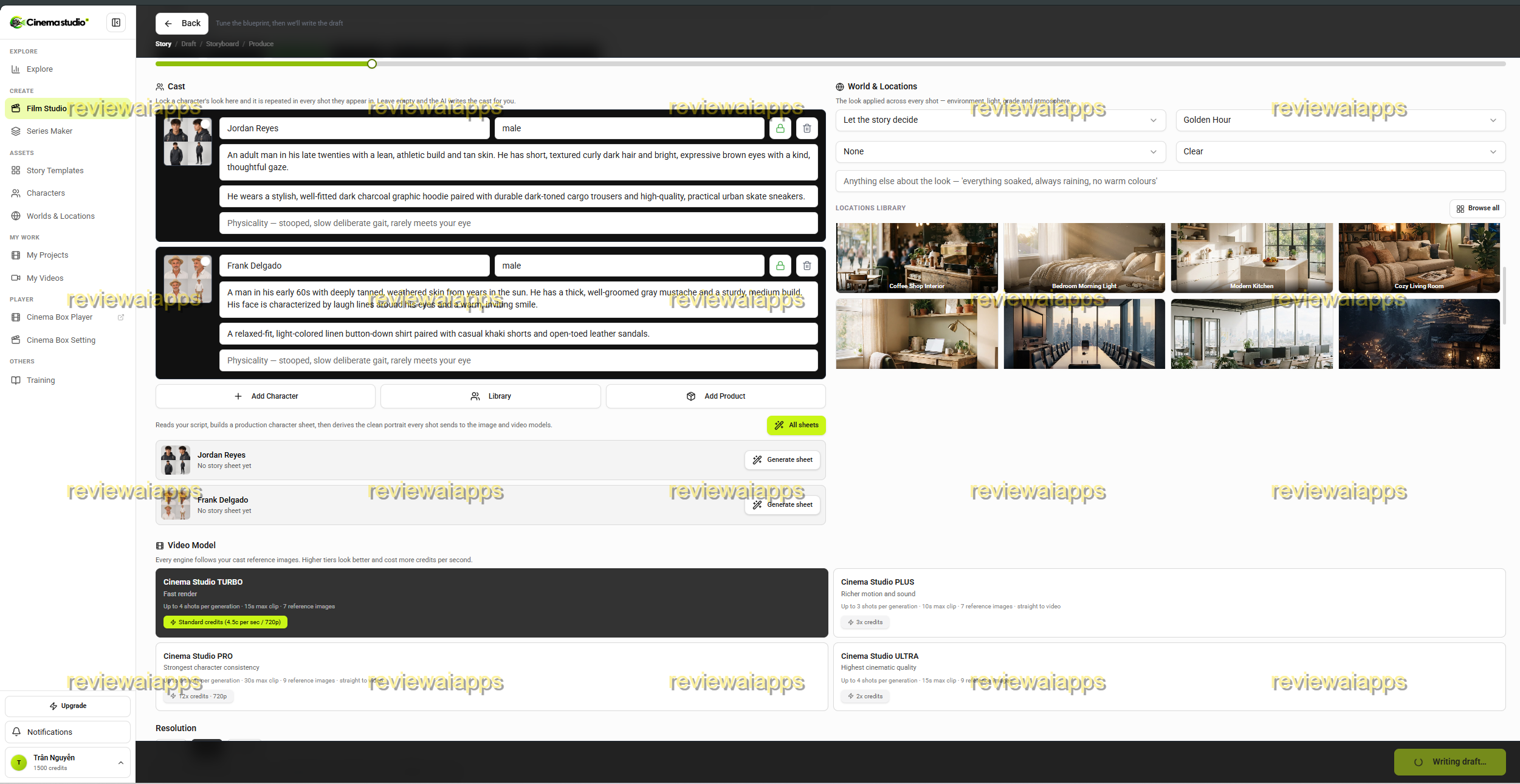
After that, see the credit cost and start rendering. Remember, you have two options, use their credits (reset monthly) or using an API key with external AI provider (pay-as-you-go)
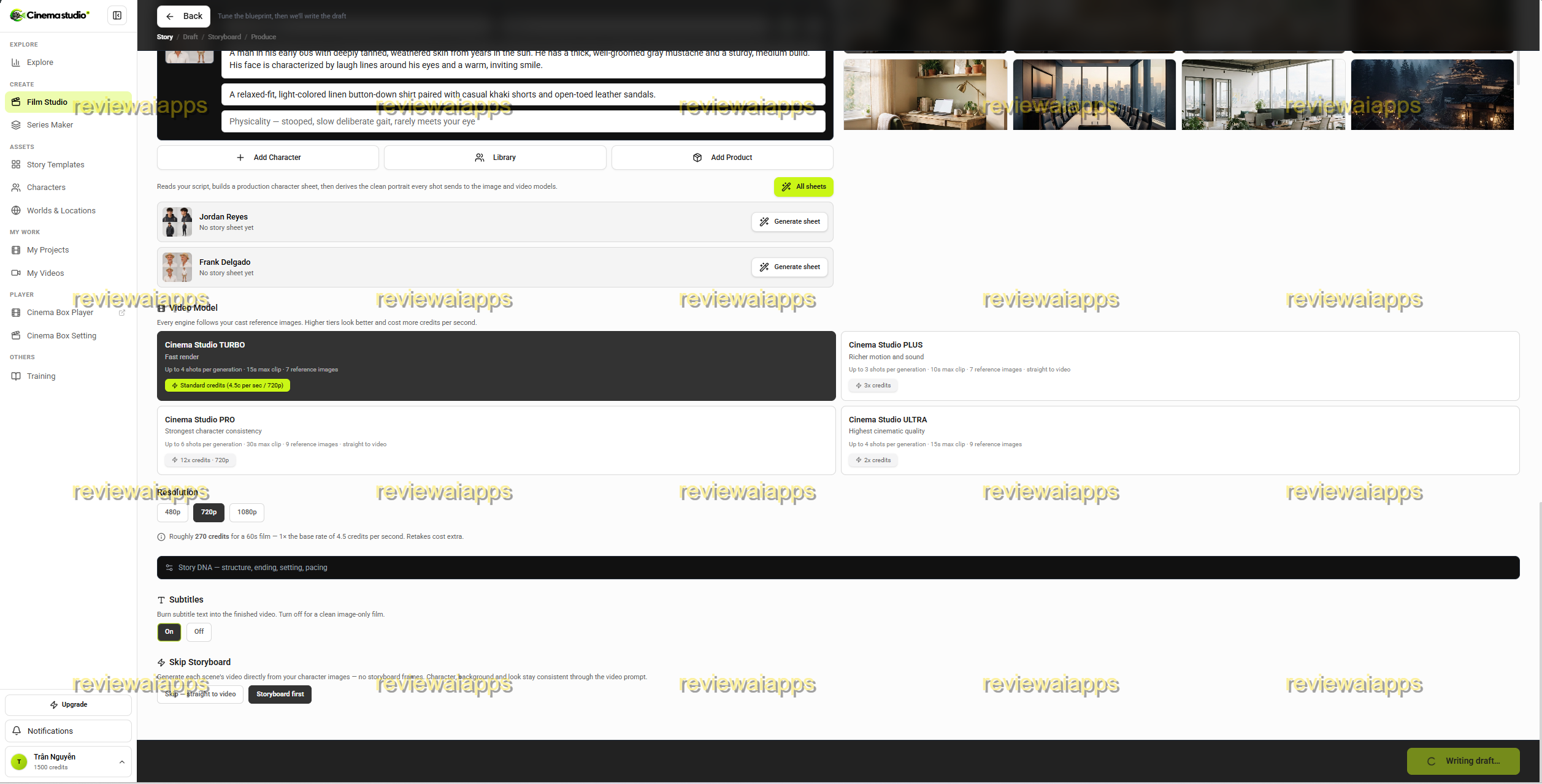
So, you can see how visualization looks like here.
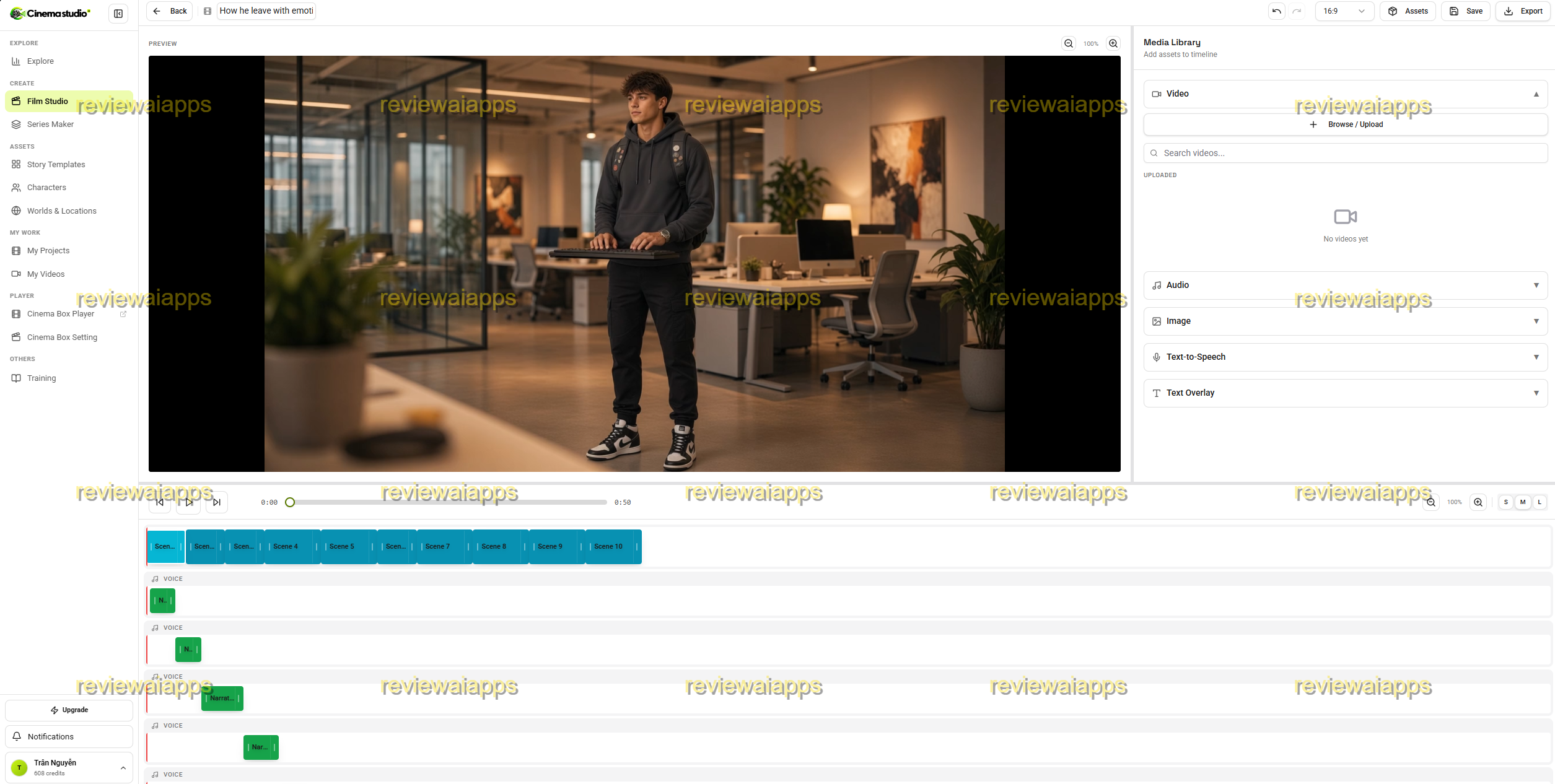
After that, you can see a video editor, whereas you see how those scenes display (so you can revise, customize for if you are not satisfied)
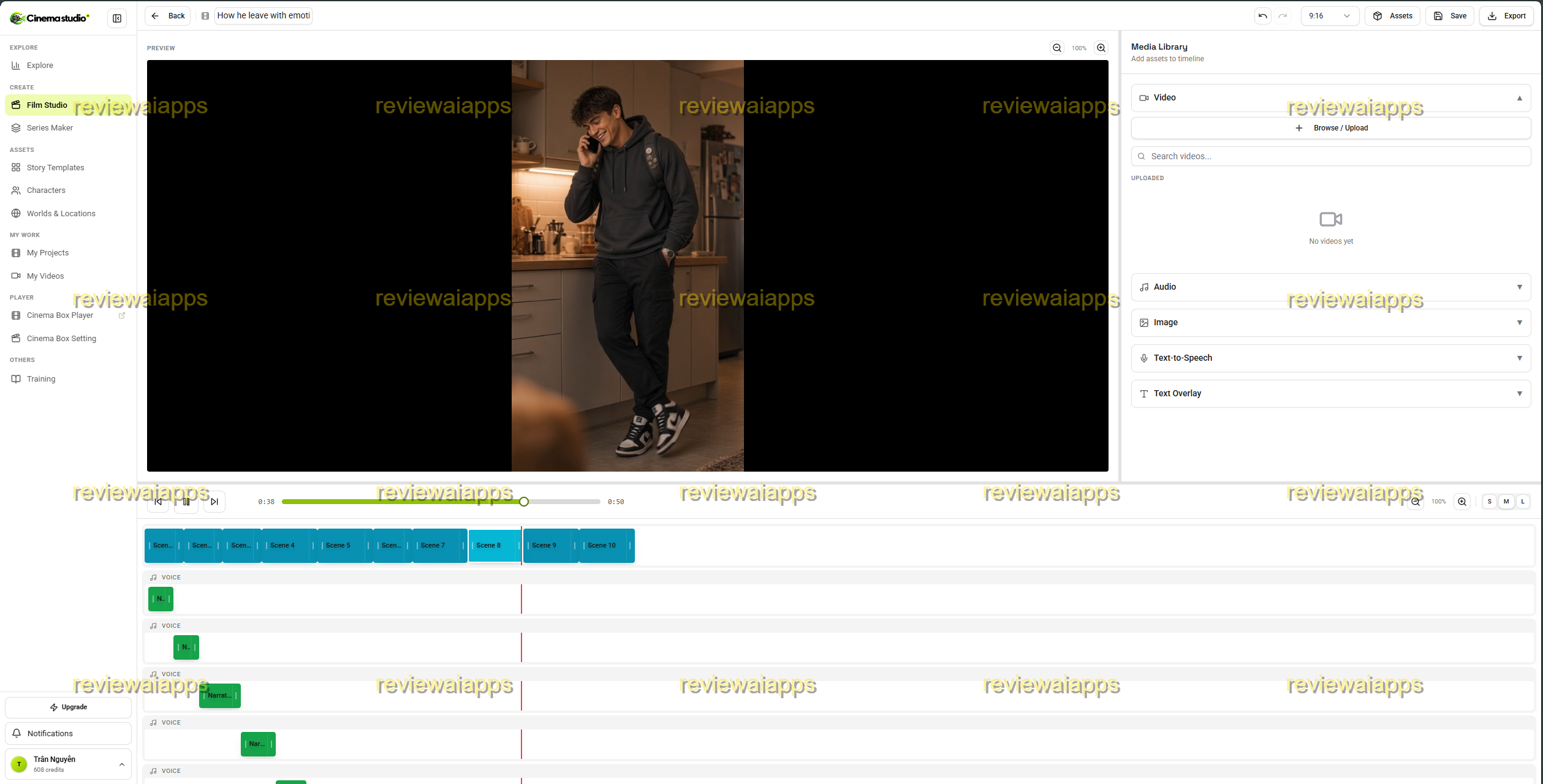
Here's sample video I made
https://gumlet.tv/watch/6aa0bb1aaa489a4399f76fc3
CinemaStudio AI Pricing and Upgrades: Your Costs, Your Benefits
CinemaStudio AI is marketed with a front-end plan and four optional upgrades. There is also a bundle if you prefer to buy everything in one purchase instead of stacking each upsell.
| Plan | Price |
|---|---|
| CinemaStudio AI Bundle | $317 |
| Front End: CinemaStudio AI Commercial | $37 |
| Upsell 1: CinemaStudio AI Unlimited Pro | $67 |
| Upsell 2: CinemaStudio Series | $47 |
| Upsell 3: CinemaBox | $67 |
| Upsell 4: Loop StudioAI | $67 |
CinemaStudio AI Bundle Price ($317)
The CinemaStudio AI Bundle is $317 for a one-time payment if you know you want the full toolkit. It combines all the below upgrades into one checkout for the front end and is usually cheaper than buying each piece separately later. Good to know before you click: the bundle checkout still has its own extra order bump on top of the base price, so bundling is not quite a one-click, upsell-free purchase either.
Front End: CinemaStudio AI Commercial Price ($37)
CinemaStudio AI Commercial costs $37 and it is the entry plan for solo creators who want to produce a short film without touching any of the four upgrades. What you get on the frontend:
10 story genres; over 100 sub-genres
20 visual styles from cinematic realism to anime and 3D animation
Hollywood style camera, lighting & color presets
Narration/dialogue in 20 spoken languages
Films lasting 15 to 90 seconds
5 custom characters, 5 custom universes
Storyboard preview (shot by shot) before rendering
Voiceover, music, and sound by AI
In-browser timeline editor
2,500 video credits per month
Commercial use license included
If you want to test whether the automation actually fits your niche before spending more, this is the right starting point.
Upsell 1 : CinemaStudio AI Unlimited Pro Pricing ($67)
Unlimited Pro ($67) removes most of the caps built into the front end. What you get:
2,500 additional video credits per month
Films up to 3 minutes long, double the limit on the front-end
All 20 story categories unlocked (10 more than the front end)
Unlimited custom projects, characters and worlds
16 pro director environments + extra lighting and color grades
Rendering priority 10x faster
5 users and 5 GB of cloud storage
This is where the front end starts to feel a bit too tight if you run more than 1 niche or have real project volume to handle.
Upsell 2: CinemaStudio Series price ($47)
Series is $47, for anyone who wants to take one idea and stretch it into a multi-episode show, instead of a single movie. You will get:
5, 10 or 20 episodes per one idea – seasons
AI season planner that maps the entire arc
A series bible that demonstrates all episodes have the same cast, world and style
Built-in recap intros, next episode teasers and cliffhangers
10 done for you series formats and 50+ done for you series templates
One click to run a whole season of batch production
Upsell 3: CinemaBox Price ($67)
The price of CinemaBox is $67 and it's a standalone branded streaming service for whatever you produce with CinemaStudio AI. Here is what you will get:
A browse page like Netflix for your own channels and series
Swipeable mobile feed like Reels or TikTok
Viewer accounts, registrations, likes, comments and shares
Free, private or paid access, including monthly subscriptions and pay-per-view access
Built-in ad manager for in-feed video ads and banner ads
Viewer & Engagement Analytics
This is the biggest upgrade to the funnel, turning a video tool into a small streaming business, not just a production tool.
Upsell 4: Loop StudioAI Pricing ($67)
Loop StudioAI is $67 and is aimed at evergreen, faceless-channel content rather than one-off story films. What you receive:
Mood Films: 20 moods / 20 music styles endless play ambient films
Narrated by Mind Films for motivational, podcast-style or sleep-story content.
An AI script writer with 20 pre-loaded topic packs
20 Narrator voices in 20 languages
Single click direct CinemaBox publishing
CinemaStudio AI Features & Benefits
The AI Story Generator
The vendor describes what he calls the story engine as the heart of CinemaStudio AI. Type one line and it writes a full script, with a beginning, a twist and an ending or lean on the hundreds of done-for-you templates across ten categories. You can also paste a script you already wrote and have the AI film it scene by scene. This is helpful if writing was never the part you needed help with.
Character Design Studio & Universe Design Studios
This is the section clearly built to address AI video's most common complaint, characters that change face, wardrobe or look from shot to shot. In the Character Studio you enter a name, category, look, wardrobe and accessories, optionally upload reference images and then generate a 4-pose character sheet, front face, side profile, mid pose and full body, that is reused in every scene. The Universe Studio does the same for locations, letting you describe an environment and lock in a visual style so the same world can be reused throughout an entire film or franchise.
Director Mode in Hollywood
Camera angle, lighting and color grade are done with named presets like Golden Hour, Rembrandt, Teal and Orange, instead of having you describe cinematography yourself. Choose from 16 environments and 20 visual styles, switchable with a single click.
Storyboarding Before the Render
CinemaStudio AI shows the entire film shot by shot before a single scene is generated, what the camera sees and what the audience hears, in a storyboard. At this point you can edit a line, add a shot or regenerate a single frame, so you’re not burning render credits on a scene you weren’t ever going to keep.
Editor for voice, sound and timeline
Cloud-based, multi-track timeline editor for trimming, reordering and layering narration, music and sound effects is the finishing stage. The editor itself generates the voiceover and is adjustable to different voices, speeds and pitches in 20 languages.
Commercial License, Credits and Export
Export finished movies in 1080p, with no watermark in vertical, widescreen and square formats. The front end includes 2,500 video credits per month as part of the one-time purchase, and a commercial license is included from the start so you can sell finished films to clients and keep the income.
How CinemaStudio AI Stacks Up To Other Tools
Most AI video tools come in one of two camps: bare prompt-to-clip generators that give you five to ten seconds of disconnected footage, or avatar-style tools built around a single talking head for ads and UGC content. CinemaStudio AI is in a third category, more akin to structured short-form filmmaking, with a script, a cast, and an edit rather than just a clip.
Story engine and storyboard step give you a finished narrative against raw clip generator instead of footage you still have to put together yourself. It’s not a single on-camera spokesperson in front of an avatar or UGC tool, but rather multiple characters and locations. You sacrifice manual control for the speed of the AI over traditional editing software as it makes most of the cinematography decisions for you through presets.
None of that is what makes CinemaStudio AI special from a technical standpoint, character consistency and story generation are things the entire AI video industry is trying to figure out, but the packaging is a real point of difference from a basic prompt box.
CinemaStudio AI Pros and Cons
Benefits
A real script-first workflow, not a blind prompt box
Character and Universe studios directly targeted the consistency problem
Better preview of Storyboard before rendering to save wasted credits
20 languages and 20 visual styles, covering a wide range of use cases
Commercial license included from front end price.
Low front-end price to test before further commitment
Cons
Front-end length capped at 90 seconds, and the upgraded version only goes up to 3 minutes, short of what short film usually implies
Character and universe limit on the front end clearly nudges you toward Unlimited Pro.
2,500 credits promised every month, and no subscription, depends on vendor covering ongoing AI compute costs forever from a one-time fee
CinemaBox adds real hosting and bandwidth costs to the platform for the viewers, plus a one-time price of $67
No independent long-term track record, as it is a brand-new launch
Where the Hype Outpaces the Product
A few claims on the sales page are worth a closer look before you buy.
Launch-copy positioning. The world's first story-first AI movie studio and solves the three problems that kill every AI video tool. Not something you can verify. Issues that the entire AI video industry is actively working on are character consistency and story structure. CinemaStudio AI is not a fix for something no one else has tried.
Really a reframing of no prompt engineering required. The Look, Wardrobe, Accessories and Scene Prompt fields are a prompt broken into labeled boxes, a better user experience, but still a prompt.
Award-Winning Short Films is something of a stretch given the actual output length. Real short films are usually five to forty minutes long. A 90 second front end film, or a 3 minute film even after you upgrade for $67, is a social or vertical format video, not a short film in the sense that headline borrows credibility from.
And the comparison to a $500 to $2,000 agency video is also apples and oranges. An agency fee is for creative direction, changes and reliability, not just a rendered clip. Any comparison based on a curated demo reel will look better than typical output in every niche claimed, including kids, devotional stories and mythology.
What’s worth sitting with is the pricing model itself. Video and voice generation costs real, ongoing compute money, and that cost does not go away once a customer has begun using monthly credits.” The rest of the AI video industry, priced monthly for exactly this reason, sees a one-time payment funding 2,500 credits every month indefinitely as an unsustainable promise at scale. In practice, tools built this way tend to quietly throttle usage, deprioritize rendering for base-tier buyers, notice that Unlimited Pro is sold as 10x faster, an admission that the front end is intentionally slower, or scale back the every month promise once support costs catch up with a one-time revenue ceiling.
What I Saw When I Went Through The Dashboard
The interface is simple when you actually open the product and not just the sales page. The home screen is a template library arranged by genre with your projects tracked separately below it. The Character Studio form guides you through Name, Category, Look, Wardrobe, Accessories, and Role or Notes prior to creating the 4-pose sheet, and the Universe Studio follows the same pattern for a location in place of a person. When you design a film you determine visual style, tone, audience, narration style, narrator voice, language, format, duration, all on one screen before you go to the storyboard stage. It’s all non-technical, it’s about filling in forms, not coding or manual editing. This matches the no prompt engineering pitch, although that phrase oversells what is really a well-organized prompt.
CinemaStudio AI: Tips For Better Results
Write your one-line idea as specifically as possible before letting the AI expand it, vague prompts produce vague scripts.
Consistency engines are all about building your main character and universe once and then reusing them in other projects instead of building them from scratch every time.
Go over the storyboard well before you render. One flagged shot that needs regeneration is far cheaper than re-rendering a finished scene.
Match your narrator voice and music mood to your audience setting, a mismatch is one of the fastest ways a finished film feels off.
As the tool matures beyond launch week, treat the monthly credit allowance as a budget, not a guaranty, and watch your usage.
CinemaStudio AI Review FAQ’s
What is CinemaStudio AI?
It’s a way to convert one idea, or your own script, into a finished cinematic short film, trailer, or series, with consistent cast, narration, music, and an edited final cut.
Do I need any filmmaking skills or prompt writing skills to use it?
Nope. The workflow is based on forms and presets rather than an empty prompt box, so most of the direction is done through menus and short descriptions.
How many movies can I make with the front end credits?
CinemaStudio AI provides 2,500 video credits a month, but doesn’t have a specific credit-per-render cost, so consider that figure as a starting allowance, not a set number of completed films.
The $37 plan really includes the commercial license?
Yes, there is a commercial license included from the entry price (based on the front-end feature list) and it allows resale to clients.
You do not need any of the four upgrades to use CinemaStudio AI.
No. The front end is a separate product. The updates are longer films, unlimited characters and universes, multi-episode series, a branded streaming platform and an evergreen content generator. None of them are necessary for a finished film.
Final Verdict: Is CinemaStudio AI Worth It?
CinemaStudio AI is not a shameless gimmick. The dashboard behind the sales page is a coherent, form-driven production tool. The Character and Universe studios are a sensible answer to AI video’s biggest complaint: characters that can’t hold their look from one shot to the next. Where the pitch goes too far is in the language wrapped around that product, award-winning, world's-first, and agency-grade claims borrowed from categories this tool hasn't earned, plus a credits forever, one-time payment promise the economics of AI video generation make difficult to honor long-term.
My honest take is this is a pretty reasonable entry point for short-form social and story content at a low front-end price, especially if character consistency across a series of posts is your primary pain point. I wouldn’t go in expecting festival-length films, an agency replacement, or a guaranty today’s credit allowance still looks the same a year from now. Begin with the $37 front end, observe how the automation operates in your niche, and upgrade only for existing problems, not those introduced by the checkout page.

🚀 GET CinemaStudio AI + MY EXCLUSIVE BONUSES 🎁
💎 GRAB THE FULL BUNDLE — SAVE $50 💰
🎁 VISIT MY BONUS PAGE 🎯
Comments
Join the discussionNo comments yet. Be the first to comment.