FeedBoss Review
Is This AI LinkedIn Strategist Worth Buying on AppSumo?
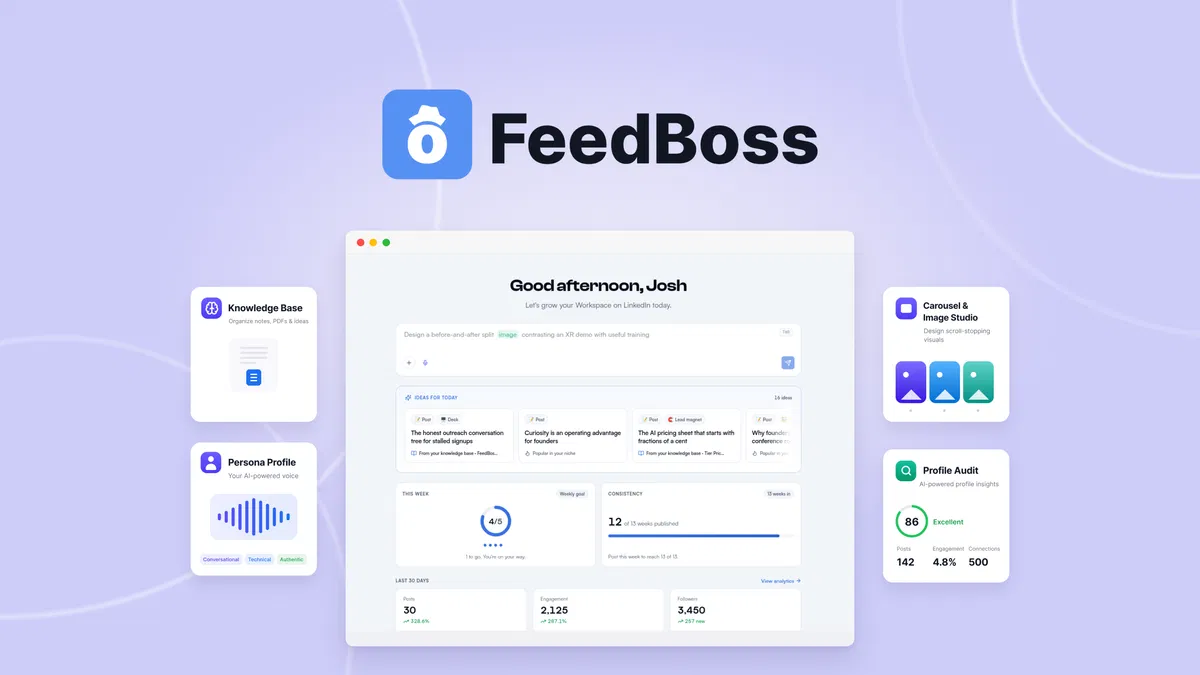
FeedBook Review - How to Buy FeedBoss in Two Ways & Why the AppSumo Way is the Way to Go
LinkedIn has quietly become the one platform that almost every serious professional, coach, agency owner and B2B founder needs to show up on consistently and almost nobody actually does. The difference between “I know I should post three times a week” and actually doing it is where a small wave of AI-powered LinkedIn tools have been trying to plant a flag.
FeedBoss is the latest asking for your attention, this time via an AppSumo lifetime deal rather than a typical launch funnel. Built by Minhaz-Us-Salakeen Fahme, a self-described 10-plus-year SaaS and game builder, FeedBoss markets itself as an AI-powered content command center that determines what you should post, drafts it in your own voice, and backs it up with scheduling, analytics, and a content strategy layer most competitors don't bother with.
In this FeedBoss review, we cut through the sales hype to discover what the tool can really do, what actual users are saying about it, and if the lifetime deal is worth picking up.
FeedBoss is a young, bootstrapped company founded in September 2025, run by a small one-to-ten person team out of the US That’s important for how you read everything else in this review, so bear that in mind as we go through pricing, features and the honest verdict at the end.
FeedBoss is sold in two totally different ways right now and it’s worth understanding both before you decide anything.
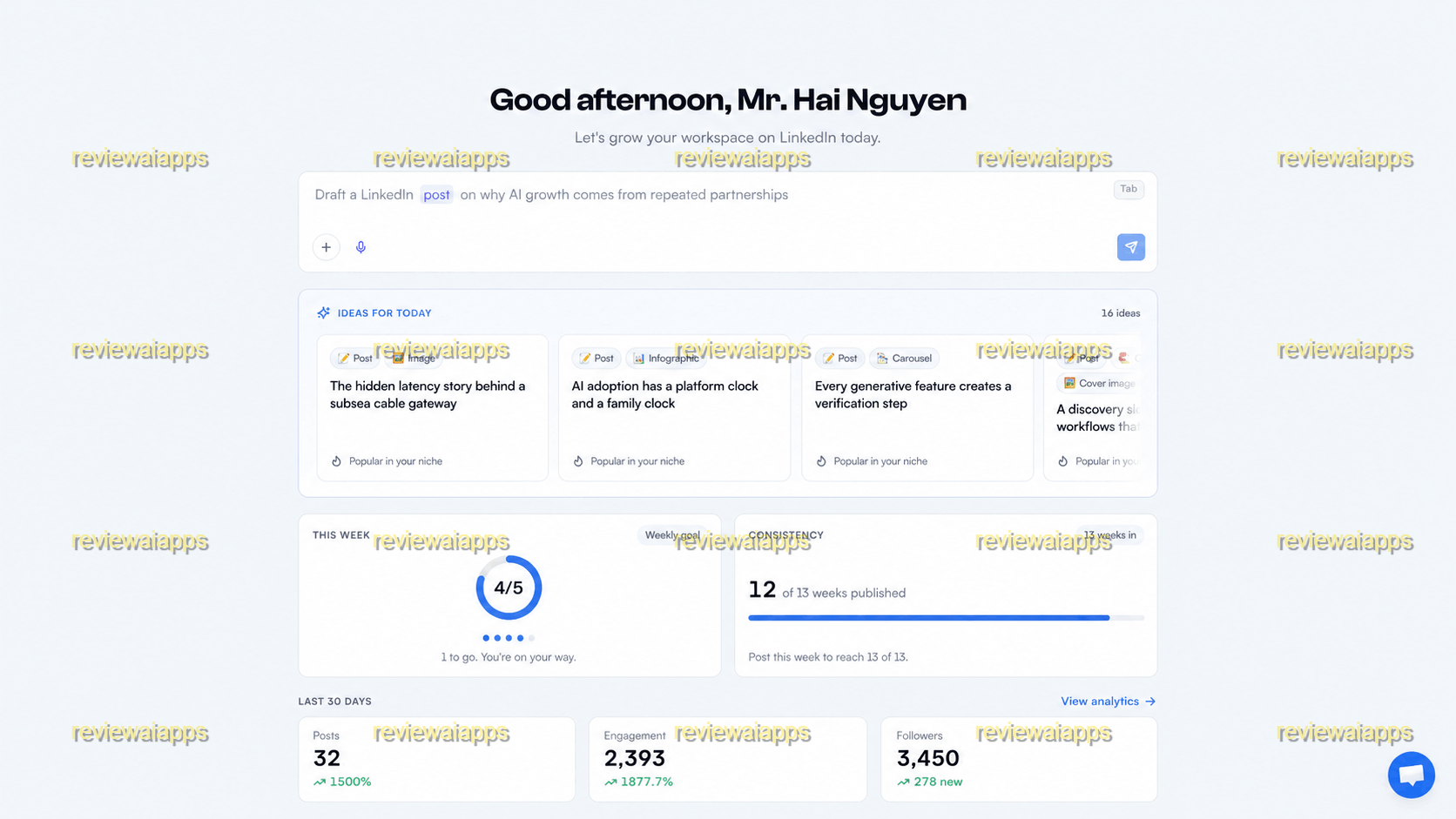
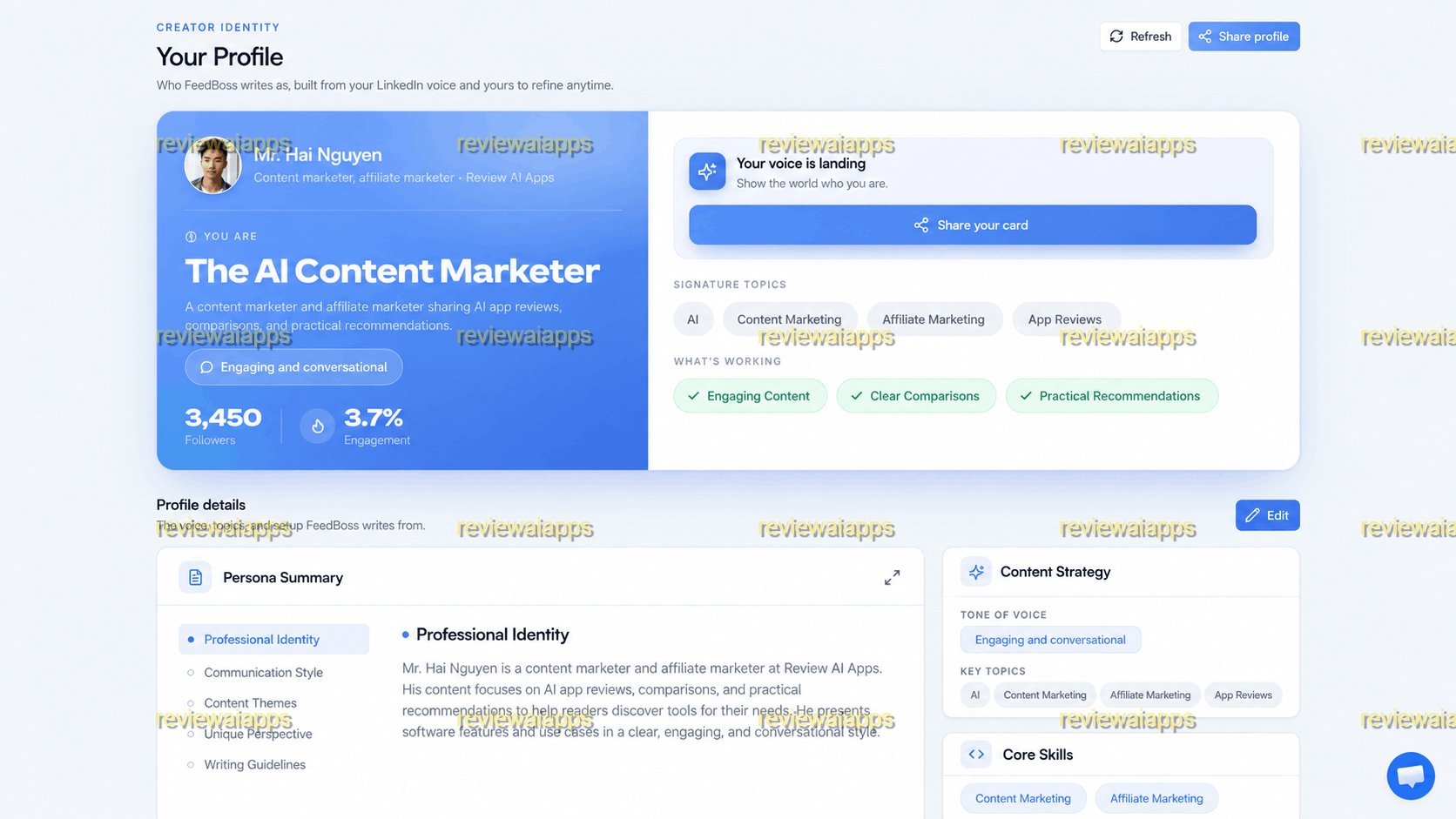
FeedBoss Review - Inside The Member's Area
This is the member's area once you login.
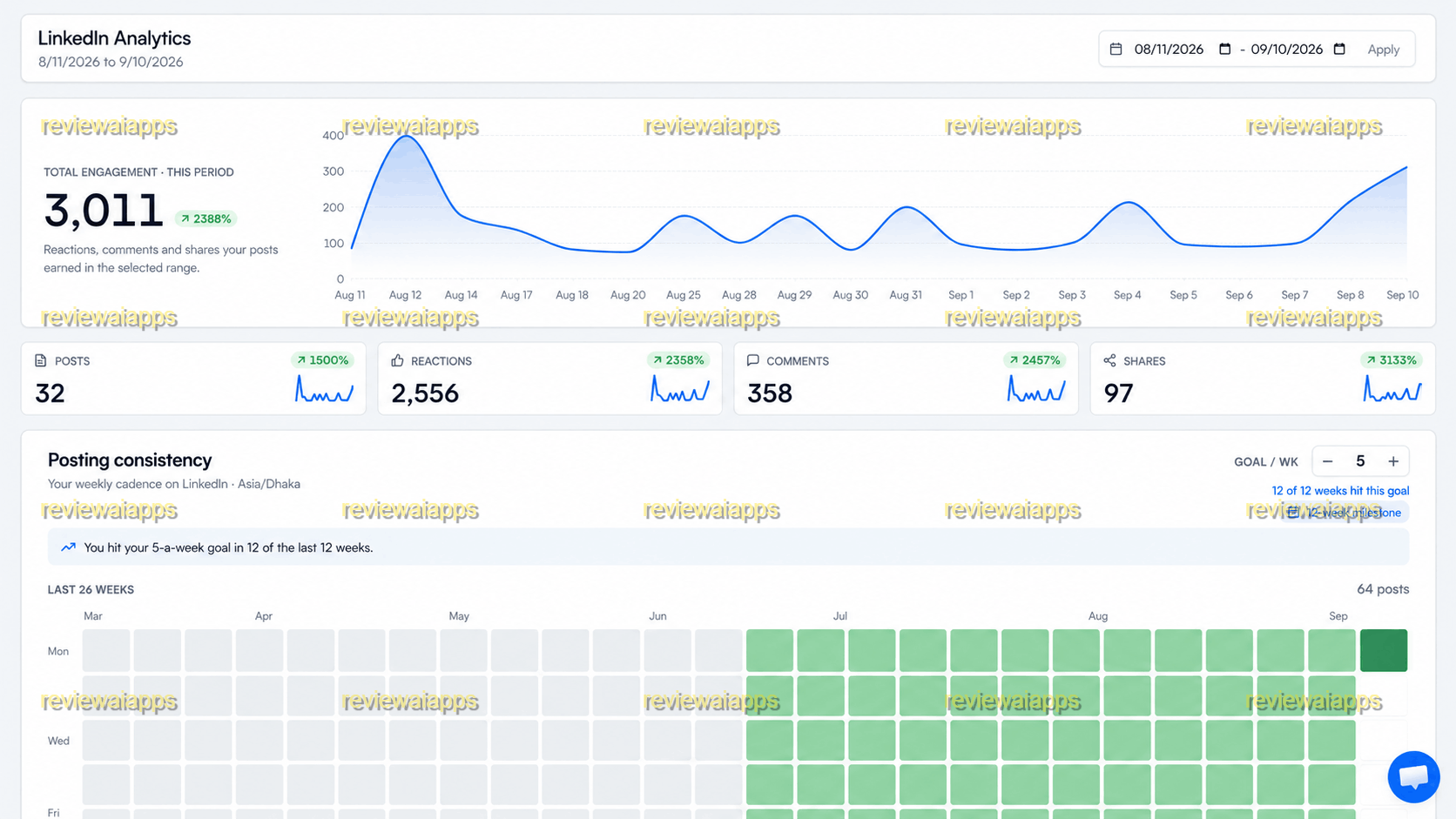
At anytime, you can browse your Linkedin Analytics to see how your post perform there.
This AI strategist can help you to optimize your profile, and create tailor-match communication style.
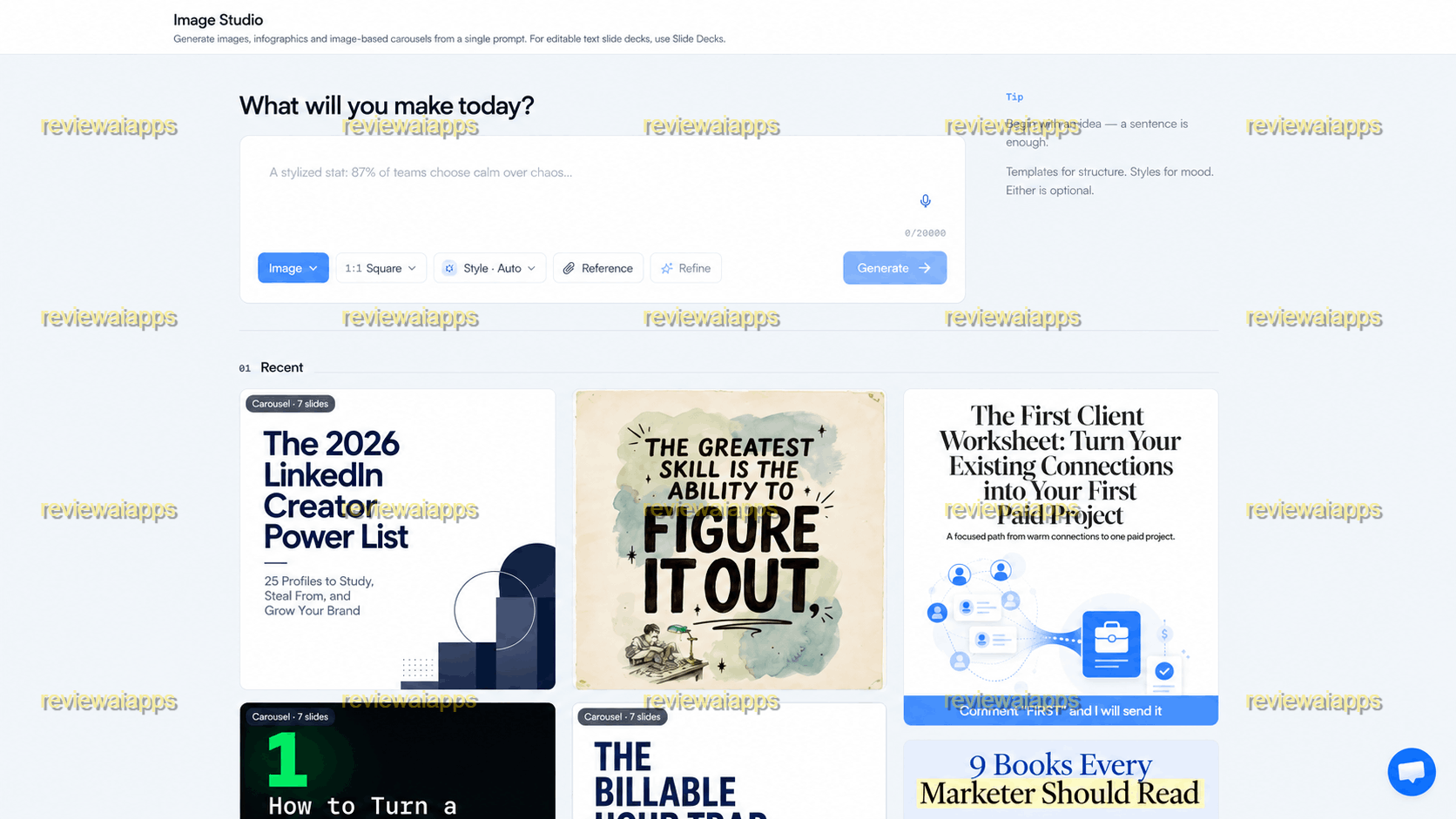
Every day, you can see post ideas that you can replicate and then you post directly into Linkedin.
The Subscription Path
The first path is the regular, ongoing subscription that is sold directly on feedboss.ai. This is a standard recurring SaaS model with three tiers: Creator, Pro and Studio. Creator is \(22/month for the first three months, then \)29/month. Pro is $44, then $59. Studio is $112, then $149. The same three tiers are fifty percent off the first year, billed yearly, which comes to about twelve, twenty-four, and sixty dollars a month respectively before jumping back to full price in year two. If you want to poke around a little first, there is a free trial, no credit card required. If you want to test-drive FeedBoss on the cheap, or aren't ready to commit to a lifetime purchase, this is the way you would go.
| Plan | First 3 Months | Regular Monthly | Yearly (first year, approx.) |
|---|---|---|---|
| Creator | $22/month | $29/month | about twelve dollars a month |
| Pro | $44 | $59 | about twenty-four dollars a month |
| Studio | $112 | $149 | about sixty dollars a month |
The AppSumo Lifetime Deal
The second route, which this review is based on, is the AppSumo lifetime deal. Instead of paying every month forever you pay once and get lifetime access, with a sixty day money back guaranty and a need to activate your code within sixty days of purchase. AppSumo sells this at four tiers, each unlocking a meaningfully different amount of tool.
Tier 1 – Creator
The first level, Creator, is $59 instead of its usual $118 price. This gives
four hundred monthly AI credits
two thousand one-time credits
five brand audits a month
one LinkedIn profile
one team member
one workspace
ten tracked competitor or prospect profiles
twenty-five gigabytes of storage
and two-K image resolution
with a knowledge base that takes voice and text input.
This is the entry tier for a solo user who just wants consistent, personalized posting without a team around it.
Tier 2 – Pro
Tier two, Pro, is one hundred forty-nine dollars compared to a listed regular price of three hundred fifty-four.
We're uping credits to twelve hundred a month and five thousand one time
brand audits up to fifteen a month and you get five profiles
two members
five workspaces and thirty tracked profiles
one hundred gigabytes of storage.
Here, the knowledge base is augmented with PDF uploads and a “talk it out” voice-note option, which is actually handy if you’d rather ramble into your phone than type out your expertise.
Tier 3 – Studio
Studio tier three is two hundred ninety-nine dollars, compared to a stated regular price of eight hundred ninety-four. Here’s where things get serious in terms of feature set:
thirty-two hundred monthly credits
ten thousand one-time
twenty-five audits
ten profiles
ten members
ten workspaces
sixty tracked profiles
five hundred gigabytes of storage
and four-K image output.
Studio also unlocks
the entire knowledge base
premium templates
the AI video studio
API access
the lead magnet builder
Authority Map and team approval workflows.
If you’re running this for a small agency or a business with more than one voice to manage, Studio is realistically the floor, not Pro.
Tier 4 – Scale
Tier four, Scale, is priced at one thousand seven hundred eighty-eight dollars, and is currently on sale for four hundred ninety-nine dollars. It brings back the whole thing:
five thousand monthly credits
twenty thousand one-time
fifty audits
twenty-five profiles
thirty members
twenty-five workspaces
one hundred tracked profiles and a full terabyte of storage at four-K resolution.
It also adds the ability to bring your own AI API key and profile-level voice matching across multiple accounts.
| Tier | Deal Price | Regular Price |
|---|---|---|
| Tier 1 – Creator | $59 | $118 |
| Tier 2 – Pro | $149 | $354 |
| Tier 3 – Studio | $299 | $894 |
| Tier 4 – Scale | $499 | $1788 |
One thing to clearly flag: that four-tier structure is on AppSumo only. The live feed for boss.ai's pricing page ends at Studio and nowhere is anything even remotely like Scale's specs being sold at any price. So the $1788 “regular price” used to justify the Tier four discount isn’t a real price you could actually pay somewhere else today, it’s just a number the deal invented for comparison purposes. This doesn’t mean Tier four is a bad buy at four hundred ninety-nine dollars for what you get, but it does mean you should judge that tier on its own specs and needs, not on the discount percentage plastered next to it.
What FeedBoss Really Does
Remove the branding and FeedBoss is based on one simple idea: LinkedIn content that actually sounds like you, made from things you already know, not cookie cutter prompts.
Persona Profile and Knowledge Base
It begins by looking at your current LinkedIn profile and post history to create what it calls a Persona Profile – a model of your voice, tone, and recurring topics, which it says improves the more you use the tool and edit its output. You can also feed it directly through a Knowledge Base, uploading voice memos, notes, and depending on your tier, PDFs so the content it drafts is grounded in your actual expertise instead of whatever the AI is able to invent on its own.
Content Creation Tools
From there, the platform takes a single prompt and generates
individual posts
batches of posts
LinkedIn carousels and infographics
short slide decks that export to PowerPoint
and even short AI-generated videos with scripts, voiceover and captions on the higher tiers.
A content calendar will allow you to plan out weeks of posts in one sitting or auto-generate a full month at once if you like to get ahead of things.
The Strategy Layer
FeedBoss tries to differentiate itself from being “just another AI writer” in the strategy layer. The Authority Map checks out your last hundred posts and maps your core topic pillars against the gaps you’ve missed, turning random posting into more of a plan with AI-suggested post ideas for each gap it finds. There’s a Profile Audit that scores your personal brand, Trending Topics and Popular Posts sections to bring what’s working right now in your niche to the surface, and engagement tools that allow you to track competitors or prospects, draft comments on their posts, and see how much engagement those comments actually earned.
Team, Workspace and Integration Features
If you’re managing content for a team or multiple clients, Studio and Scale provide multiple workspaces, role-based team access, and an approval workflow so you can review posts before they go live. A Chrome extension lets you comment on LinkedIn posts without leaving your feed, and API access on the higher tiers opens the door to plugging FeedBoss into your own automation setup, including "Connected Assistants" that let you use it from inside Claude, ChatGPT, or Cursor.
FeedBoss connects to LinkedIn using official OAuth and not asking you for your password. The actual AI generation is powered through a mix of models including options from OpenAI, Google and Anthropic depending on the plan.
Who FeedBoss Is Really Intended For
FeedBoss isn’t trying to be all things to all people, even if the marketing sometimes sounds that way. On the AppSumo side, it’s squarely aimed at content creators, social media managers, and solopreneurs who post under their own name. The vendor’s own site casts an even wider net, listing
founders
coaches
marketing agencies
recruiters
personal-brand builders
job seekers
B2B SaaS teams
ecommerce sellers
and thought leaders as target users.
In practice, the tool works best for people who already know that LinkedIn is important for their business or career, but who don't have the time or patience to sit down and write a post from scratch three times a week. A recruiter trying to build a personal following, a consultant trying to look busy in their niche, or a small agency ghostwriting for a handful of executive clients. These are all realistic use cases where the knowledge-base and persona approach actually saves real time, rather than just churning out more generic AI text faster.
How FeedBoss Measures Up to ChatGPT and the Scheduling Tools
It’s part of FeedBoss’s pitch that it’s not so much competing with ChatGPT as picking up where a general purpose AI leaves off. The vendor’s own FAQ makes this point explicitly: “ChatGPT can write a post for you if you prompt well, but it doesn’t know LinkedIn’s post formats or algorithm behavior, doesn’t schedule anything, doesn’t track analytics, and can’t build a carousel or an Authority Map by itself.” Fair enough distinction, and really the same argument every purpose-built AI tool makes against the general purpose model underneath it. So worth taking as a reasonable claim rather than a breakthrough one.
The more interesting comparison is with the tools AppSumo lists as alternatives: Buffer, Hootsuite and Sprout Social. First and foremost, they are scheduling-and-analytics platforms with AI writing as an add-on feature, not the core product. FeedBoss flips that on its head, with AI content generation and the knowledge base front and center, and scheduling one part of a larger workflow. If you want to schedule across multiple social networks (not just LinkedIn) the fully-featured tools still offer more extensive platform coverage. If your primary need is LinkedIn specifically, and the content itself is the hard part that gets solved, then FeedBoss's narrower focus is arguably the more useful trade. Feedboss.ai also runs comparison pages against more direct LinkedIn competitors like Taplio and Supergrow, which makes for a more honest fight to watch if you’re choosing between AI-first LinkedIn tools rather than general social schedulers.
What Buyers Say About Real Estate
The AppSumo Rating
The AppSumo listing currently has a 4.93 out of 5 rating based on sixty reviews, fifty-seven of which are five-star reviews and one of which is below four stars, which sounds pretty close to perfect on paper. Keep in mind AppSumo review pools often skew toward early, happy adopters who just bought something they’re excited about, and every single review visible right now was posted within the last few weeks, so there’s no long-term history here yet, for better or worse. That said, the individual reviews are still useful, as several of them independently land on the same points.
What Reviewers Praise
Several buyers cite the voice-matching feature as the best part, saying FeedBoss feels more like a true content strategy system designed around your own knowledge and writing style rather than a standard prompt-and-generate AI tool. One reviewer who started out on a lower rung upgraded all the way to Tier four after trying it out, mentioning the depth of the personalization and unusually responsive support. That kind of organic upgrade, paid for out of the reviewer’s own pocket, is a more powerful signal than most marketing copy.
Common Complaints
But the same pool of reviews also reveals true, convergent flaws. Hook and opening-line quality, as in the AI-written first lines of posts, was flagged as the weakest part of the output by more than one reviewer, with one reviewer noting it directly cost the content its scroll-stopping power. The lead magnet and presentation builder were reportedly not quite working out of the box, and need manual clean-up before it’s client-ready. It was noted that the Canvas template library was relatively small. One reviewer questioned how well the Trending Topics feed actually verifies that the content is current. None of these are dealbreakers, but they are common enough across independent reviewers that they are worth treating as real limitations rather than one-off complaints.
The AI-Label Compliance Issue
There’s one review I want to be truthful about. When a reviewer tried the product before it was listed on AppSumo, they said the user interface “felt clunky at first,” certain functionalities like the help chat and voice recording didn’t work reliably, and the vendor removed what the reviewer called a “AI-label workaround” after compliance concerns were raised. Read in plain English, that means an early version of the product had some means of circumventing an AI content disclosure label and it took external pressure to get that removed. It’s fair to flag in a review that’s supposed to be honest about risk, and it’s fair to note the other half of that same story: the vendor fixed the UI issues, fixed the reliability bugs, and removed the flagged feature, all before general availability. It’s a mixed signal, not a purely bad one. It shows an early-stage rough patch and it shows a team that responded when pushed on it.
Final Thoughts on This FeedBoss Review
FeedBoss is a meatier product than a lot of what shows up in the AI-tool deal space. This isn't just a thin wrapper around a single AI prompt; it's a real live SaaS product with its own ongoing pricing page, a real persona and knowledge-base system that multiple independent buyers confirm produces content that sounds like them rather than a generic bot, and a strategy layer in the Authority Map that goes beyond what most competitors even bother to do. For that price of the lower AppSumo tiers, from fifty-nine to one hundred forty-nine dollars for lifetime access, that's a reasonable bet for a solo LinkedIn user or small team who want to post consistently without hiring anyone.
That said, this isn't a “no-brainer, everyone should buy this” recommendation, and this review wouldn't be honest if it read like that. The company is barely a year old, bootstrapped, and run by a very small team, which is the normal risk profile for any AppSumo lifetime deal: you're betting on a young business to stick around and be supported for the "lifetime" part of lifetime deal to matter. The Tier four pricing comparison is inflated against a “regular price” that doesn’t exist anywhere else. The core feature set deserves better than weaker hook-writing, rougher lead magnet builder, and smaller template library than actual buyers (not marketing copy) indicate. And the early compliance problem with labeling AI-content, while fixed, is the kind of thing you want to know about before you hand your LinkedIn voice over to a tool.
If you’re a founder, coach, consultant or small agency and you know you need to post more consistently and like the idea of an AI tool that’s actually grounded in what you know rather than generic prompts, FeedBoss at the Creator or Pro tier is a fair lifetime bet at this price, with realistic expectations about which parts of it need your own polish afterward. If you’re trying to make a decision between Studio and Scale, make that decision based on how many teams and workspaces you actually have, not the discount amount you see next to Tier four. That number is doing a lot more marketing than math. If the long-term platform risk is more of a concern than the price, the fifty-nine dollar Creator tier is a low-cost way to see if FeedBoss will earn a permanent place in your workflow before you invest any more.